If you have been running Google Ads for any stretch of time, you already know that things change fast. What worked two years ago may not cut it today. And if you are still thinking about how to squeeze better performance from your search campaigns, responsive search ads are where that conversation starts.
This guide covers everything — how RSAs actually work, what makes them perform, where most advertisers get it wrong, and the specific things you can do right now to get better results. No filler.
What Are Responsive Search Ads?
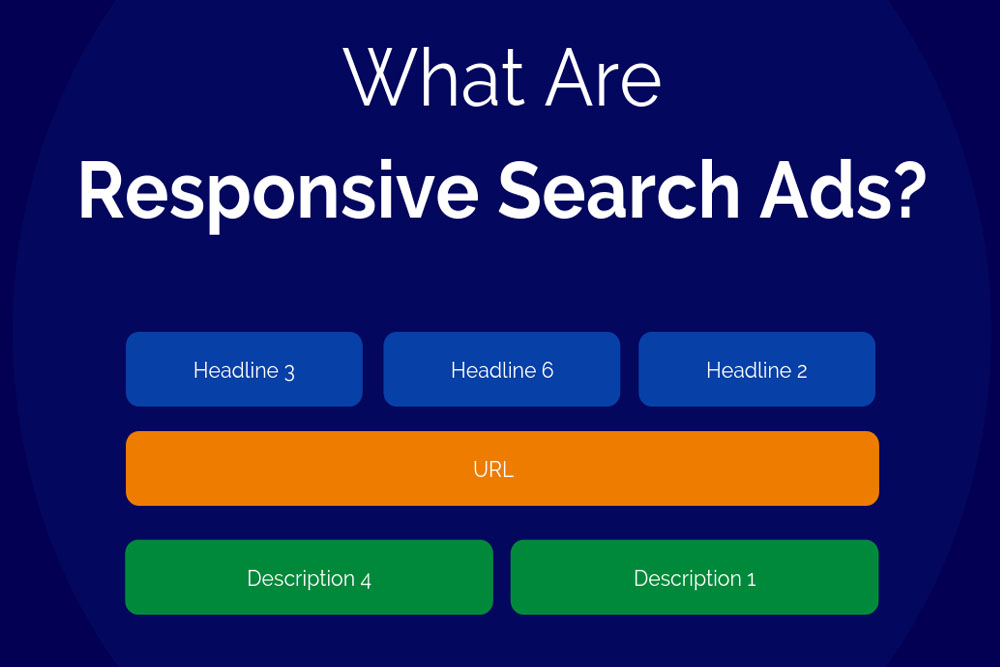
Responsive search ads, or RSAs, are the standard text ad format in Google Search campaigns. You write multiple headlines and descriptions, Google mixes them together, and over time, it figures out which combinations perform best for different users and search queries.
You can provide up to 15 headlines and up to 4 descriptions. From that, Google can generate over 35,000 possible ad combinations. The machine learning system tests these combinations and learns — which headlines work better on mobile, which descriptions drive more conversions, which pairings match which search intent.
Google made RSAs the default ad type in 2021. In June 2022, they completely removed the ability to create expanded text ads (ETAs). So if you are running Google Search campaigns now, RSAs are what you work with.
How Responsive Search Ads Actually Work
Here is the process in plain terms:
You give Google a pool of headlines and descriptions. When someone searches on Google, the system picks from your pool and builds an ad in real time. It factors in things like:
- What the person searched for
- What device are they on
- Their past browsing behavior
- Which combinations have performed well before
Early on, the ad is still learning. Performance might look uneven for the first two to three weeks. After that, once Google has gathered enough data, you start seeing the real results.
One thing people misunderstand: the headlines can show in any order. So every headline you write needs to make sense on its own, not just as part of a sequence.
RSA Specifications — Character Limits and What Gets Shown
Before writing anything, know the limits:
| Element | You Provide | Google Shows | Character Limit |
| Headlines | Up to 15 | Up to 3 | 30 characters each |
| Descriptions | Up to 4 | Up to 2 | 90 characters each |
| Display URL paths | Up to 2 | Up to 2 | 15 characters each |
A few things worth noting here. Headline 3 and Description 2 do not always show — Google skips them on smaller screens and certain placements. So never rely on those positions for something critical like a legal disclaimer or a key offer. Put your most important message in positions 1 and 2.
Also, do not chase the character limit on every single headline. If every headline is 30 characters, Google has less flexibility on mobile. Mix in shorter headlines — even 10 to 15 characters — so the ad can fit different screen sizes.
RSA vs Expanded Text Ads — What Actually Changed
People who have been advertising since before 2022 often ask whether RSAs are actually better or just different.
| Expanded Text Ads | Responsive Search Ads | |
| Headlines | Max 3 | Max 15 |
| Descriptions | Max 2 | Max 4 |
| Control | Full — you control every combination | Partial — Google decides what shows |
| Optimization | Manual A/B testing | Automated machine learning |
| Reach | Limited | Much wider — matches more search queries |
| Setup effort | More per variation | One setup covers many combinations |
The trade-off is control versus reach. ETAs gave you full control but limited how many searches your ad matched. RSAs match far more queries and let Google optimize automatically, but you give up some say over what the user actually sees.
For most advertisers, RSAs win on efficiency and volume. The key is writing enough variety that Google has something real to work with.
Writing RSA Headlines That Actually Work
This is where most campaigns fall apart. People write 15 headlines, but they all sound like variations of the same thing. Google then cannot find meaningful differences to test, and performance suffers.
Think of your 15 headlines as covering completely different angles. Here is a framework that works:
Keyword-based (2-3 headlines) Put your main keyword directly in the headline. This improves relevance scores and matches what the user typed. If your keyword is “Google ad agency for small business,” one headline should say exactly that or something very close.
Brand message (1-2 headlines): What does your company stand for? Something simple and memorable — “Trusted by 10,000 Businesses” or “14 Years in the Industry.”
Direct benefit (2-3 headlines): What does the customer get? “Save 3 Hours Every Week” beats “Efficient Software.” Specific is always better than vague.
Feature-based (2 headlines) Something concrete the product does. “Works on All Devices” or “Automatic Bank Sync.”
Social proof (1-2 headlines): “Rated 4.9 Stars by Verified Users” or “Over 500 Five-Star Reviews.”
Call to action (2-3 headlines): “Start Your Free Trial Today” or “Get a Quote in 60 Seconds” or “Book a Free Demo.”
Price or offer (1-2 headlines) “Plans Starting at $19/Month” or “No Setup Fees. Cancel Anytime.”
Write them all out, then read each one in isolation. Every single headline should make sense on its own. If one needs the context of another headline to make sense, rewrite it.
The Pinning Feature — Use It Carefully
Pinning lets you lock a specific headline or description to a specific position. If you have a brand name or a legal disclaimer that must always appear, you pin it.
But there is a real cost to pinning. The more you pin, the fewer combinations Google can test. Google itself lists excessive pinning as one of the main causes of weak ad performance.
If you must pin, a smarter approach is to pin multiple options to the same position. For example, pin two different headline variations to position 1. That way, something you chose always shows there, but Google still has a choice between two versions — so it can learn which performs better. You keep some control without killing the optimization.
Avoid pinning to position 3 or description position 2. Those do not always show, so your pinned message may never appear.
Ad Strength — What It Means and What It Does Not
Ad Strength is Google’s score for how well your Responsive Search Ads follows best practice guidelines. It goes from “Poor” to “Average” to “Good” to “Excellent.”
Here is what matters: Ad Strength is a best practice signal. It does not directly affect your ad rank or quality score. An ad with “Poor” strength is not penalized in the auction. What it does is tell you whether Google has enough variety in your headlines and descriptions to work with.
The things that typically push Ad Strength up:
- Having 8 to 15 unique headlines (not variations of each other)
- Including your top keyword in at least one or two headlines
- Descriptions that cover different selling points
- Avoiding repetitive phrases across different headlines
Improving from Poor to Good typically brings roughly a 9% increase in clicks and conversions, according to Google’s own data. So it is worth paying attention to — just do not treat it as the final measure of success. A campaign with “Good” strength and strong conversion data is far better than “Excellent” strength with weak results.
Smart Bidding + Broad Match + RSA: Why This Combination Works
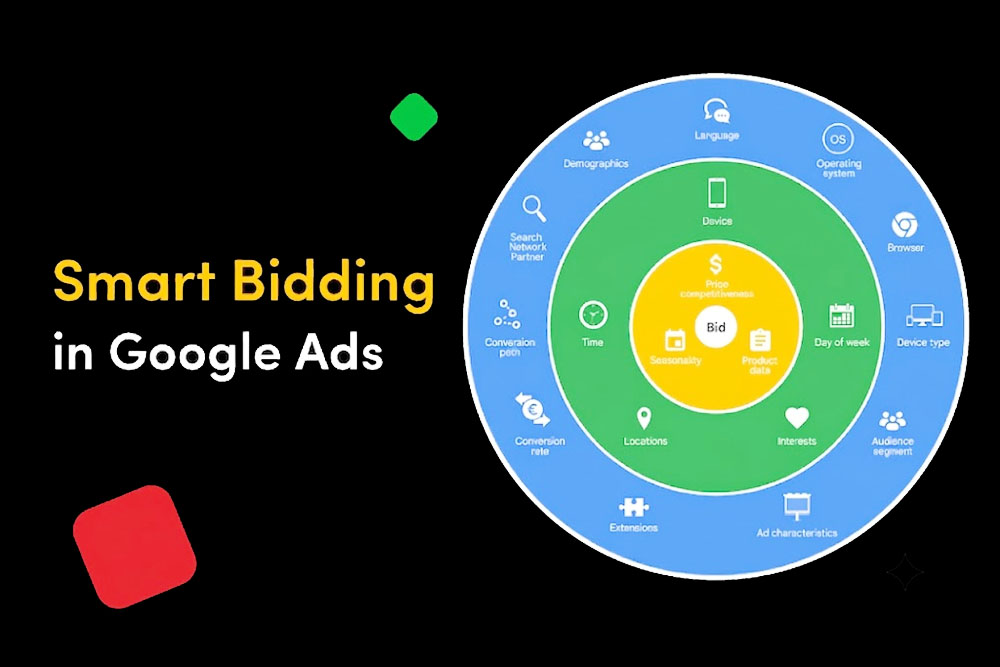
Google has a specific recommendation: run RSAs with Smart Bidding and broad keyword match together. According to Google’s own data, advertisers using this combination see an average of 20% more conversions at a similar cost per conversion.
Here is why the combination works:
RSAs expand the number of ad combinations that can match different queries.
Broad match expands the range of search queries your keywords can match — including synonyms, related searches, and variations you might not have thought to target.
Smart Bidding uses real-time signals — device, location, time of day, past behavior — to set bids that maximize conversions or conversion value within your target.
Each one individually helps. Together, they feed each other. More queries matched means more data. More data means smarter bidding. Smarter bidding means better conversion rates. The system compounds over time.
One caution: if you are switching from manual bidding and exact match keywords, do not flip everything at once. Change one thing at a time so you can see what each change does to performance.
The Combinations Report — A Tool Most Advertisers Ignore
Inside Google Ads, there is a report called the Combinations Report. It shows you which combinations of your headlines and descriptions Google is actually serving, and how many impressions each combination is getting.
This report will not tell you which combinations convert best — that data is not broken out at the combination level. But it tells you something valuable: which combinations Google thinks are most relevant to your searchers.
If you see the same two or three headlines showing up across 80% of impressions, that tells you those headlines are resonating. It also shows you which headlines are almost never appearing — those are candidates for replacement.
Use the combinations report to inform what you rewrite, not to pin your best-performing combinations. Let Google keep testing. What you should do is remove underperforming assets and replace them with new variations to keep the learning process fresh.
RSA Case Study: What Happens When You Switch From ETA to RSA
One agency tracked what happened when they converted an existing ETA campaign to full Responsive Search Ads, keeping the budget identical and only changing the ad copy structure. After three months of data collection, these were the results:
- Impressions increased by 1.2% — modest, because the budget was the same
- Click-through rate increased by 8.05%
- Conversions increased by 25.93%
The key finding: the ads were not shown much more often, but when they were shown, they performed significantly better. More relevant combinations reaching more relevant users at the right moment.
This is the typical pattern when RSAs are set up correctly. The volume difference is often modest. The efficiency improvement is where the value shows up.
Common RSA Mistakes — And What to Do Instead
Writing similar headlines. If headline 4 says “Fast Accounting Software” and headline 7 says “Quick Accounting Tool,” those are not two different messages. Google cannot learn anything meaningful from testing them. Write headlines that cover genuinely different angles.
Pinning everything Some advertisers pin all 15 headlines to specific positions because they want full control. This effectively recreates an expanded text ad inside an Responsive Search Ads format. You lose all the optimization benefits. Pin sparingly — only what truly cannot vary.
Ignoring the landing page connection, if your headline says “30-Day Free Trial” but the landing page has no free trial offer on it, your Quality Score drops and your conversion rate tanks. Every headline-description combination that could show needs to be consistent with what the user finds after clicking.
Not checking asset performance labels After your Responsive Search Ads has been running for a few weeks, Google assigns performance labels to your individual headlines and descriptions: “Best,” “Good,” “Low,” or “Learning.” Headlines labeled “Low” are shown rarely. That is your signal to replace them. Check this every two to three weeks.
Stopping optimization after launch, RSAs are not a set-it-and-forget-it format. The campaigns that perform best are the ones where someone regularly reviews performance labels, replaces low-performing assets, and tests new angles. Monthly reviews at minimum.
People also ask
How many headlines should I use in a responsive search ad?
Use as many as you can write that are genuinely different. Google recommends at least 8 to 10. The maximum is 15. More variety means more combinations for Google to test, which leads to better optimization over time. Do not write 15 headlines that all say the same thing in slightly different words — that defeats the purpose.
Does ad strength directly affect whether my ad shows?
No. Ad Strength does not impact your ad rank or quality score. It is a guidance metric that tells you whether your ad has enough variety for Google’s system to work with. An ad with poor strength will still enter the auction — it just may not have enough variation for Google to optimize effectively.
Should I pin my headlines?
Only when you have a specific message that must always appear — like a legal disclaimer, a brand name, or a key offer that is non-negotiable. For most advertisers, pinning should be minimal. If you do pin, pin at least two options to the same position rather than one, so Google still has something to test.
How long does it take for RSAs to start performing well?
Typically two to four weeks. The first two weeks are a learning period where Google is gathering data. Do not make major changes during this period — let the system learn. After week three or four, you will have enough data to make informed decisions about which assets to keep or replace.
What is the difference between a responsive search ad and a dynamic search ad?
Responsive search ads use headlines and descriptions that you write. Dynamic search ads automatically generate headlines from your website content. RSAs give you more control over the message. Dynamic search ads are better for large sites with many products where manually writing ads for every page is not practical.
Can I run multiple RSAs in one ad group?
Yes, you can run up to three RSAs per ad group. Based on research across thousands of accounts, two RSAs per ad group tend to perform best — you get more impressions than a single RSA and a higher conversion rate than three. Each RSA should cover a distinct angle or offer, not just be a copy of the other.
Final Word
The advertisers who get the best results from responsive search ads are not the ones who set everything up perfectly on day one. They are the ones who treat the campaign as something to actively manage — writing fresh headlines, replacing what is not working, testing new angles, and paying attention to the data Google provides.
RSAs give Google a lot of power. Your job is to give Google good material to work with, monitor what it does with that material, and keep improving it. Do that consistently, and the results follow.