

UAE National Day 2026 Marketing: Campaign Ideas, Ad Timing and Offers for Dubai Brands
UAE National Day 2026 (Eid Al Etihad) falls on Wednesday 2 and Thursday 3 December, marking the country’s 55th. For brands, the plan is simple: decide your offer now, launch teasers in the last days of November, run your campaign across the holiday, and follow up with every lead in the week after. This guide gives you the dates, a week-by-week timeline, campaign ideas for seven types of business, a channel-by-channel playbook, and a checklist to keep your campaign tasteful and compliant.
UAE National Day 2026 at a glance
| Date | Wednesday 2 and Thursday 3 December 2026 |
| Edition | 55th National Day |
| Official name | Eid Al Etihad (used since 2024) |
| Reported theme | “Spirit of the Union” |
| Holiday arrangement | Two days announced; a transfer to create a longer weekend is possible, as it was last year |
As of mid-October, final holiday arrangements had not been confirmed. Check the official announcement before you lock your launch dates, and again around 25 November.
Why National Day matters for your marketing
For a few days, almost every brand in the UAE is talking about the same thing. Feeds fill with flags, fireworks and congratulatory posts, so a generic “Happy National Day” graphic gets lost fast. The brands that stand out do something useful. They give people a reason to visit, book, call, or buy, and they do it in a way that feels respectful of the occasion. That is the difference between a post that gets a few likes and a campaign that produces leads.
A five-week campaign timeline
| When | What to do |
|---|---|
| Now to 10 Nov | Choose one clear offer and one audience. Set a budget. Brief your landing page. |
| 10–20 Nov | Produce creative in English and Arabic. Get approvals. Set up conversion tracking (GA4 events, call tracking, WhatsApp click tracking). |
| 20–27 Nov | Build and test campaigns in Google Ads, Meta, and TikTok. Publish the landing page so Google can crawl it before the holiday. |
| 28 Nov–1 Dec | Teaser phase: countdown content, early-access offers, email and WhatsApp broadcasts to your existing list. |
| 2–3 Dec | Campaign live. Check budgets and lead quality daily. Pause what is not working. |
| 4–10 Dec | Follow up every lead within 24 hours. Retarget visitors who did not convert. Review results. |
B2B brands should note that GITEX Global runs 8–11 December. Decision-makers will be busy, so keep B2B National Day activity light and put the real effort into your event plan. We cover that in our GITEX 2026 lead generation plan.
7 National Day campaign ideas by industry
These are starting points, not guarantees. Pick one that fits your offer and test it on a small budget first.
1. Retail and e-commerce: limited-edition bundles
Build a bundle or gift set for the 55th edition, available only on 2–3 December. A bundle lifts basket size without relying on deep discounts, which matters in a market where coupons are everywhere (more on that below). Send paid traffic to a dedicated landing page, not your homepage.
2. Restaurants and cafés: a seven-emirates menu
Create a seven-dish tasting menu inspired by the seven emirates and promote bookings with a click-to-WhatsApp ad. Post your holiday hours and menu on your Google Business Profile so people find you when they search “restaurants open on National Day”.
3. Real estate: viewing weekends
Run a “visit during the holiday” campaign aimed at buyers who have time off. Use Meta lead forms for quick inquiries and give agents a script for same-day callbacks. Our guide to real estate social media marketing in Dubai covers lead-form setup.
4. Clinics: holiday check-up packages
Offer a fixed-price health check or dental package that patients can book during the break. Use call extensions and appointment booking in your Google Ads. Check the health-advertising rules that apply to your licence before you publish any claims.
5. Home services: get ready for guests
Families host visitors over the holiday. Promote deep cleaning, AC servicing, and pest control slots in the week before, with booking through WhatsApp. Timing matters more than creativity here: the offer has to land before people start preparing.
6. B2B and SaaS: a thank-you, not a hard sell
Publish a short LinkedIn series that recognizes your UAE customers and partners, then use it to open conversations. Keep the call to action soft, such as “book a 20-minute review”, and save the heavier outreach for after GITEX.
7. Startups and small businesses: community content
Share short videos from your team about what the UAE means to them, and invite customers to share their own. It costs little, builds trust, and gives you content to reuse in later campaigns.
Channel playbook
Google Ads
Run a small, focused search campaign for terms like “national day offers” plus your category, and schedule ads to start a few days before 2 December. Send traffic to the matching offer page. If your account was upgraded to AI Max for Search this autumn when Dynamic Search Ads were retired, review its settings before the campaign goes live. Set a daily budget cap and check which landing pages Google is allowed to use. For budgeting, see our guide to Google Ads cost in Dubai or talk to our Google Ads team.
Meta and TikTok
Short vertical video is the natural format. Keep the message to one idea, show the offer in the first three seconds, and add Arabic captions. Creators who already speak to your audience can add credibility, but agree the brief and approvals in advance.
Click-to-WhatsApp ads suit offers that need a quick conversation, such as bookings, quotes, and viewings. Prepare your reply templates and staff rota before launch. Our walkthrough on click-to-WhatsApp ads in Dubai covers setup.
Your website and local listings
One dedicated National Day page beats several thin ones. Put the offer, dates, terms, and a short FAQ on it, and publish it at least a week early. Update your Google Business Profile with holiday hours and a post about the offer.
National Day branding: keep it temporary and tasteful
Many brands add a festive touch to their identity for the occasion. It works best when it is light and clearly temporary.
- Color accents: Use red, green, white, and black as accents rather than rebuilding your whole palette.
- Logo and profile treatments: A subtle temporary variation on social profile covers and your website header is enough.
- Packaging and in-store: Limited-edition sleeves, stickers, or window displays create a reason to visit without a full redesign.
- Retire it on time: Remove the festive branding within a few days of the holiday so your identity does not look dated.
Do not alter or misuse the national flag or emblem, and check current UAE guidelines before using them or images of national leaders in advertising.
What the latest UAE e-commerce data says
These figures are from Khaleej Times reporting on H1 2026. They describe the first half of the year, not National Day specifically, but they are a useful guide to how people shop.
- UAE e-commerce GMV grew 2% year on year, while the wider GCC fell 9%.
- Average order value rose from $97 to $111.
- Mobile accounted for 53% of purchases.
- More than half of orders used a coupon.
Our reading: shoppers are making fewer, larger purchases, so bundles and spend-threshold offers fit better than a blanket discount. With mobile above half of purchases, test your checkout on a phone before launch. And because coupons are so common, a discount code alone will not make you stand out. Pair it with a story, a limited quantity, or free delivery.
Compliance and culture checklist
- Confirm the final holiday dates and your customer service hours.
- Check whether your promotion needs a sales-promotion permit. Rules vary by sector and emirate; in Dubai, the Department of Economy and Tourism is usually the starting point.
- Check advertising rules for regulated sectors such as healthcare, finance, and real estate.
- Publish in both English and Arabic where your audience uses both.
- Keep the tone respectful. Celebrate the occasion without turning it into a joke or a pun.
- Make sure every offer states its dates and terms clearly.
How to measure results
Decide on your numbers before launch, not after.
- Leads: form fills, calls, and WhatsApp conversations, counted separately.
- Cost per lead against your normal campaigns.
- Lead quality: how many became qualified opportunities or bookings within two weeks.
- Sales or bookings attributed to the campaign.
Hold a short review in the week after. Write down what worked, what you would change, and save the creative and landing page so next year’s campaign starts from a strong base.
Frequently asked questions
When is UAE National Day 2026?
UAE National Day 2026 is on Wednesday 2 December, with the public holiday on 2 and 3 December. It is the 55th National Day. Final holiday arrangements, such as a transfer to a longer weekend, are confirmed by the government, so check before you publish.
Is UAE National Day the same as Eid Al Etihad?
Yes. The celebration has been officially called Eid Al Etihad, meaning “celebration of the Union”, since 2024. People still search for it as National Day, so it makes sense to use both terms in your content.
When should brands launch National Day campaigns?
Start planning now, publish landing pages by the last week of November, and launch teasers from around 28 November. Launch the main offer on 2 December. Build in time for approvals, tracking, and your team’s holiday schedule.
What kind of offers work during National Day?
Offers tied to the occasion usually perform best: limited-edition bundles, holiday-only bookings, free delivery, or early access for existing customers. Because more than half of UAE online orders now use coupons, a plain discount code is unlikely to differentiate you. Test two or three offers on a small budget first.
Do I need a permit for National Day promotions?
It depends on your sector and emirate. Discounts and prize promotions often need approval, and regulated industries have extra advertising rules. Confirm with the relevant authority before you launch. In Dubai, that is usually the Department of Economy and Tourism.
Plan your National Day campaign with Digital Oasis
If you want a campaign that generates leads rather than just likes, we can help you choose the offer, build the landing page, set up Google Ads, Meta and WhatsApp, and track the results.
You can also explore our Google Ads, social media marketing, and SEO services.

GITEX 2026 Lead Generation: 6-Week Exhibitor Plan
GITEX GLOBAL 2026 is about six weeks away. A good lead-generation plan connects five things: a clearly defined buyer, a useful meeting offer, pre-event promotion, consistent booth qualification, and an owned follow-up process. Set targets for qualified meetings and sales opportunities, then work backward to the people, channels, and budget needed to deliver them.
The location matters this year. GITEX GLOBAL moves to Expo City Dubai for the first time, and the Summit and the expo are at different venues. The dates and venues are below, so check them before you send a single invitation.
This plan is for technology vendors, AI and SaaS companies, systems integrators, and other B2B exhibitors. All figures and schedules below are planning examples, not GITEX performance benchmarks.
Key takeaways
- Define what a qualified meeting is before you count one.
- Build a small, researched target-account list before you buy any advertising.
- Give buyers one specific problem to discuss, not “visit our stand”.
- Send every channel to a single meeting-booking page and test it on a phone.
- Record the buyer’s problem and the agreed next step at the booth, then follow up fast.
- Starting late? Jump to the 14-day fast-track in the timeline section.
Free tool: Want the formulas and templates from this article in one file? Download the GITEX Campaign Planner (capacity calculator, six-week timeline, booth capture sheet and metrics tracker). [Link to be added]
GITEX 2026 at a glance: dates, venues and what’s new
GITEX GLOBAL 2026 runs 7–11 December in Dubai: the Summit on 7 December, then the four-day expo from 8 to 11 December. Source: the official GITEX GLOBAL 2026 page, checked 26 October 2026.
| Item | Detail |
|---|---|
| Summit | 7 December 2026, Dubai World Trade Centre |
| GITEX GLOBAL expo | 8–11 December 2026, Dubai Exhibition Centre, Expo City Dubai |
| What’s new | First edition at Expo City Dubai, and a move to December |
| Time zone for bookings | Gulf Standard Time (GST, UTC+4) |
How to set GITEX 2026 lead generation goals
Choose the outcome that would make exhibiting worthwhile. A startup testing demand, an established vendor seeking enterprise buyers and a distributor recruiting partners need very different conversations.
Write a short campaign brief that answers:
- Which organizations are a good fit for the offer?
- Which problem will the conversation address?
- Who evaluates, implements and approves the purchase?
- What evidence can the team demonstrate?
- What next step should a useful conversation produce?
Then define a qualified meeting before you count one. A workable definition: a meeting with a relevant organization, a stated problem within your scope, and an agreed next step. Record whether the visitor is an evaluator, budget owner, user, partner or investor. A senior job title alone does not establish buying intent.
Keep partner and investor goals separate from customer acquisition. It keeps the pipeline honest and lets each team judge the event on its own terms.
How many GITEX meetings can your team handle?
Suppose two salespeople can each hold six scheduled meetings per expo day. Across four days, that gives 48 meeting slots. This is an example calculation, not a recommended workload.
Reserve time for breaks, overruns, and valuable walk-up conversations. If the team cannot serve everyone well, reduce the booking target or add support. Never sell more appointments than your booth can deliver.
Which companies should you target at GITEX 2026?
Start with existing prospects, relevant customers, channel partners, and organizations that match your ideal customer profile. For each account, record:
- the likely use case
- the right function to approach
- the relationship owner
- the reason a GITEX meeting would help them
Use the official exhibitor directory to research organizations and potential partnerships. An exhibitor listing is not a verified attendee list, and it does not confirm that a particular person will attend.
Prioritize accounts by fit and evidence of a relevant project. A shortlist small enough for your salespeople to research properly beats a large list nobody has time to personalize.
The organizer’s GITEX Connect Buyer Program describes curated meetings and business matchmaking. Ask the organizer which opportunities your participation includes and how to apply. Do not assume every stand package guarantees buyer introductions.
For broader account selection and messaging, see our B2B digital marketing guide for the UAE.
What to offer: GITEX meeting ideas buyers will book
“Visit our stand” tells a prospect where you will be, not what they will gain. Build the invitation around a question the buyer needs to resolve.
| Exhibitor type | Example meeting offer | Useful next step |
|---|---|---|
| AI software company | Review one workflow and its integration requirements | Technical discovery session |
| Cybersecurity provider | Discuss a defined security or operational gap | Scoped assessment discussion |
| Cloud or infrastructure vendor | Explore one migration or capacity requirement | Architecture workshop |
| E-commerce technology provider | Review one conversion or operational bottleneck | Product-fit demo |
| Systems integrator | Map the stakeholders and dependencies in a project | Requirements meeting |
Choose an offer your own team can fulfill in the time available. Then prepare evidence for the likely objections: a relevant demonstration, an implementation outline, security information or a substantiated case study. If you have no relevant client result, explain your process and its limits rather than inventing a success story.
How to build a GITEX meeting-booking page
Use a dedicated campaign page with one main action: request or book a meeting. Explain who the meeting is for, the problem you will discuss and what happens afterwards.
Include:
- a problem-led headline and a short explanation of the offer
- relevant evidence, plus the person or team the prospect will meet
- expo dates, the correct venue and your confirmed hall and stand details
- meeting duration and available appointment times
- a short form: business contact details, company, and the intended discussion
- a plain explanation of follow-up and communication choices
Publish a stand number only after it is confirmed. Label appointments in Dubai time (GST, UTC+4) so international visitors read them correctly. If you also plan Summit meetings on 7 December, remember it is a different venue and leave travel time.
Test the whole journey on a phone: invitation or ad, landing page, form, booking, confirmation, and CRM record. Confirm that bookings reach the assigned salesperson and that someone owns cancellations.
Booking page not live yet? Send us your offer and target buyers. We’ll tell you what to fix before you spend on ads. Get a free page review | See also our conversion rate optimisation services.
Best channels to promote your GITEX 2026 stand
Email and personal outreach
Start with relationships and contacts you can appropriately approach. Refer to the recipient’s business problem, offer one specific discussion, and keep the message short. Respect replies, preferences, and opt-outs.
An example invitation:
Subject: Discuss your integration requirements at GITEX?
Hi [First name],
We’re exhibiting at GITEX GLOBAL in December and demonstrating [specific capability]. Your team’s work on [verified context] looks relevant to the workflow we’ll be covering.
Would a 20-minute discussion about [specific problem] be useful? We can walk through [what the buyer will see] and decide whether a technical follow-up makes sense.
Our expo meetings are at Dubai Exhibition Centre, Expo City Dubai, 8–11 December. Pick a time here: [booking link].
[Name and company]
Replace every bracket with verified details, and never imply a relationship or project you have not confirmed. If you need help coordinating segments and follow-up content, see our email marketing services.
WhatsApp and calendar invites
WhatsApp is a primary business channel in the UAE. Use it for people who already know you: confirming a booked slot, sending the stand location, or answering a quick question. Do not use it for cold bulk messaging. Make sure you have the right to contact each person, and check current requirements under the UAE’s Personal Data Protection Law and TDRA messaging rules with your legal adviser.
Send a calendar invite with the time in GST, the venue, and your contact number. For government and enterprise buyers, consider offering the invitation in both English and Arabic.
LinkedIn content and ads
Publish short demonstrations, buyer questions, and practical explanations from the people who will be at the booth. A product specialist explaining one implementation issue gives a stronger reason to meet than a series of generic attendance announcements. Give every post a clear route to the booking page.
LinkedIn’s company-targeting tools can support campaigns aimed at selected organizations. Validate audience size and options in Campaign Manager. Matching a target account does not verify that its employees will attend GITEX.
Use paid promotion only when the reachable audience, offer, and budget justify it, and judge it on meeting quality, not just clicks and form fills.
Google Ads for GITEX
Use search ads where the query shows a relevant commercial need. Product-category, solution, and brand searches may work. General “GITEX” searches also include people looking for tickets, travel, jobs, and event news, so inspect intent before spending.
Build ads and landing pages around the solution and the meeting offer. Review search terms weekly and add negatives. Keep media spend and management fees visible in the budget. Our Google Ads and PPC services cover planning and management.
Location targeting can narrow reach, but it cannot confirm that someone is attending the event, and Google notes it is not fully accurate in every situation. Treat any claim of reaching “every GITEX visitor” with caution.
Partners and your own channels
Ask relevant partners to share a joint demonstration or invitation where the benefit is mutual. Update your website, email signatures, and customer communications, and make sure whoever receives inquiries can reply quickly.
Publish the campaign page early enough to be shared. Organic search may help over time, but a newly published page cannot be assumed to rank before the expo, so plan on direct distribution first.
GITEX 2026 marketing timeline: a six-week plan
The schedule below is a suggested marketing timetable. Check organizer deadlines for participation, assets, and stand operations separately.
| Period | Priority | Accountable owner |
|---|---|---|
| 26 Oct–1 Nov | Agree objectives, target accounts, offer and meeting capacity | Sales and marketing leads |
| 2–15 Nov | Launch the booking page, test tracking, begin invitations | Campaign manager |
| 16–29 Nov | Review response quality, refine messages, fill suitable slots | Sales owners and campaign manager |
| 30 Nov–6 Dec | Confirm appointments, venue details, staffing and lead capture | Event lead |
| 7 Dec | Attend Summit sessions only where booked (different venue) | Relevant delegates |
| 8–11 Dec | Deliver expo meetings, qualify walk-ups, assign actions daily | Booth and sales teams |
| 12–18 Dec | Complete promised follow-ups and agree discovery or pilot steps | Account owners |
| 30, 60 and 90 days after | Review opportunities, costs and closed business | Sales and finance leads |
Starting late? The 14-day fast-track
If you are reading this with less than six weeks to go, do less and do it well. One usable booking page, a focused account list, and a reliable follow-up process beat a broad campaign you cannot execute.
| Days | Do this |
|---|---|
| 1–2 | Write your qualified-meeting definition and one meeting offer. Confirm stand details and meeting capacity. |
| 3–4 | Build a list of 30–50 researched accounts (a size your team can personalize, adjust to your capacity). Assign an owner to each. |
| 5–7 | Publish a one-screen booking page with a short form. Test it on a phone, including the CRM record and confirmation. |
| 8–10 | Send personal invitations and LinkedIn messages. Ask two partners to share the invitation. |
| 11–12 | Review replies, fix weak messages, fill open slots. Start a small, contained search or LinkedIn test only if the offer is proving itself. |
| 13–14 | Confirm appointments, brief the booth team, set up the capture form and a paper backup. |
Need a hand moving this quickly? Book a 20-minute GITEX campaign review.
How much should you spend on GITEX marketing?
Separate the marketing program from exhibition participation and travel. A stand quotation does not necessarily include content, campaigns, CRM preparation or post-event work.
The three examples below are illustrations, not market benchmarks, agency quotations or minimum spends. The right split depends on your audience size, offer strength, and existing relationships.
| Activity | Lean test | Standard | Growth |
|---|---|---|---|
| Landing page, copy and creative | AED 4,000 | AED 7,000 | AED 12,000 |
| Paid media | AED 8,000 | AED 28,000 | AED 60,000 |
| Campaign management and reporting | AED 3,000 | AED 8,000 | AED 16,000 |
| CRM preparation and team training | AED 2,000 | AED 3,000 | AED 5,000 |
| Follow-up content and contingency | AED 3,000 | AED 4,000 | AED 7,000 |
| Total | AED 20,000 | AED 50,000 | AED 100,000 |
What each can realistically do:
- Lean test: Outreach-led. Paid media is a small experiment to learn which message works. Best for teams with strong existing relationships.
- Standard: Outreach plus a sustained LinkedIn and search program aimed at named accounts and solution queries.
- Growth: Broader audience testing, retargeting and more creative variants. Suits vendors targeting enterprise buyers with a long sales cycle.
Stand space, construction, equipment, travel, accommodation, staff time and applicable taxes are outside these examples. Include them separately when judging the full investment, and avoid counting work twice if a supplier’s fee already covers it.
With little evidence, start with a contained test and adjust based on qualified responses. No defensible fixed CPC or cost-per-lead applies to every GITEX exhibitor. Send us your budget, and we’ll show you the best split. Request a GITEX budget review
How to capture and qualify leads at your GITEX stand
A badge scan identifies a contact but does not explain why the conversation matters. Use a short qualification conversation and record the agreed action before the visitor leaves.
| Field | What to record |
|---|---|
| Contact and organization | Verified name, company, role, and business contact route |
| Business need | The specific problem or workflow discussed |
| Fit and evaluation | Product fit, stakeholders and known constraints |
| Timing | Stated project timing, or “unknown” |
| Meeting outcome | Resource, demo, introduction, or later check-in requested |
| Ownership | Named salesperson and due date |
| Preferences | Language, channel, and relevant permission record |
For AI and enterprise software, ask about integrations, deployment requirements, data handling and the evaluation process. Record what the prospect actually says. Do not turn an unknown budget or authority into a positive qualification score.
Keep active buyers, early-stage prospects, partners, investors and unsuitable inquiries distinct. Before creating a record, check whether the organization already has an account owner or open opportunity.
Confirm badge-scanning, export and networking access with the organizer for your package, and test a simple backup capture process before the show. Do not assume features from a previous edition remain unchanged.
How to follow up with GITEX leads
Send promised information at the agreed time. For active inquiries, the same or next business day is a sensible working target, not a guaranteed conversion formula. Assign cover so follow-up continues while the booth team is busy.
A useful message contains the context, the prospect’s problem, the requested resource, and one next step:
“Thank you for discussing your support-ticket workflow today. You asked how the product connects with your current help desk. Here is the integration overview we promised. Would a technical session with your operations and IT colleagues help assess the remaining requirements?”
Use only details from the actual discussion. If a prospect asks to reconnect later, record the timing instead of adding them to a daily sequence. Pause automated messages when someone replies, books, declines, or opts out.
AI can draft a recap or flag missing fields from approved notes, but a person should verify the content before it enters the CRM or reaches the prospect. Keep confidential material in approved systems, and never let automation invent purchase intent or technical commitments.
How to measure GITEX ROI
Keep separate counts for contacts, unique accounts, meetings booked, meetings held, and sales-accepted opportunities. Several people from one company are not several deals.
| Metric | Definition |
|---|---|
| Meeting attendance rate | Meetings held ÷ meetings booked |
| Qualified-meeting cost | Defined campaign cost ÷ qualified meetings held |
| Opportunity conversion rate | Sales-accepted opportunities ÷ qualified meetings held |
| Event-sourced pipeline | Opportunity value credited to the event under a documented source rule |
| Event-influenced pipeline | Existing opportunities with a meaningful event interaction |
| Closed-won contribution | Attributable won business after relevant delivery costs |
As a hypothetical example, AED 20,000 of marketing spend and 20 qualified meetings gives AED 1,000 marketing cost per qualified meeting. If five become accepted opportunities, marketing cost per opportunity is AED 4,000.
Report full event cost alongside marketing-only cost. Keep influenced pipeline separate from sourced pipeline, and never present either as realized revenue. Judge return on closed business over a realistic sales cycle, and state the attribution limits.
Use campaign links and source fields to connect invitations, ads and forms to CRM records. A booking should not overwrite an account’s original acquisition source. Ask what the event added to an existing opportunity rather than claiming the whole deal again.
FAQs
When and where is GITEX GLOBAL 2026?
The official website lists the Summit on 7 December at Dubai World Trade Centre and the expo on 8–11 December at Dubai Exhibition Centre, Expo City Dubai. Confirm access and location for each appointment with the organizer.
Is it too late to market GITEX 2026?
Not if you narrow the scope. A focused account list, one clear meeting offer, and a tested booking page can be done in about two weeks. Use the fast-track above and skip broad paid campaigns you cannot manage.
What is the best way to generate qualified GITEX leads?
Combine relevant account selection with a specific meeting offer, useful demonstrations, and consistent qualification. Record the buyer’s problem and agreed next step, then assign a salesperson to complete it.
How should we book meetings at GITEX?
Send one booking page to every channel, with times in Dubai time and the correct venue. Confirm each meeting by email or WhatsApp and send a calendar invite.
Should we use WhatsApp for GITEX outreach?
Use it for people who already know you, such as confirming bookings and sharing stand details. Avoid cold bulk messaging and check data-protection and messaging rules first.
How much should a GITEX marketing campaign cost?
There is no single right figure. Budget for content, media, campaign work, and follow-up, and assess it alongside the full exhibition investment. The examples in this article show three levels for planning, not quoted packages.
Can paid ads target confirmed GITEX attendees?
Ordinary location and company targeting do not verify attendance. Use platform targeting accurately, and ask the organizer directly about any audience or sponsorship options.
Should every scanned contact enter an email sequence?
No. Base follow-up on the conversation, relevance, preferences, and applicable permissions. A requested technical resource, a partner introduction and a general networking chat each need different treatment.
Plan your GITEX campaign with Digital Oasis
Planning GITEX in the next six weeks? We’ll review your offer, booking page, and follow-up process in a 20-minute call and give you a prioritized action list. Bring your product, target buyers, confirmed exhibition plans, budget, and current booking process, and we’ll show you where to focus first.

Dubai AI Festival 2026: Lead Follow-Up Checklist
The best way to follow up after Dubai AI Festival 2026 is to capture each prospect’s business problem, assign a CRM owner, and deliver the next step you agreed on during the conversation. Prioritize requested demos and active projects, personalize your message, and measure attended meetings and qualified opportunities. Dubai AI Festival is scheduled for 26–27 October 2026 at Dubai World Trade Center, according to the official festival website and Dubai AI Campus event listing. For an AI startup or SaaS company, a promising conversation might involve a buyer, an integration partner, an investor, or someone researching the market. Each needs a different follow-up. This checklist helps founders, marketers, and sales teams turn those conversations into an organized plan.
The timings below are recommended targets, not performance benchmarks or sales guarantees.
What should you know about Dubai AI Festival 2026?
| Detail | Verified information |
| Dates | 26–27 October 2026 |
| Venue | Dubai World Trade Centre, Dubai |
| Organizer | Dubai AI Campus, according to the festival’s About page |
| Audience | Businesses, government representatives, entrepreneurs, technology leaders, and investors |
| Programme | Plenary and Innovation stages, workshops, roundtables, and startup programming |
The official agenda covers enterprise AI agents, autonomous business operations, infrastructure, banking applications, and commercial scale. Check it again before attending because session details can change. The festival’s About page explains its institutional partnerships and business focus. Use the program to prepare better questions. Someone evaluating an AI agent may need evidence about oversight and integration. A SaaS buyer may want clarity on implementation effort, user adoption, and measurable value. Your follow-up should answer the concern raised in the conversation.
Your quick event lead follow-up checklist
- Record the contact’s company, role, business problem, and requested next step.
- Separate prospective customers from investors, partners, suppliers, and general interest.
- Check for an existing account, contact, or open opportunity before adding a record.
- Assign one owner and a due date for every relevant follow-up.
- Record the preferred channel, language, and communication permissions.
- Send the promised material with a short recap and one clear next action.
- Pause automated messages when someone replies, books, declines, or opts out.
- Review attended demos, sales-accepted opportunities, and revenue over time.
1. Set up your CRM and demo journey before the festival
Create a campaign called Dubai AI Festival 2026 in your CRM. Connect new contacts to it while retaining their original acquisition source. If someone is already a customer or has an open deal, notify the existing owner instead of starting a competing sales sequence.
Agree on one main customer-facing offer: for example, a discovery call, a workflow assessment, or a demo built around a specific use case. Separate those options from an investor meeting or partnership discussion.
Test the complete journey on a phone:
- Scan the booth QR code and open the landing page.
- Submit a test enquiry and confirm that its event source is recorded.
- Check the owner assignment and follow-up task.
- Book a meeting and verify that the confirmation shows the correct time zone.
- Confirm that a booked meeting stops unnecessary reminders.
Show meeting times in Dubai time, GST/UTC+4, and offer the prospect’s local time when scheduling international attendees. Ask for their language preference rather than assuming it from their name or nationality.
A demo page should explain who the product serves, the problem it addresses, what the meeting covers, and what happens afterward. If that journey needs improvement, explore Digital Oasis’s conversion rate optimization services.
2. Capture the details that make follow-up useful
A badge scan identifies a person. Your notes explain why the conversation matters. Capture the minimum information needed to continue it accurately.
| CRM field | What to record |
| Contact and account | Name, company, role, and a verified business contact route |
| Conversation context | Where you met and the specific problem discussed |
| Use case | The workflow, team, or customer experience they want to improve |
| Current environment | Relevant tools, integration needs, or deployment constraints |
| Buying context | Their role in evaluation, stakeholders, and stated timing |
| Agreed next step | Requested resource, demo, introduction, or later check-in |
| Communication preference | Preferred channel, language, and permission record |
| Ownership | Responsible salesperson and action due date |
For example, “interested in AI” leaves the next salesperson guessing. A useful note would be: “Operations lead wants to reduce manual ticket routing; asked about integration with the existing help desk; requested an architecture overview before involving IT.” This is an illustrative scenario, not a client case study. The festival’s startup package page advertises networking-platform access with a lead-retrieval scanning option. Confirm what your package includes and how you can export data before relying on it. Have a simple backup form ready.
3. Prioritize fit and intent separately
Company fit tells you whether the prospect could benefit from your product. Intent tells you whether there is a reason to act now. A senior title alone does not establish a buying opportunity.
| Group | Qualification signal | Recommended next step |
| Active buyer | Relevant problem, plausible fit, and a requested demo or evaluation | Owner follows up the same business day or within one business day |
| Relevant but early | Suitable company, clear interest, timing or scope unresolved | Send the requested resource and ask one useful qualification question |
| Partner or investor | Integration, distribution, funding, or ecosystem discussion | Route to the relevant founder or partnerships owner |
| No current sales fit | No relevant use case or no appropriate reason for contact | Close or hold the record; do not force it into a sales sequence |
For AI and SaaS products, ask questions that reveal implementation readiness:
- Which workflow are you trying to improve, and how do you measure it today?
- What systems would the product need to connect with?
- Who will evaluate security, deployment, and commercial terms?
- Are you exploring options or working toward a specific project date?
- What evidence would help you decide whether a demo or pilot is worthwhile?
Record answers as stated. If budget, authority, or timing is unknown, keep it unknown. Do not let AI-generated enrichment turn assumptions into CRM facts.
4. Use a follow-up schedule that respects the conversation
Start with the commitment you made. A requested document should not wait for the entire team’s post-event report. A prospect who asks to reconnect next month should not receive a daily sequence.
| Timing | Action | Owner |
| During the event | Record context, confirm the next step, assign an owner | Person who had the conversation |
| Within one business day | Deliver requested material and contact active buyers | Sales or account owner |
| Days 2–3 | Review unassigned contacts, duplicates, and relevant unanswered enquiries | Sales operations and owners |
| Days 4–7 | Hold discovery calls; clarify fit and evaluation requirements | Sales with technical support where needed |
| Days 8–14 | Agree a pilot, later check-in, or closed outcome | Account owner |
| Days 30, 60, and 90 | Review opportunity progress and eventual revenue | Sales and marketing leads |
Treat this as a starting schedule. Adjust it for buying cycles, recipient preferences, and your team’s capacity. After a small number of relevant unanswered messages, stop the sequence or wait for an agreed trigger. More messages are not evidence of better follow-up.
For broader campaign planning, see our guide to B2B digital marketing in the UAE.
5. Send a message that continues the discussion
An effective post-event email contains four things: a genuine point of context, the problem discussed, something useful, and one next step. Mention a session only if you know the recipient attended it.
Email example for a requested demo
Subject: Your support-routing use case after Dubai AI Festival
Hi [First name],
Thanks for discussing [specific workflow] with us at Dubai AI Festival. You mentioned that [problem in the prospect’s own words].
Here is the [overview or resource] you requested: [link]. It explains [relevant detail] and the information we would need to assess the integration.
Would a 20-minute session with your operations and IT colleagues be useful? We can focus on [use case], deployment requirements, and what a small evaluation would need to demonstrate.
[Name and company]Email example for an interested prospect who is not ready
Subject: The integration information you requested
Hi [First name],
Following our conversation about [specific issue], here is [requested material]. The section on [topic] addresses the question you raised.
Is your team currently assessing this workflow, or would a later check-in be more useful? I can tailor the next step to your timing.
[Name and company]Replace the bracketed fields with verified details before sending. Avoid generic claims that your platform will save a fixed percentage of cost unless you can support the claim for that use case.
If the team needs help organizing segmented campaigns and useful nurture content, Digital Oasis offers email marketing services.
6. Automate reminders and routing with human review
AI can help summarize notes, draft messages, identify missing fields, and suggest next actions. The owner should check that summaries preserve what the prospect actually said and that drafts contain no invented promises.
Connected data is central to this work. HubSpot’s discussion of AI in CRM highlights the limitations created by fragmented customer information. In the UAE, Salesforce’s Dubai 2026 programme also gives prominence to agentic operations and data security. These developments make a reliable customer record a useful foundation for automation.
Start with a few understandable rules:
- A validated event inquiry creates a task for the correct account owner.
- An overdue follow-up alerts a backup owner.
- A reply or meeting booking pauses the outbound sequence.
- An opt-out suppresses further marketing through the affected channel.
- Send an uncertain AI summary or technical question to a person for review.
Use approved tools for prospect data and limit access to the people who need it. Do not upload confidential conversation notes into an unapproved AI application.
If you use WhatsApp, follow the WhatsApp Business Messaging Policy, including its permission and opt-out requirements. A phone number on a badge is not, by itself, a reason to add someone to promotional messaging. Keep follow-up relevant to the interaction and the recipient’s preferences.
7. Make the next meeting specific enough to be useful
For an AI product, a generic product tour can leave the buyer’s main concerns unanswered. Build the session around one workflow and the decision the buyer needs to make.
Before the meeting, agree on:
- The business problem and its current baseline.
- The people needed to assess the proposed solution.
- Required integrations and permitted demonstration data.
- Deployment, access-control, and oversight questions.
- What a successful next step would look like.
If a pilot is appropriate, document scope, duration, responsibilities, success criteria, and the decision at the end. For example, a team might evaluate whether an agent routes selected test tickets correctly while escalating uncertain cases. Set the actual acceptance criteria with the buyer; do not borrow a generic benchmark.
Send a short meeting recap listing agreed actions, owners, and dates. This gives both teams a shared record and helps the opportunity move forward without repeated introductory calls.
8. Measure qualified opportunities and keep attribution honest
Use a defined event cohort so your denominator does not change between reports. Track contacts, accounts, and opportunities separately: five people from one company do not automatically represent five deals.
| Metric | Calculation or definition |
| Follow-up coverage | Relevant contacts with a completed first action divided by contacts requiring follow-up |
| Qualified meeting rate | Qualified meetings held divided by unique relevant event contacts |
| Meeting attendance rate | Meetings held divided by meetings booked |
| Sales-accepted opportunity rate | Accepted opportunities divided by qualified meetings held |
| Cost per qualified meeting | Defined event and follow-up costs divided by qualified meetings held |
| Event-sourced pipeline | Opportunity value attributed to the event under your documented source rule |
| Closed-won revenue | Revenue from won opportunities under the same reporting rule |
If the total event and follow-up cost were AED 20,000 and the team held 10 qualified meetings, the cost per qualified meeting would be AED 2,000. This is an illustrative calculation, not a Dubai AI Festival benchmark.
Keep event-sourced opportunities separate from existing opportunities influenced by an event meeting. Pipeline value is not revenue, and an inquiry is not a qualified sale. If there are no qualified meetings, report that result rather than displaying a misleading zero acquisition cost.
When using paid campaigns, connect reporting to the downstream actions your team can verify. Digital Oasis’s Google Ads and PPC services can support the campaign and tracking side of that journey.
Frequently asked questions
- When and where is Dubai AI Festival 2026?
The official event website lists 26–27 October 2026 at Dubai World Trade Center. Check the organizer’s website for current agenda and attendance information before traveling. - How soon should you follow up with festival leads?
Deliver promised information promptly. A practical working target for active buyers is the same business day or within one business day, unless they request another time. This is a suggested operating standard, not a guaranteed conversion tactic. - What makes an AI or SaaS event lead qualified?
A useful starting definition is a relevant organization with a specific problem your product can address and an agreed next step. Confirm the evaluation process, stakeholders, integration requirements, and timing before treating the contact as a sales opportunity. - Can AI write the follow-up emails?
Yes, it can draft from verified notes. A person should review the business context, accuracy, product claims, and next step before sending. Never use AI to invent an earlier conversation or a buyer’s interest. - Should every scanned contact enter an email sequence?
No. First check why you collected the details, the contact’s preferences, and whether the follow-up is appropriate. Separate buyers from partners and investors, and avoid enrolling people who declined further communication. - How should you measure the value of attending?
Track qualified meetings, accepted opportunities, and eventual revenue alongside total costs. Distinguish new opportunities sourced at the festival from existing deals that the event helped progress.
Build a clear next step with Digital Oasis UAE
Before the festival, choose the offer, test the demo page, and assign follow-up ownership. After each conversation, preserve the buyer’s question and deliver the next step you agreed. Digital Oasis UAE provides PPC, email marketing, and conversion rate optimization services that can support this journey. Request an event lead-generation consultation to discuss your target accounts, landing pages, follow-up content, and measurement needs. Share your product, target customer, event plans, and current tools so the discussion starts with your requirements.

Google Ads Cost in Dubai: Ad Spend, Management Fees and Budget Examples
Google Ads costs in Dubai have two main components: the media budget you spend in your Google Ads account and the fee the specialist who manages it charges. Your full budget may also include setup, landing pages, tracking tools, creative production, and applicable taxes. No single Dubai-wide price per click or monthly budget suits every business. For example, AED 5,000 in ad spend plus an assumed AED 2,000 management fee equals AED 7,000 per month, before other costs. This is an illustration, not a Digital Oasis quotation or a market average. The right budget depends on what customers search for, how many inquiries become qualified leads, and how much you can afford to acquire a customer. This guide explains how to compare fees, estimate a practical budget, and assess whether your advertising produces commercially useful results.
What is included in Google Ads pricing?
Ask for a written breakdown before comparing proposals. A package described as “AED 5,000 per month” is incomplete unless it explains how much reaches the advertising account.
| Cost component | What it pays for | What to clarify |
| Ad spend | Advertising delivered through Google Ads | Media allocation, billing access and spending approval |
| Management fee | Campaign planning, optimization and reporting | Campaigns, languages, locations and reporting included |
| Setup or takeover | Initial account work and tracking checks | One-off deliverables and whether existing assets can be reused |
| Landing pages and creative | Pages, copy, design, images or video | Included work, revisions and ownership |
| Tools and other charges | Agreed software, production and applicable taxes | Recurring costs and exclusions |
This article’s click-based examples model Search advertising. Other Google campaign formats can use different charging arrangements; do not assume every Google Ads placement is billed in the same way.
How much are Google Ads management fees in Dubai?
Management fees depend on the scope and pricing model. A focused Search campaign and an account covering multiple countries, languages, and product feeds require different work. A useful quote specifies the deliverables and separates the management fee from media spend.
Published agency prices are individual offers, not a representative survey of Dubai. Without a comparable sample and consistent service scope, a broad “average agency fee” can be misleading. Digital Oasis provides a scoped quotation through its Google Ads management services in Dubai.
Compare the fee models.
| Pricing model | How it works | Question to ask |
| Fixed monthly fee | Agreed price for a defined scope | What changes trigger a higher fee? |
| Percentage of spend | Fee calculated from the media budget | Is there a minimum, cap, or tiered rate? |
| Hybrid | Fixed base plus a variable amount | Can you show the total at different spend levels? |
| Setup plus ongoing fee | Initial project followed by monthly management | Which tasks are one-off and which recur? |
For illustration, a 15% fee on AED 10,000 media spend is AED 1,500. If that hypothetical agreement has an AED 2,000 minimum, the fee becomes AED 2,000, and the combined amount is AED 12,000. Neither the percentage nor the minimum is a Digital Oasis rate.
Ask about conversion tracking, search-term reviews, ad testing, budget decisions, and landing-page recommendations. Also establish whether implementation is included: recommending a new page is different from designing and building it.
What affects Google advertising cost in Dubai?
Your cost depends on the searches and audiences you compete for, your settings, and the quality of the experience you offer.
- Search intent: Someone seeking a quotation has different intent from someone researching a definition. Compare inquiry quality alongside click price.
- Location and service coverage: Target areas you can genuinely serve. Narrowing geography can reduce irrelevant reach, but it does not guarantee cheaper clicks.
- Languages: Plan English and Arabic content around actual customer needs. Ensure the landing page and sales response support the languages used in the ads.
- Demand and competition: Review current forecasts for your keywords and trading period instead of applying one annual industry average.
- Ad and landing-page relevance: Make the offer and next action clear, particularly on mobile.
- Conversion measurement: An optimization strategy needs a meaningful definition of success. A button click alone does not establish that a qualified inquiry occurred.
Google describes Quality Score as a diagnostic tool, not an input in the ad auction. Use its components to investigate relevance and landing-page experience; avoid treating the displayed score as a direct formula for your CPC.
How to estimate your CPC and monthly ad budget
Use your own account history when it is reliable. For a new campaign, start with a location-specific forecast in Google Keyword Planner.
Set the intended geography, network, and forecast period. Group keywords by the actual service or product being advertised. Keep brand searches separate from new-customer searches so existing awareness does not make acquisition look cheaper than it is.
Google refreshes Keyword Planner forecasts daily, using recent data and seasonality. Forecasts help with planning but are not commitments. A historical top-of-page bid range is also not a guaranteed average CPC for your future campaign.
Use these planning relationships:
- Estimated clicks = media budget ÷ assumed average CPC.
- Estimated inquiries = clicks × assumed click-to-inquiry rate.
- Estimated qualified leads = inquiries × assumed qualification rate.
- Media cost per qualified lead = media spend ÷ qualified leads.
Write the assumptions beside the calculation. If you have no conversion history, model several scenarios rather than presenting one estimate as the expected outcome.
Monthly Google Ads budget examples in AED
The following are hypothetical planning scenarios, not Dubai benchmarks, recommended minimums, or Digital Oasis packages. Assumed management fees exclude setup, creative work, software, and taxes.
| Monthly cost | Focused test | Broader test | Larger programme |
| Media budget | AED 3,000 | AED 6,000 | AED 12,000 |
| Assumed management fee | AED 1,500 | AED 2,000 | AED 3,000 |
| Combined recurring amount | AED 4,500 | AED 8,000 | AED 15,000 |
These amounts illustrate how to separate costs. They do not establish that a particular budget is sufficient for your business. Scope the campaign using available demand, expected click costs, and the amount of testing you can afford.
The same budget can produce very different outcomes.
Consider AED 6,000 of media spend and an assumed AED 2,000 management fee. Holding both CPC and lead qualification constant isolates the effect of the inquiry rate.
| Metric | Scenario A | Scenario B |
| Assumed average CPC | AED 12 | AED 12 |
| Calculated clicks | 500 | 500 |
| Assumed click-to-enquiry rate | 4% | 8% |
| Calculated enquiries | 20 | 40 |
| Assumed qualification rate | 50% | 50% |
| Calculated qualified leads | 10 | 20 |
| Media cost per inquiry | AED 300 | AED 150 |
| Media cost per qualified lead | AED 600 | AED 300 |
| Media plus management per qualified lead | AED 800 | AED 400 |
These are arithmetic outcomes under stated assumptions, not forecasts. They demonstrate why reporting only cost per inquiry can conceal both lead quality and management costs. A higher inquiry rate is valuable only if those additional inquiries remain useful to the business.
How much should a small business start with?
Start with a test you can fund and evaluate, based on a focused service and current cost estimates. A universal AED 3,000 minimum cannot tell you whether your chosen searches will generate enough useful evidence.
For example, if you choose to budget for 200 clicks at an assumed AED 15 CPC, the media allowance is AED 3,000 at an assumed 5% inquiry rate, which produces 10 inquiries in the model. This sample may still be too small to assess customer acquisition, especially if purchases take a long time.
Before launching, decide:
- Which offer, locations, and search intent the test covers.
- What qualifies an inquiry and who records its outcome.
- The maximum spend you can tolerate during the test.
- When to review performance, allowing for the sales cycle.
- Which findings would justify continuing, changing or stopping the campaign.
If funds are limited, narrow the test rather than spreading a small budget across many unrelated services. For the wider journey from click to inquiry, see our Google Ads lead-generation guide.
How do daily budgets work?
An average daily budget is not necessarily a hard daily cap. For most campaigns, Google allows a daily spending limit of twice the average daily budget and a monthly limit of 30.4 times that budget. These rules have exceptions, and budget changes affect the limits.
For example, an unchanged AED 200 average daily budget throughout a full month generally means a monthly media limit of AED 6,080. On an individual day, the campaign may spend up to AED 400 under the standard rules. These figures concern campaign media charges, not agency fees or taxes.
Review the account’s budget report and distinguish served cost from billed cost. For several campaigns, check the combined budget before approving a change to any one of them.
Is Google Ads profitable for your business?
Judge profitability using acquisition costs and contribution, not revenue alone. For lead generation, connect inquiries to qualified opportunities and customers over a consistent reporting period, allowing for delayed sales.
Suppose your total defined campaign cost is AED 8,000 and it acquires four customers. Acquisition cost is AED 2,000 per customer. If each customer contributes AED 1,500 after delivery costs but before acquisition, the campaign does not cover its acquisition cost on that basis. Future repeat purchases may change the calculation, but include them only when you have evidence.
For ecommerce, assess product margin, fulfillment, payment fees, and returns. A hypothetical 40% contribution margin before advertising implies a media-only break-even ROAS of 2.5: AED 1 of advertising needs AED 2.50 in revenue to cover that advertising cost. Management fees and other overheads increase the required revenue. Our Google Ads for ecommerce guide covers the wider campaign context.
How to reduce wasted spend without losing useful inquiries
Start by identifying where the money stops producing value.
- Check actual searches: Add negative keywords where the intent clearly falls outside your offer. Do not exclude relevant searches merely because a small sample has not converted.
- Review location performance: Compare serviceable inquiries and customers, not just traffic totals.
- Test the contact journey: Submit the form, test mobile interactions and confirm inquiries reach the right person.
- Separate conversion types: Report submitted inquiries, qualified leads, and sales distinctly. Investigate duplicate events and spam.
- Improve the page: Explain the offer, show relevant evidence, and make the next step easy. Explore our conversion rate optimization services if visitors struggle to enquire.
- Review before scaling: Extra spend should follow a reasoned decision about demand and commercial results. Automated bidding does not remove the need for reliable tracking and oversight.
Questions to ask before accepting a PPC quote
Ask the provider to explain the media allocation, recurring fee, setup work, exclusions, and approval process. Confirm account access, asset ownership, cancellation terms and handover arrangements.
Request reporting that distinguishes clicks, inquiries, qualified leads, and customers. Also clarify who will assess lead quality and how often that feedback reaches the campaign manager. A lower fee isn’t automatically better value if it excludes essential work; a higher fee needs a clear scope and accountable delivery.
Frequently Asked Questions
- How much does Google Ads cost in Dubai per month?
There is no fixed monthly price. Add your chosen media spend, management fee, and any agreed extras. For illustration, AED 5,000 media plus AED 2,000 management totals AED 7,000 before other costs. Validate the media allowance with current forecasts and your business economics. - What is the average Google Ads CPC in Dubai?
A single citywide average isn’t a reliable budget for an individual business. CPC varies by search, competition, targeting, and campaign conditions. Use your account history or a current forecast for the keywords and locations you plan to target. - Does the management fee include ad spend?
Do not assume it does. Ask the provider to show both amounts separately and specify whether a quoted package includes media, setup, landing pages, or taxes. - Is AED 3,000 enough for Google Ads?
It may fund a narrow test, but adequacy depends on click prices, conversion rates, and your goals. At an assumed AED 15 CPC, it buys 200 clicks in a simple model; that does not guarantee inquiries or customers. - Does a lower CPC mean better results?
No. Cheaper clicks can produce fewer qualified inquiries. Compare media cost per qualified lead and total customer acquisition cost before deciding which campaign performs better. - Can an agency guarantee a fixed number of leads?
A proposal can state assumptions and targets, but future lead volume and quality remain uncertain. Ask how “lead” is defined and how invalid, duplicate, or unsuitable inquiries are handled.
Get a Google Ads budget based on your business.
A useful budget starts with your offer, target customers, and the results you need. Digital Oasis UAE can review your campaign requirements and provide a scoped Google Ads proposal.
Request a Google Ads audit and budget consultation. Share your website, target locations, monthly media allowance, and current campaign challenges. If you already advertise, bring recent spend, inquiry, and customer figures so the discussion can focus on commercial performance.
Amazon Advertising UAE: Campaign Setup, Budgeting and Profitability Checks
To advertise on Amazon UAE, start with eligible, retail-ready products, choose a campaign type your account supports, and set targeting, bids, and a controlled budget. Before launching, calculate how much margin each sale leaves for advertising. Measure campaign results against that allowance, rather than treating more orders or a lower ACoS as proof of profit. For many sellers on Amazon.ae, Sponsored Products provides a practical starting point because it promotes individual listings using cost-per-click advertising. You pay for clicks; a click does not guarantee a purchase. This Digital Oasis guide explains how to prepare a focused campaign, plan spending in AED, and decide when to adjust or scale.
What do you need before running Amazon ads in the UAE?
Amazon lists professional sellers and vendors among the advertisers eligible for Sponsored Products. Products must meet category requirements and be eligible for the Featured Offer. Check the advertising console for your account and product status before allocating money.
Prepare the following for each ASIN, Amazon’s product identifier:
- An active, buyable listing with accurate product details.
- Stock availability and a realistic replenishment plan.
- Clear images, relevant titles, and useful feature descriptions.
- A competitive offer and credible delivery promise.
- A calculation of product costs, selling fees, and contribution before advertising.
- A defined campaign objective and an affordable testing limit.
Check the actual offer customers see on mobile. A campaign cannot fix a misleading image, missing specification, or delivery promise that buyers reject. If the listing needs work, Digital Oasis UAE’s Amazon listing optimization services can help you prepare.
Which Amazon advertising campaign should you use?
Start with the objective and the formats your UAE account can access. Amazon’s UAE advertising overview describes Sponsored Products, Sponsored Brands and Sponsored Display, alongside Stores. A Store is a brand destination, not itself a paid campaign.
| Option | Main use | Check before spending |
| Sponsored Products | Advertise individual product listings | Product eligibility, offer, stock and unit economics |
| Sponsored Brands | Present a brand and products through eligible formats | Brand eligibility, creative assets and destination |
| Sponsored Display | Reach relevant audiences or product contexts through available display options | Account eligibility, targeting, optimization goal and charging model |
| Brand Store | Provide a destination for exploring the brand | Access, content accuracy and product availability |
Sponsored Brands generally requires professional sellers to be enrolled in Amazon Brand Registry; vendors have their own eligibility route. Confirm requirements and formats in your console rather than assuming that every feature shown in a global guide is available on Amazon.ae.
For a constrained budget, begin with a small set of products and a clear learning objective. Adding several ad formats immediately makes it harder to identify where the money is working.
Calculate your advertising allowance before choosing bids.
A profitable campaign needs room for advertising after the costs of supplying and selling the product. Use your current fee preview and the Amazon UAE selling-fee information; fees vary by product category, fulfillment method, and other characteristics.
Include landed product cost, referral fees, fulfillment or shipping, storage allocation, discounts, and expected returns. Apply a consistent tax and revenue basis across the calculation. Do not copy a fee from another seller or assume a promotional fee continues indefinitely.
A worked example in AED
The following figures are hypothetical, not Amazon fee quotations or Digital Oasis client results. Revenue and costs use a consistent basis excluding recoverable tax; actual tax treatment and report definitions need reconciliation.
| Per-unit item | Assumed amount |
| Net sales revenue | AED 100 |
| Landed product cost | AED 35 |
| Referral and fulfilment costs | AED 20 |
| Other variable costs and returns allowance | AED 10 |
| Contribution before advertising | AED 35 |
This leaves AED 35 per unit before advertising, management fees, and fixed overheads. The contribution margin is 35%.
If the campaign spent AED 35 to acquire one such sale, it would consume that contribution. At an advertising cost of AED 20 per sale, AED 15 remains before management fees and overheads. Whether that is acceptable depends on the rest of the business’s costs and profit requirements.
Understand ACoS, ROAS and TACoS
Amazon’s ACoS guide explains advertising cost of sales and its relationship to margin. Use the metrics together, with consistent reporting definitions.
| Metric | Calculation | What it tells you |
| ACoS | Ad spend ÷ ad-attributed sales × 100 | Advertising cost relative to attributed revenue |
| ROAS | Ad-attributed sales ÷ ad spend | Attributed revenue per dirham of advertising |
| TACoS | Ad spend ÷ total Amazon sales × 100 | Advertising intensity across the defined business or product group |
| Contribution after advertising | Sales less relevant product, selling and advertising costs | Amount remaining before costs excluded from the calculation |
There is no universal “good ACoS” for UAE sellers. A 25% ACoS can be unaffordable for a product with a 15% contribution margin, but it leaves room for profit on one with a 40% margin. In the AED 100 example, media-only break-even ACoS is 35% and break-even ROAS is approximately 2.86. These thresholds assume the attributed sales have the illustrated margin and a matching revenue basis. Management costs and overheads require additional room below break-even. Set a target ACoS from the margin you need to retain. For illustration, retaining AED 15 before management and overheads leaves AED 20 for advertising: a 20% target ACoS on AED 100 revenue. TACoS is useful for tracking the relationship between spend and total sales. A falling TACoS does not, by itself, prove that ads caused organic growth. Stock changes, pricing, seasonality, and non-advertising demand can also affect it.
How to set up a Sponsored Products campaign
1. Select the UAE marketplace and products
Open the advertising console or Campaign Manager for the intended marketplace. Create a Sponsored Products campaign and select eligible products. Verify the account currency, billing setup, dates, and marketplace before launch.
Group products that share a useful commercial objective. Avoid combining very different margins, stock positions, or purchase intents simply because the products belong to one seller account.
2. Name campaigns so results remain understandable
Use a consistent naming format, such as UAE_SP_Bottle_Auto_Discovery or UAE_SP_Bottle_Manual_Exact. These are illustrative labels, not required Amazon conventions.
Record the product group, purpose, and targeting approach. Keep brand searches distinguishable from discovery searches when the data volume supports it; shoppers already seeking your brand may behave differently from new shoppers.
3. Choose automatic or manual targeting
With automatic targeting, Amazon matches ads to relevant searches and products. Targeting groups include close match, loose match, substitutes, and complements. Manual targeting lets you choose keywords or product targets. Amazon’s Sponsored Products targeting guide explains these options.
A practical starting structure is a discovery campaign plus a focused manual campaign when budget and evidence justify both. For a very small test, one clearly scoped campaign may be more useful than splitting funds across many campaigns.
Use search-term results to identify relevant opportunities for manual targeting. Add negatives for clearly unsuitable queries or products. Moving a term into another campaign does not automatically make it necessary to block that term everywhere else; make the routing decision deliberately.
4. Choose relevant UAE search terms
Build keywords around product attributes, use cases, size, material, and buying intent. For a reusable bottle, these could include capacity, insulation, and intended use—not unrelated popular searches.
Research English and Arabic terms where relevant to your buyers. Use competent language review and actual search-term evidence instead of literal translations alone. Review your Amazon SEO and listing content alongside the ads so the product page answers the expectations created by the search.
Broad and phrase matches can support discovery; exact matches provide more focused targeting. Neither match type guarantees profitability. Assess relevance, spend, and sales before expanding.
5. Set bids with margin and conversion assumptions
Suggested bids are auction guidance, not your profitability limit. A simple planning relationship is:
Affordable average CPC ≈ target advertising cost per order × assumed orders per click.
If the target advertising cost is AED 20 per order and the assumed order rate is 10%, the model supports an average CPC of AED 2; at a 5% order rate, that falls to AED 1. These are hypothetical calculations, not UAE CPC benchmarks or guaranteed bid outcomes.
Review the bidding strategy and all adjustments together. Amazon’s bidding-strategy guidance distinguishes dynamic bids that reduce bids from strategies that can raise and lower them. Placement and other adjustments can affect the effective bid. Do not treat the base bid as an absolute ceiling without checking those settings.
6. Set the budget and review before launch
Confirm products, targets, negatives, dates, bid adjustments, and total campaign budgets. Check that stock and the live offer still match your plan. Make the test limit and review owner explicit.
How much should you budget for Amazon advertising in the UAE?
Amazon’s brand-foundation guide recommends AED 40 as a minimum daily starting budget for the UAE in its first-campaign guidance. This is a recommendation, not a guaranteed effective spend, a universal account minimum, or a total budget for every seller.
An unchanged AED 40 average daily budget represents AED 1,200 over a 30-day month. Your total requirement also depends on how many campaigns you run, click costs, conversion performance, and the time needed to assess results.
Separate media from the full cost of advertising
| Illustrative monthly item | Assumed amount |
| Media allowance across campaigns | AED 3,000 |
| Assumed management fee | AED 1,000 |
| Combined media and management | AED 4,000 |
| Listing work, software or creative | Additional if agreed |
This is a planning illustration, not a Digital Oasis package. Product and selling costs also remain payable. A scoped Amazon PPC management proposal should state what the fee includes and how media spending is approved.
Understand daily spending flexibility.
An average daily budget is not necessarily a hard daily cap. Amazon’s daily-budgeting policy allows sponsored ads to use unused amounts from other days, with settings for additional daily spending. Check whether your account permits 25% or 100% extra and review any budget rules.
Under the 100% setting, an AED 40 average budget may allow AED 80 on a day with available carryover, subject to Amazon’s rules. Check the applicable controls in your account and monitor total exposure across campaigns. Do not reuse Google Ads’ 30.4-day calculation for Amazon’s calendar-month budgeting.
Check profitability before increasing spend.
Suppose a product group produces AED 10,000 in ad-attributed sales on AED 3,000 media spend. ACoS is 30%, and ROAS is 3.33. Those metrics alone do not show profitability.
At an assumed 35% contribution margin before advertising, those sales contribute AED 3,500. Subtracting AED 3,000 in media leaves AED 500. If you allocate an AED 1,000 management cost entirely to this product group and period, the result becomes a negative AED 500 before fixed overheads.
This is a simplified contribution check, not an incremental-profit measurement. Attributed revenue is not necessarily revenue that would disappear without advertising. Reconcile returns, product mix, discounts, and reporting definitions before treating dashboard sales as realized revenue.
Before increasing a campaign’s budget, check:
- It is constrained by budget rather than weak relevance or poor conversion.
- Mature results meet the margin-based target.
- Stock and replenishment can support additional sales.
- The current price or promotion still leaves sufficient contribution.
- Additional spend is approved and can be reviewed separately.
Increase spending in a controlled step, document the change, and compare results after allowing time for attribution. Avoid changing bids, prices, targeting, and listings simultaneously when you need to understand what affected performance.
What should you review after launch?
Check delivery and unexpected spending promptly. Review commercial performance regularly, using enough data for the product’s buying behavior. Amazon notes that attribution remains incomplete until the lookback window ends. Do not judge yesterday’s clicks against finalized revenue.
| What you observe | What to investigate |
| No impressions | Eligibility, stock, Featured Offer status, bids and targeting |
| Clicks without orders | Search relevance, listing clarity, price, delivery, and reporting lag |
| Orders with weak contribution | Product margin, fees, returns, discounts and effective CPC |
| Budget exhausted early | Search-term quality and profitability before increasing spend |
| Good ACoS but little growth | Limited volume, branded demand and wider business performance |
There is no universal number of clicks after which every target should be paused. Use a product-specific spending tolerance and the strength of the evidence. Clearly irrelevant searches can be excluded immediately; relevant targets with few clicks need a different assessment.
Inventory, offer management and listing maintenance remain part of this process. If these operational issues repeatedly interrupt campaigns, consider coordinated Amazon account management rather than reviewing ads in isolation.
Optimize Your Listings Before Spending a Dirham
Ads only send traffic; your product listing has to convert it. Before launching or scaling campaigns, make sure each advertised product has a keyword-rich title, clear bullet points, 6–7 high-quality images (including lifestyle and infographic images), A+ content if you are brand registered, competitive pricing and at least a few genuine reviews. Poor listings raise ACoS no matter how good the targeting is.
Sponsored Brands and Sponsored Display
Once Sponsored Products campaigns are profitable, Sponsored Brands put your logo and several products at the top of search results, while Sponsored Display retargets shoppers who viewed your products. Use them to protect your brand terms and win back shoppers who did not buy.
Frequently Asked Questions
- Can I advertise products on Amazon.ae?
Yes, if your account and products meet Amazon’s requirements. Sponsored Products eligibility includes professional sellers and vendors, eligible categories, and Featured Offer eligibility. Check the status of the products you intend to advertise. - Do I need Brand Registry for Amazon ads?
Brand Registry is not a general requirement for Sponsored Products. It is relevant to seller access to Sponsored Brands and other brand features. Confirm the requirements for the specific format in your account. - Is AED 40 a day enough?
It is Amazon’s published UAE starting-budget recommendation in its first-campaign guide. Whether it produces enough useful evidence depends on click prices, conversion rates, and campaign scope. It does not guarantee orders or profitability. - What is a good ACoS in the UAE?
A useful target comes from your product’s contribution margin and profit requirement. No single percentage fits all categories or sellers. Include management costs and reconcile the revenue basis before assessing profit. - Can higher ad spend improve organic rankings?
Do not assume that buying more ads guarantees organic ranking improvements. Track total sales and relevant organic visibility alongside advertising results, while accounting for stock, pricing, and other changes. - Should I run ads during a sale event?
Only if you have a budget, a stock plan, and a margin calculation for the discounted offer. Verify event dates and participation requirements in Seller Central. A campaign that works at full price may lose money after discounts and extra costs.
Plan your Amazon UAE campaign with Digital Oasis.
A useful campaign plan connects targeting to the product’s economics. Digital Oasis UAE provides Amazon PPC, listing optimization, and account management services to support this work.
Request an Amazon advertising consultation. Share your marketplace, priority ASINs, stock position, proposed media budget, and recent campaign reports. Include your product-cost assumptions so the discussion can focus on sustainable contribution, not sales volume alone.

Branding Agencies in UAE for Startups: How to Choose (2026)
Find the right branding agencies in UAE for startups. This guide helps Dubai founders choose partners focused on real lead generation and business growth.
Amazon Private Label: How It Works, What It Costs, and How to Start
Amazon private label means selling a product made by a third-party manufacturer under your own brand name. You choose the product, branding, and price, and Amazon provides customers and, if you use FBA, fulfillment. It can be profitable, but only with solid research, a good supplier, and a launch plan.
We help brands launch and scale on Amazon, so this guide covers what actually matters at each stage. If you’d rather have a team handle it, see our Amazon FBA private label service.
What is Amazon private label?
With Amazon private label, a manufacturer produces the product, often with your tweaks to design, materials, or packaging. You sell it as your own brand. Because you own the brand, you set the price, the listing, and the customer relationship.
Compared with reselling other brands, you get:
- Better margins, since you’re not competing on someone else’s product with the same listing.
- A brand you can build, with repeat customers and a following beyond Amazon.
- Control over the product, so you can improve it from customer reviews.
- Lower startup costs than inventing a product from scratch.
Private label vs. Amazon’s own brands
These two get mixed up. Amazon also sells its own private-label lines, such as Amazon Basics and Amazon Essentials, which compete with third-party sellers. That differs from launching your own brand on Amazon. Amazon doesn’t publish its own private-label revenue, so be wary of any article quoting an exact figure. For verified marketplace numbers, see our Amazon statistics roundup.
How does Amazon private label work?
- Find the product. Look for steady demand, beatable competition, and a margin that survives fees and ads. Our Amazon product hunting service covers this stage.
- Find a supplier. Compare several manufacturers on Alibaba, Global Sources, or through a sourcing agent. Always order samples first. Our product sourcing guide explains how to vet suppliers, and our sourcing service can do it for you.
- Agree on the terms. Settle price, minimum order quantity (MOQ), lead time, quality checks, and payment terms in writing.
- Build the brand and packaging. You need a professional name, logo, packaging, and inserts. See our brand building and logo and packaging design services.
- Create the listing. Titles, bullets, images, and A+ content decide whether people click and buy. Start with Amazon listing optimization and professional product photography and video.
- Ship to Amazon. With Fulfillment by Amazon (FBA), your supplier ships inventory to Amazon’s warehouse (often via a prep center), and Amazon stores, packs, and delivers each order. Your supplier does not ship to customers.
- Launch and advertise. New listings need traffic and reviews. Plan this before inventory lands, using Amazon product launch services and Amazon PPC.
- Run it day to day. Customer messages, inventory, and account health need steady attention. Amazon account management takes this off your plate.
Is Amazon private label profitable?
It can be, but it isn’t automatic. Profit depends on:
- Demand: enough monthly searches and sales in the category.
- Competition: not dominated by brands with thousands of reviews.
- Landed cost: manufacturing, shipping, duties, and Amazon fees.
- Price: high enough to leave room for advertising.
- Brand and marketing: how well you stand out and convert.
Before you order inventory, work out your margin after fees, shipping, returns, and ad spend. Many new sellers only count product cost and are surprised by how much advertising takes. Our guide to common Amazon seller mistakes covers the errors that hurt margins most.
How to start an Amazon private label business
- Open a seller account on your target marketplace. For UAE sellers, check the current registration requirements on Amazon.ae.
- Validate your product idea with keyword data and competitor reviews.
- Order samples from at least three suppliers.
- Register a trademark so you can enroll in Brand Registry.
- Finalize branding, packaging, and compliance checks.
- Build a launch plan covering listing, images, pricing, and PPC.
- Send your first, smaller inventory order to FBA and test before scaling.
A small first order limits your risk. If it sells, you reorder with data behind you.
Requirements for Amazon private label
- An Amazon seller account, with the identity and business documents Amazon requires in your country.
- A product and a reliable supplier.
- A brand name and packaging.
- An optimized product listing.
- A fulfillment method: FBA or fulfilling orders yourself (FBM).
- Compliance: safety, labeling, and category-specific rules for the countries you sell in.
- A trademark and Brand Registry, which gives you brand protection tools and access to enhanced content. Amazon generally requires a registered or pending trademark to enroll.
- Business registration or licensing, depending on where you operate.
Amazon updates its policies often, so confirm current rules in Seller Central before you commit money.
How much does Amazon private label cost?
We can’t give you one honest number, because it depends on the product. Budget for these categories and get real quotes for each:
| Cost | What to include |
|---|---|
| Product development | Design, samples, prototypes, testing |
| Manufacturing | Unit cost multiplied by your first order quantity |
| Branding and packaging | Logo, packaging design, printing, inserts |
| Shipping and duties | Freight, customs, prep center fees |
| Amazon fees | Referral fee, FBA fees, storage |
| Listing assets | Photography, video, A+ content |
| Launch and advertising | PPC, promotions, early reviews |
| Operations | Account management, software, accounting |
Start with a small test order rather than a large one. For tips on managing stock once you’re live, read our guide to e-commerce inventory optimization. If you end up with slow-moving stock, see how to sell overstock inventory.
Amazon private label strategy that works
- Do product research properly. Don’t pick a product because it “looks easy.”
- Build a recognizable brand. Strong packaging and consistent messaging help you stand out.
- Optimize every listing for search. Use the keywords shoppers type, and rank organically with Amazon SEO. Our article on how an Amazon SEO consultant can improve product visibility goes deeper.
- Use ads to start sales velocity. Sponsored Products, Sponsored Brands, and Sponsored Display each have a role. See our Amazon PPC strategy article, or our guide to running successful ads on Amazon in Dubai.
- Protect your brand. Enroll in Brand Registry, monitor for hijackers and counterfeits, and report infringements.
- Build your own website and social channels. An owned site and audience reduce your dependence on Amazon. See our website design and development, Shopify development, and social media marketing services.
- Diversify your sales channels. Once Amazon is working, consider Noon, Walmart, Etsy, your own store, or TikTok Shop.
Why sell private label on Amazon?
- Margin: you control pricing and the supply chain.
- Loyalty: a strong brand earns repeat purchases.
- Differentiation: your own product means fewer direct price wars.
- Reach: you tap into Amazon’s existing customer base.
- Advertising: Amazon’s ad tools put you in front of buyers already searching.
It does take work, and not every product succeeds. Competition is real, and the marketplace changes constantly. Sellers who do well plan carefully and keep adapting.
Are you ready to launch?
Answer yes to these before you spend on inventory:
- I’ve validated demand with keyword and sales data.
- I know my margin after all fees and ads.
- I’ve tested samples from more than one supplier.
- My brand, packaging, and trademark plan are ready.
- I have a launch and advertising plan.
- I’ve reviewed Amazon’s current policies and category rules.
If several of these are a no, get help before you place a big order. Want a team to handle sourcing, listings, and ads? Talk to Digital Oasis about Amazon private label, and we’ll review your product idea.
FAQs
What is Amazon private label?
It’s selling a manufacturer-made product under your own brand on Amazon. You control branding, pricing, and the listing.
Is Amazon private label still profitable?
Yes, for sellers who pick a good niche, control costs, and plan advertising. Margins depend on your landed cost, Amazon fees, and ad spend.
How much money do I need to start?
It varies by product. Costs include samples, a first inventory order, branding, shipping, Amazon fees, listing assets, and launch advertising. Get supplier quotes before setting a budget.
Do I need Brand Registry?
It isn’t mandatory to sell, but it’s strongly recommended. It gives you brand protection tools and access to enhanced content. You’ll generally need a trademark first.
What’s the difference between private label and wholesale?
Wholesale means reselling existing brands. Private label means you own the brand and sell your own product.
Can I do Amazon private label from the UAE?
Yes. Check the current seller registration requirements on Amazon.ae, and plan for local logistics and compliance.
Should I use FBA?
Most private label sellers do, because Amazon handles storage, delivery, and customer service on shipping. Compare costs against your margin first.
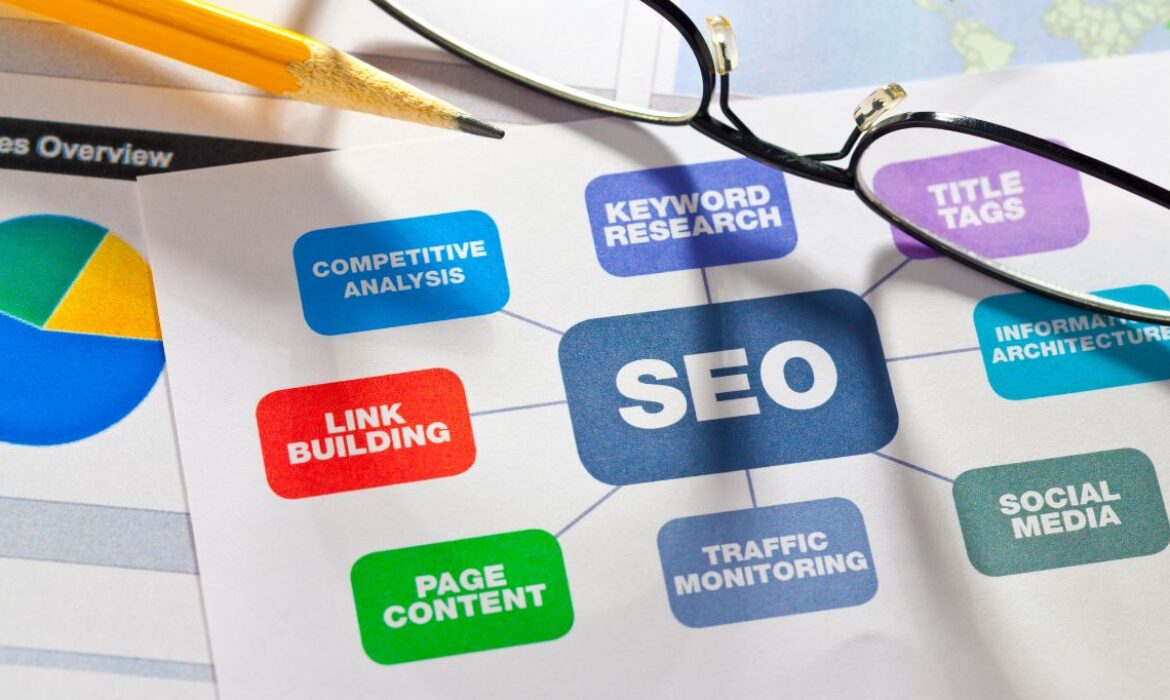
Affordable SEO Audit Services in Dubai for Businesses of All Sizes (2026)
Most businesses don’t lose search rankings to a competitor doing something clever. They lose them to something broken on their own site that nobody’s checked in months, a page that quietly stopped being indexed, a redirect loop, a Core Web Vitals score tanking after a theme update. An affordable SEO audit is how you find those problems before they cost you another quarter of traffic. Recent technical SEO benchmarking studies put this in perspective: depending on which 2026 dataset you look at, somewhere between 40% and 55% of websites have crawlability issues significant enough to affect indexing, and only around half pass Google’s Core Web Vitals thresholds outright. These aren’t edge cases on neglected sites; they’re common enough that most businesses are carrying at least one of them right now without knowing it.
The good news: a genuinely useful audit doesn’t have to be expensive, and it doesn’t have to take a month to deliver. Digital Oasis focuses on identifying the issues that can actually impact visibility, traffic, and conversions rather than overwhelming you with a report full of low-priority recommendations. Here’s what to actually expect from one, what it should cost, and how to avoid paying for a report that just restates the obvious.
What’s Actually Included in an Affordable SEO Audit
A real audit, not an automated one-page scorecard, should cover six areas, and it should be grounded in the same fundamentals Google’s own SEO Starter Guide lays out for what makes a site eligible to rank in the first place:
Technical health. Crawlability, indexing status, Core Web Vitals, mobile usability, and any server-level issues quietly keeping pages out of Google entirely.
On-page SEO. Title tags, meta descriptions, heading structure, and whether your existing content actually targets the keywords your customers search.
Content quality and E-E-A-T signals. Whether your content demonstrates real experience and expertise, author information, sourcing, depth- the signals Google’s own quality systems increasingly weight alongside keywords.
Backlink profile. A review of the links pointing to your site: what’s helping, what’s toxic or spammy, and whether your link profile matches what’s typical for competitors ranking above you.
Local SEO. Google Business Profile completeness, local pack visibility, and citation consistency, if you serve a specific city or region.
AI search readiness. Increasingly relevant: whether your structured data and content format make you citable in Google’s AI Overviews, not just traditional search results.
A thorough audit also includes a competitor gap analysis, a direct comparison against the top 3–5 sites currently outranking you for your priority keywords, so you know exactly what they’re doing that you aren’t, not just what’s wrong with your own site in isolation.
If an audit you’re evaluating skips more than one or two of these, you’re getting a partial picture.
What an SEO Audit Should Cost
Audit-only services in the UAE market range widely, anywhere from roughly AED 1,000 for an automated report with minimal human review, up to AED 15,000 or more for a fully manual, agency-delivered audit with a written action plan. If you’re comparing options, our full breakdown of affordable SEO audit services in Dubai covers pricing across the wider local market in more depth. The price difference usually comes down to one thing: how much of the audit is a human actually interpreting the data versus a tool spitting out a generic checklist.
At Digital Oasis, the audit itself is free- the first step of our SEO services, not a separate paid product. That’s because the businesses who need an audit most are often the ones least able to justify paying for one before they know what’s actually wrong.
Signs Your Website Needs an Audit Right Now
- Traffic has dropped, and you don’t know why
- Rankings have been flat for months despite regular content publishing
- You’ve never had a technical audit done, or it’s been over a year
- You recently redesigned or migrated the site
- Competitors with weaker content are consistently outranking you
- You’re not sure if your pages are even being indexed properly
Any one of these on its own is worth investigating. Two or more, and an audit should be the next thing you do before spending another dollar on content or ads.
What Happens After the Audit
A useful audit ends with a prioritized fix list, not a 40-page PDF nobody reads. Ours categorizes every finding as Critical, High, Medium, or Low priority, with a plain-English fix for each one, not just “improve your meta descriptions,” but exactly which pages, and exactly what to change.
Critical: issues actively blocking indexing or costing you rankings right now (broken redirects, noindex tags left on live pages, critical Core Web Vitals failures).
High: meaningful issues with a clear near-term impact on visibility (thin content on key pages, missing schema, weak internal linking).
Medium and Low: longer-term structural improvements worth planning for, but not urgent enough to delay everything else.
You leave with a clear sense of what to do first, not just a list of everything wrong.
Affordable Doesn’t Mean Low Quality: What to Watch For
A few honest red flags, since “affordable SEO audit” is a heavily marketed phrase and not every provider behind it is doing real work:
Fully automated reports with zero human review. Tools like Screaming Frog or Google’s own PageSpeed Insights are genuinely useful, but a report that’s just an export from one of these tools, with no interpretation of what actually matters for your site, isn’t a professional audit.
Vague findings with no prioritization. “Improve your meta descriptions” isn’t useful. “These 14 pages have duplicate meta descriptions; here’s the fix” is.
Audits designed to sell you something you don’t need. If every finding conveniently points toward the most expensive package the provider sells, be skeptical.
No clear next step. A good audit tells you exactly what to fix first and why. If you finish reading it and still don’t know where to start, it hasn’t done its job.
What a Complete SEO Audit in Dubai Should Check
A proper audit goes far beyond an automated tool report. These are the areas we review for every Dubai business, whatever its size.
Technical SEO
- Crawlability, indexing and XML sitemap errors in Google Search Console.
- Core Web Vitals and mobile speed – most UAE searches happen on mobile.
- Broken links, redirect chains and 404 pages that waste crawl budget.
- Duplicate content, canonical tags and Arabic/English hreflang setup.
- Schema markup for LocalBusiness, services, FAQs and articles.
On-Page SEO and Search Intent
We check whether each important page targets one clear keyword, matches what searchers actually want, and has optimized titles, headings, internal links and calls to action. Pages competing for the same keyword (keyword cannibalization) are flagged for merging.
Backlink Profile
Not all links help. The audit identifies spammy or toxic backlinks that may need a disavow file, plus link gaps where competitors earn links from UAE media, directories and industry sites that you do not.
Competitor Gap Analysis
We compare your rankings with the top competitors in your niche to find keywords, content topics and SERP features they own and you are missing.
Local SEO and Google Business Profile
For Dubai businesses, the audit covers Google Business Profile categories, reviews, NAP consistency across UAE directories and local landing pages for the areas you serve.
Content Quality and E-E-A-T
Google rewards experience, expertise, authoritativeness and trust. We review author information, case studies, reviews, contact details and content depth to see how trustworthy your site looks to both users and Google.
How to Read Your SEO Audit Report
A good report is a prioritized action plan, not a 100-page PDF. Look for three things: critical issues that block indexing or rankings, quick wins that can be fixed in days, and long-term opportunities such as new content and links. Each item should have a clear owner and expected impact.
Frequently Asked Questions
- How much does an SEO audit cost?
Costs in the UAE market range from around AED 1,000 for a basic automated report to AED 15,000 or more for a fully manual, comprehensive audit. Digital Oasis provides a full audit free of charge as the starting point for working together. - How long does an SEO audit take?
A thorough audit typically takes a few business days to a week, depending on site size. Be cautious of anything promising a comprehensive audit in minutes; that’s usually an automated scan, not genuine analysis. - Do I need an audit if I already work with an SEO agency?
Yes, periodically. A second, independent audit is one of the few ways to verify your current agency’s work is actually holding up; technical issues can creep back in even with active ongoing SEO work. - Will an audit fix my SEO problems automatically?
No. An audit identifies and prioritizes issues; fixing them is a separate step. Some providers (Digital Oasis included) offer to implement the fixes as part of an ongoing SEO plan. - Is a free SEO audit really as thorough as a paid one?
It depends entirely on the provider. A free audit used as a lead-generation tool by a serious agency is often just as thorough as a paid one; the cost is usually about the seller’s business model, not the depth of analysis. - Does an SEO audit compare my site to competitors, or just review my own site?
Both, if it’s done properly. Reviewing your own site in isolation only tells half the story; a competitor gap analysis against the top 3–5 sites currently outranking you shows what they’re doing differently, which is often the fastest way to find your next move.

How to Set Up Your First Google Ads Campaign in Dubai (2026)
To launch your first Google Ads campaign in Dubai, create an account in Expert Mode (not Smart Mode), choose Search as your campaign type, set locations to Dubai specifically rather than all of the UAE, budget in AED rather than guessing from US benchmarks, and build separate English and Arabic ad groups if your customers search in both languages. Most first-time advertisers in Dubai waste their opening weeks of budget on one of those five steps; this guide walks through all of them in order. Setting up your first campaign feels more complicated than it needs to be, mostly because most guides available online are written for the US market and don’t translate cleanly to how people actually search in Dubai. Currency, language, competition levels, and even the seasonal calendar all work differently here. This walkthrough by Digital Oasis covers account setup through to your first optimization pass, with the Dubai-specific details most generic guides skip.
Before You Start: What You’ll Need
- A Google account you’re comfortable keeping permanently tied to your business (switching later is possible but adds friction)
- A billing method; Google Ads UAE accounts bill in AED by default when your billing country is set to the UAE
- A landing page ready to receive traffic, not your homepage, a page focused on the specific product or service you’re advertising
- A realistic starting budget in AED (more on this below); trying to test with too little budget is the single most common reason first campaigns get judged unfairly
If you’d rather have a professional review your account before you commit real budget, our Google Ads audit can catch setup mistakes before they cost you.
Step 1: Create Your Account in Expert Mode
Go to ads.google.com and sign in with the Google account you want tied to your business. Google will try to walk you straight into Smart Mode, a simplified setup with limited control over targeting, budget, and keyword matching. Look for “Switch to Expert Mode”; it’s usually a small link near the bottom of the setup screen, and select it. Then choose “Create an account without a campaign” so you land on your full dashboard before building anything. Set your billing country to the United Arab Emirates and your currency to AED. Getting this right at account creation avoids a currency mismatch that’s genuinely painful to fix later; some billing settings can’t be changed once transactions have started.
Step 2: Choose Your Campaign Type
For a first campaign, Search is almost always the right starting point; it shows your ads to people actively typing in what they’re looking for, which gives you the clearest, fastest read on whether your offer and targeting are working. Performance Max, Google’s AI-driven campaign type that runs across Search, Display, YouTube, and Gmail from one campaign, has become the default recommendation in a lot of 2026 setup guides, but it needs conversion data to optimize against, and a brand-new account has none yet. Start with Search, gather 20–30 conversions, then consider layering in Performance Max once you have that signal to feed it. Skip Display and Shopping for now unless you’re specifically running an e-commerce catalog; they’re worth testing later, not on day one.
Step 3: Configure Campaign Settings for Dubai
This is where most generic setup guides fall apart, because they’re written for a single-city, single-language, single-currency market. Dubai is none of those things.
Locations: Don’t just select “United Arab Emirates” as a single blanket location. Add Dubai, Abu Dhabi, and Sharjah as separate location entries so you can see performance by emirate and adjust bids independently once you have data; a lead from Dubai and a lead from Sharjah often aren’t worth the same amount to your business. Use “Presence or interest” rather than “Presence only” for location targeting; “Presence only” is often too restrictive in a market like Dubai, where a meaningful share of high-intent searches come from people currently outside the country planning a visit or a purchase.
Languages: Keep English selected, but add Arabic if any meaningful share of your customers search in Arabic; this is genuinely easy to skip and genuinely costly to skip. Real estate, education, government-adjacent services, and healthcare in particular see significant Arabic search volume that English-only campaigns simply never reach.
Budget and bidding: Set a daily budget in AED, not a number borrowed from a US guide. A conservative first-test budget for a Search campaign typically sits around AED 150–300 per day, depending on your industry’s competitiveness; a home services business will stretch further on that budget than a real estate or legal campaign will. For bidding, start with “Maximize Clicks” with a manual CPC bid limit while you’re gathering initial data, and only move to automated bidding strategies like Maximize Conversions once you’ve logged enough conversions (Google generally wants 20–30) for the algorithm to have something to learn from.
Ad schedule: If you can only respond to leads during business hours, limit ad delivery to those hours in More Settings; there’s little point paying for a click at 2 AM if nobody’s available to follow up until 9.
Step 4: Build Ad Groups and Keyword Research (English and Arabic)
Structure ad groups around specific services or products, not your whole business at once. A home services company, for example, does better with separate ad groups for “AC Repair,” “AC Installation,” and “AC Maintenance Contract” than one broad “HVAC Services” group trying to cover all three.
Use keyword match types deliberately:
- Broad match (no symbols) — widest reach, least control; risky for a new account still learning what converts
- Phrase match (“in quotes”) — a reasonable middle ground for early campaigns
- Exact match ([in brackets]) — tightest targeting, best for keeping early spend focused on proven intent
For a first campaign, lean toward phrase and exact match rather than broad; it costs some reach, but it protects a limited early budget from irrelevant clicks while you’re still learning. If you’re running Arabic campaigns, build them as a genuinely separate structure, separate ad groups, separate keyword research, and ideally a dedicated Arabic landing page, rather than just running your English keywords through Google Translate. Direct-translated keywords routinely miss how people actually phrase searches in colloquial Gulf Arabic.
Step 5: Write Search Ads That Convert
Every ad needs a Final URL (the specific landing page, not your homepage) and can include up to 15 headlines and 4 descriptions, which Google tests in combination to find the strongest performers. Write headline variations that cover different angles, the service itself, urgency, location, and a clear benefit:
- AC Repair Dubai — Same-Day Service
- 24/7 Emergency AC Technicians
- Fast Response — Book Online Now
- Trusted AC Repair Across Dubai
Descriptions should focus on a concrete benefit and a clear next step, in AED where price is mentioned:
- “Same-day AC repair across Dubai. Licensed technicians, upfront AED pricing. Book your slot now.”
- “Fast, reliable AC repair, no callout fees. Available 7 days a week across Dubai and JLT.”
Write enough variations that Google’s testing has something meaningful to rotate through; a handful of near-identical headlines gives the algorithm nothing useful to learn from.
Step 6: Review and Launch
Before publishing, double-check: campaign name is clear and dated (so future-you can tell campaigns apart), locations are set to specific emirates rather than one blanket region, budget and currency are in AED, keywords are tightly matched, and your landing page URL is correct and actually live. Click Publish. Ads typically clear Google’s review process within a day, sometimes faster.
Step 7: Monitor and Optimize in the First 30 Days
Once live, check in regularly, not obsessively, but consistently on:
- CTR (click-through rate): tells you whether your ad copy is resonating with the people seeing it
- CPC (cost per click): tells you what you’re actually paying, versus what you budgeted for
- Conversions: the metric that actually matters; clicks and impressions are vanity numbers without conversions behind them
- Search terms report: shows the exact phrases people typed before clicking your ad; this is where you’ll find both new keyword opportunities and the irrelevant queries you need to add as negative keywords
Resist making major changes in the first week or two. A campaign needs some data volume before its early numbers mean anything; pausing “underperforming” keywords after three days of data is a common way for new advertisers to throw away keywords that just haven’t had a fair chance yet.
Budget Planning Around Dubai’s Seasonal Calendar
This is the part almost every generic Google Ads guide misses entirely, and it’s one of the more expensive gaps to leave unaddressed if you’re planning a full year of campaigns. Google Ads costs across the UAE typically rise 40–60% during Ramadan, the Dubai Shopping Festival (December–January), and GITEX (October), as advertisers compete harder for the same audience during high-intent periods. CPCs typically ease by 20–40% during the summer slowdown, which can be a genuinely good window for lower-cost brand-awareness testing. A flat monthly budget that doesn’t account for this cycle tends to overspend in quiet months and run dry exactly when demand and competition peak. If you’re planning a full year, block out Ramadan, DSF, and GITEX in advance and plan a deliberate budget uplift for those windows rather than discovering the CPC spike after it’s already eaten your month.
What Realistic First Google Ads Campaign Costs Look Like in Dubai
Costs vary significantly by industry, and the UAE market runs meaningfully above global averages; several 2026 industry analyses put average UAE CPCs among the highest of any country, reflecting both purchasing power and how competitive the commercial categories are.
| Industry | Typical CPC range (AED) |
|---|---|
| Real estate | AED 40–120 |
| Legal and professional services | AED 18–65 |
| Healthcare | AED 10–35 |
| Home services / general local services | AED 5–25 |
| E-commerce (category-dependent) | AED 2–15 |
These are directional ranges compiled from multiple UAE-focused agency reports rather than one official benchmark source, useful for setting expectations, not a guarantee for your specific keyword set. If your actual CPCs land well outside your industry’s range, check whether your keyword mix has drifted toward broader, more competitive terms than you intended.
Common Mistakes First-Time Dubai Advertisers Make
Budgeting in USD terms borrowed from a generic guide. AED 150/day and $10/day are very different budgets; plan in the currency and market you’re actually competing in.
Targeting “UAE” as one blanket location. Different emirates convert differently; you can’t optimize what you can’t see separately.
Skipping Arabic entirely. For many service categories, this alone can mean missing a meaningful share of available search volume.
Judging results after three or four days. Campaigns need real data volume before early numbers are meaningful.
No negative keyword list from day one. Irrelevant clicks compound fast in a market with as much cross-language and cross-category search overlap as Dubai’s.
Sending traffic to the homepage. A dedicated, matched landing page converts meaningfully better than a general page ever will.
Frequently Asked Questions
- How much budget do I need to start my first Google Ads campaign in Dubai?
A conservative first test typically starts around AED 150–300 per day for a Search campaign, though this varies significantly by industry; a competitive category like real estate or legal services needs more room than a lower-CPC local service business. - Should I run Google Ads in English or Arabic in Dubai?
Both, if a meaningful share of your customers search in Arabic, which is common for real estate, healthcare, education, and government-adjacent services. Build Arabic campaigns as a genuinely separate structure with their own keyword research, not a direct translation of your English keywords. - Should I use Smart Mode or Expert Mode for my first campaign?
Expert Mode. It takes a few extra clicks to set up, but Smart Mode limits your control over targeting, keyword matching, and budget allocation in ways that make it harder to learn what’s actually working in your account. - How long before a first Google Ads campaign in Dubai starts producing results?
Give it at least two to four weeks of consistent delivery before judging performance seriously. Early numbers, especially in the first few days, rarely reflect how a campaign will actually perform once Google’s system has enough data to optimize delivery. - Do Google Ads costs really change with Ramadan and Dubai Shopping Festival?
Yes, costs across the UAE typically rise 40–60% during Ramadan, DSF, and GITEX as advertiser competition intensifies, and typically ease 20–40% during the summer slowdown. Planning your budget around this calendar in advance, rather than reacting to it, is one of the more effective habits UAE advertisers can build.
Once your first campaign is live and gathering data, our 10 proven Google Ads strategies in Dubai cover the tactics to scale it.

Google Ads for Financial Services in the UAE: The 2026 Compliance and Campaign Guide
Financial services advertising just got more complicated, and most guides haven’t caught up. In 2026, Google rolled out a new verification process for financial services advertisers, run through an external compliance partner called G2, and expanded it to two dozen more markets in July. If you manage Google Ads for a bank, insurer, lender, or investment firm, or you’re an agency running campaigns on their behalf, this changes what you need to do before your ads go live, not just how you write them. At the same time, the UAE’s own regulatory picture shifted. The Central Bank of the UAE’s new law, effective as of September 2025, treats advertising as a licensable financial activity in its own right. That’s a meaningful line for any Dubai-based business or agency running paid search for a bank, insurer, or lender. This guide covers both sides: Google’s global policy requirements and the UAE-specific rules that sit alongside them, as well as the campaign strategy, keyword research, ad copy, and budget guidance you need to generate qualified leads once your account is compliant. Digital Oasis manages Google Ads campaigns for regulated industries across Dubai and the wider UAE. Here’s what we’re telling clients right now.
Why Financial Services Companies Need Google Ads in the UAE
Someone comparing mortgage rates, shopping for insurance, or researching an investment platform almost always starts with a search, not a branch visit. That search happens before they’ve picked a provider, which is exactly the moment Search ads are built to capture. The financial services buying cycle also rewards patience. A mortgage customer or long-term insurance policyholder can be worth many times their acquisition cost over the life of the relationship, which is why financial brands can justify cost-per-click rates that would be unaffordable in most other industries. The catch is that the same intent and value that make finance keywords lucrative also make them expensive and tightly regulated, so the businesses that win aren’t the ones that spend the most; they’re the ones that target precisely and stay compliant. For UAE financial brands specifically, Google Ads also solves a distribution problem that organic SEO can’t solve on its own: a new product, a rate change, or a seasonal campaign can be live within a day, while ranking organically for competitive terms like “personal loan Dubai” or “life insurance UAE” can take months. If you’re an individual advisor or wealth manager rather than an institution, our guide to Google Ads for financial advisors in the UAE covers that side specifically.

Google’s 2026 Financial Services Verification Requirements
Since 2026, Google has required certain financial services advertisers to complete a two-step verification process, first through its compliance partner G2, then with Google directly, before running ads in specific markets. The requirement expanded to 24 additional European markets in July 2026, following earlier rollouts in Malaysia and other regions. The UAE is not currently on Google’s mandatory list, but that doesn’t mean UAE-based advertisers are exempt.
How the verification process works
Advertisers promoting in-scope financial services, banking, credit cards, credit and loans, investment products, brokerages, bonds and commodities trading, and insurance may be asked to verify in two stages:
- G2 verification. You submit information about the type of financial services you provide, whether you’re licensed to provide them, and your registration number. G2 processes applications and issues a verification code.
- Google verification. You apply for financial services verification with Google as either a “First Party” or “Authorized Advertiser,” using the code from step one. Third-party advertisers acting on behalf of a licensed entity generally can’t apply directly; the licensed entity has to sponsor the verification.
Google notifies affected accounts through in-account messages, something along the lines of a warning that ad performance may be impacted by the financial services verification policy. If you’re in scope and miss the deadline, your financial services ads simply stop showing in that targeted location.
Where this stands for UAE-based advertisers
As of mid-2026, mandatory verification applies to advertisers targeting the UK, the US, India, Singapore, Australia, Malaysia, and, as of July 23, 2026, 24 additional EEA markets including Austria, Belgium, Denmark, the Netherlands, Poland, and Sweden, among others. The UAE itself isn’t on that list yet. But here’s the detail most guides miss: the requirement is based on where your ads target, not where your business is registered. A Dubai-based wealth management firm or insurance broker running campaigns aimed at UK expats, EU nationals, or Indian NRIs falls into scope for those markets’ verification requirements, even though the business itself is UAE-based. Agencies managing those accounts need to be verified too.
If your campaigns only target UAE audiences, you’re not currently required to complete Google’s financial services verification. That’s likely to change as Google continues expanding the list, so it’s worth checking your account for verification notices periodically rather than assuming the exemption is permanent.
What this means for account structure
If you run both UAE-only and international campaigns from one account, it’s worth separating them into distinct campaigns or even sub-accounts under an MCC (My Client Center) structure. That way, a verification requirement tied to one target market doesn’t put your entire account’s ad delivery at risk, and it’s easier to track which campaigns need which compliance documentation.
UAE Financial Advertising Regulations You Need to Know
Google’s policy is only half the compliance picture. The other half is what the Central Bank of the UAE (CBUAE) and other UAE regulators expect from anyone marketing financial products to UAE consumers. Since September 2025, UAE Federal Decree-Law No. 6 of 2025 has classified advertising, marketing, or promoting a licensable financial activity as a licensed financial activity itself. In practical terms, this means marketing a bank, insurer, or lender’s products in the UAE isn’t purely a creative or media-buying exercise; it sits inside the regulatory perimeter.
A few specific developments matter for anyone running paid campaigns for a UAE financial brand:
- The New CBUAE Law (effective September 16, 2025) consolidated regulation of banks, payment providers, and insurers under one framework and introduced a dedicated consumer protection regime. Licensed financial institutions are required to maintain transparent product disclosures and handle marketing communications with the same conduct standards that apply to their other customer-facing activity.
- The CBUAE’s Consumer Protection Regulation defines “Advertising” broadly, covering the marketing, design, production, and packaging of information about a licensed institution’s products for public display, including promotions aimed at recruiting new customers. Ad copy that omits material information about costs, risks, or terms falls foul of this regulation regardless of the platform it runs on.
- The new CBUAE Telemarketing Regulation (Circular 3/2026, effective February 2026) governs how licensed financial institutions can contact prospects generated through campaigns, including consent and board-approval requirements before launching telemarketing activity. If your Google Ads lead gen funnel feeds into a call center or telesales team, this regulation, not just Google’s ad policy, governs what happens after the click.
| Practical Takeaway: Before launching or renewing a financial services campaign in the UAE, loop in compliance early. A landing page and ad copy that would pass Google’s review can still create exposure under CBUAE rules if disclosures are missing or a lead handoff to telemarketing isn’t properly consented. |

Choosing the Right Campaign Types
Search campaigns still do the heaviest lifting for financial services advertisers, because they capture demand from people who are already looking for “best business loan rates UAE” or “compare health insurance Dubai” people ready to act, not people you’re trying to interrupt. Display and remarketing campaigns earn their keep after the first visit. Someone who reads a mortgage calculator page and leaves without applying is a strong remarketing candidate; they’ve shown intent, they just haven’t committed. Financial brands typically see modest click-through rates on Display (well under 1%), so its job is reinforcement, not first-touch acquisition. YouTube and video campaigns work well for explaining products that are hard to grasp from text alone, how a takaful policy differs from conventional insurance, or how an offset mortgage actually reduces interest. A short explainer video does more to build trust before a consultation than three paragraphs of ad copy ever could. Local Services-style and location extensions matter for banks and insurers with physical branches; appearing with your branch address, hours, and phone number next to the ad shortens the path from search to walk-in. One targeting layer worth calling out specifically: Google’s in-market audience segments for financial services let you reach people Google has already identified as actively researching things like personal loans, mortgages, or investment products, based on their recent browsing behavior, without needing your own first-party data. For regulated categories where advertiser-built audiences (like Customer Match or lookalikes) may face restrictions in some markets, predefined in-market segments are often the more reliable targeting layer to lean on.
Keyword Research and Search Intent
Financial keywords split cleanly into three intent tiers, and mixing budgets across them without separating campaigns is one of the fastest ways to waste spend.
Informational: “how does a mortgage offset account work,” “what is takaful insurance.” Cheap traffic, early-funnel. Good for content and remarketing list-building, not for a hard conversion push.
Commercial investigation: “best business loan providers Dubai,” “compare car insurance UAE.” Real comparison shopping. This is where most of your mid-funnel budget should sit.
Transactional: “apply for personal loan online UAE,” “get car insurance quote Dubai.” Highest intent, highest cost, and where your budget should concentrate once your landing pages and tracking are solid.
Long-tail, specific phrasing consistently outperforms broad category terms on cost efficiency. “Term life insurance for expats over 50” costs less per click than “life insurance” and converts a more qualified audience; the person searching it already knows roughly what they want.
2026 Google Ads Benchmarks for Financial Services (UAE)
The UAE doesn’t have a single official CPC benchmark body the way the US has WordStream, so the most reliable approach is to combine what UAE-focused PPC agencies are reporting from real managed accounts with global category data for context.
UAE-specific ranges (2026, AED):
| Metric | Financial services (broad) | Mortgage / high-intent finance keywords |
|---|---|---|
| Cost per click | AED 10–30 | AED 15–50, with premium terms like “mortgage broker Dubai” reaching the top of that range |
| Recommended monthly budget | AED 8,000–12,000 minimum to gather usable data | AED 12,000–25,000+ for competitive, multi-product accounts |
| Comparable regulated category (legal/professional services, for context) | AED 18–65 per click | — |
Global category context (WordStream/LocaliQ, 2026, USD): blended “finance & insurance” category CPC sits around $3.40–$3.50 (≈ AED 12–13), while the most competitive specific keywords, insurance (~$55 / ≈ AED 200) and mortgage (~$47 / ≈ AED 173), run far higher. UAE CPCs generally track above the US average, which is consistent with what local agencies are reporting.
The takeaway: don’t budget off a global blended average and expect it to hold in the UAE market. If your account’s CPC looks nothing like the ranges above, check whether your keyword mix is weighted toward the expensive, highly specific commercial terms (mortgage, insurance) rather than the broader category, and treat AED 10–30 as your realistic UAE floor for financial services generally, not the global $3–4 figure.
Across the market, AI-driven bidding, Smart Bidding and Performance Max now account for the large majority of Google Ads spend. For regulated financial accounts, automated bidding can work well once you have enough conversion data feeding it, but it needs guardrails: exclude placements and audience signals that could pull you into non-compliant territory, and keep a close eye on the search terms report, since automated matching can drift toward queries your compliance team wouldn’t approve.
Writing Compliant, High-Converting Ad Copy
Start with a specific, honest value proposition. “3.99% Home Finance Rate, UAE Residents” earns more clicks than “Great Rates on Home Finance,” and it’s the kind of specificity that also performs well when AI Overviews and AI-driven search summarize your offer for a user. Every financial ad needs its disclosures to match the product: APR, fees, and loan terms for lending products; risk disclaimers for investment products; licensing information for insurance. This isn’t just a Google Ads requirement; it’s what CBUAE’s consumer protection standards expect of licensed institutions’ marketing materials generally. Calls to action should tell someone exactly what happens next: “Get Your Rate,” “Check Eligibility,” “Book a Free Consultation.” Vague CTAs like “Learn More” underperform in a category where the decision to click already signals real intent. Test variations continuously. An account that never refreshes ad copy plateaus; regular testing against your best-performing variant is one of the more reliable ways to improve CTR without increasing spend.
Negative Keywords Every Financial Services Advertiser Should Use
This is the step most financial services guides skip entirely, and it’s one of the highest-leverage cost controls available in a vertical where a single wasted click in the UAE can cost AED 30–50 or more on the most competitive mortgage and insurance terms.
Build a shared negative keyword list across your financial services campaigns covering:
- Job-seeker terms: “jobs,” “careers,” “vacancies,” “salary,” “hiring.” People looking to work at a bank aren’t looking to bank with one.
- DIY/self-service terms: “calculator,” “how to calculate,” “spreadsheet template,” “do it myself”, informational searchers who are unlikely to convert on a “get a quote” landing page.
- Regulatory/legal research terms: “regulation,” “compliance,” “SEC,” “FCA,” “central bank law”, journalists, students, and researchers, not prospective customers.
- Free/no-cost qualifiers: “free,” “no fee,” if your product structure doesn’t match, filters out expectation-mismatched clicks before they land.
- Competitor brand terms, unless you’re deliberately running a competitor-conquesting campaign with dedicated landing pages.
Review the Search Terms report every two weeks in the early months of a campaign. New irrelevant query patterns show up constantly in financial services, and a negative keyword list set once at launch and never revisited quietly bleeds budget for months.
Landing Page and Conversion Best Practices
Your ad’s promise and your landing page need to match exactly. Someone who clicks a home finance ad should land on a home finance page, not the homepage, not a general services page. Trim your forms. Every additional field is a reason to abandon, and financial services forms tend to over-ask. Name, contact number, and the one or two qualifying questions you actually need to route the lead that’s usually enough for a first-touch form; save the deeper questions for the consultation call. Trust signals carry more weight in finance than almost any other category: visible licensing information, security certifications, and genuine customer reviews all measurably improve conversion rates, because the visitor’s biggest hesitation is usually “can I trust this with my money,” not “is this the cheapest option.” Page speed also functions as both a user-experience factor and a Quality Score input; a financial landing page that takes several seconds to load is losing both conversions and paying more per click than it needs to. Digital Oasis builds and tests financial services landing pages through our Conversion Rate Optimization services, specifically for regulated, long-consideration purchases like these.
Common Mistakes to Avoid
Launching before verification is confirmed. If any part of your campaign targets a market on Google’s verification list, get that process started weeks before your intended launch date; it isn’t instant.
Treating UAE compliance as identical to Google’s policy. Passing Google’s ad review doesn’t mean you’ve cleared CBUAE consumer protection or telemarketing requirements. They’re separate checks.
One campaign, mixed intent. Blending informational, commercial, and transactional keywords in the same ad group makes it impossible to write ad copy that speaks to all of them well, and it muddies your Quality Score.
No negative keyword list. Covered above, and still the most common gap we see in financial services accounts we audit.
Ignoring the search terms report after month one. Set-and-forget is the most expensive habit in this vertical.
Getting Started: A 90-Day Roadmap
Weeks 1–2: Confirm compliance status with both Google’s financial services verification (if your targeting requires it) and your CBUAE/regulatory documentation. Build your negative keyword foundation before launch, not after.
Weeks 3–4: Launch a focused first campaign around your single most profitable product line, rather than trying to cover every product at once. Set a realistic test budget; many UAE financial advertisers start in the AED 7,000–20,000/month range for an initial campaign, depending on the product and target CPC.
Weeks 5–8: Let the learning phase run. Google Ads campaigns generally need four to eight weeks of consistent delivery before there’s enough conversion data to optimize meaningfully; resist the urge to make major changes in week two.
Weeks 9–12: Review the search terms report, tighten negative keywords, reallocate budget toward the keywords and ad groups actually producing qualified leads, and consider introducing Smart Bidding once you have sufficient conversion volume.
Digital Oasis provides Google Ads Management built specifically around this kind of regulated rollout, from compliance documentation through to ongoing optimization.
Frequently Asked Questions
- Does my UAE financial services business need Google’s financial services verification?
Only if your campaigns target a market where Google currently requires it: the UK, US, India, Singapore, Australia, Malaysia, and (from July 2026) 24 EEA markets. If you’re targeting UAE audiences only, you’re not currently required to verify, though it’s worth checking your account periodically since Google has expanded this list several times through 2026. - What’s the difference between Google Ads compliance and CBUAE compliance?
Google’s financial products policy governs what you can say and target on its platform. The CBUAE’s Consumer Protection Regulation and the new Central Bank Law govern how licensed UAE financial institutions can advertise and market to consumers generally, independent of which platform you use. You need to satisfy both. - How much does Google Ads cost for financial services in the UAE?
It depends heavily on the specific product. Broad financial services keywords typically run AED 10–30 per click in the UAE market, while high-intent terms like “mortgage broker Dubai” or specific insurance products can reach AED 40–50 or higher during competitive periods. Budget against your target product and emirate, not a global category average; UAE CPCs generally run above US and global benchmarks. - Can an agency manage Google Ads for a UAE bank or insurer without being separately verified?
If the campaigns target a market requiring Google’s financial services verification, agencies managing those accounts need verification too. Google has been explicit that this applies to “customers of Google Ads who manage advertising campaigns on behalf of affected advertisers.” - What are in-market audiences for financial services, and should I use them?
They’re a Google Ads targeting feature that reaches people Google has identified as actively researching products like loans, mortgages, or investments, based on recent behavior without requiring your own customer data. They’re a strong option for financial advertisers, especially where audience-targeting restrictions limit the use of advertiser-built lists like Customer Match. - How long before a Google Ads campaign for financial services starts producing leads?
Expect a genuine ramp-up period. Most accounts need four to eight weeks of consistent delivery to gather enough data for meaningful optimization, and financial services conversion cycles, especially for investment or mortgage products, often extend beyond the first click by days or weeks.
