
Google Ads for Restaurants in Dubai: How to Fill Tables Every Night
Dubai has more than 13,000 restaurants competing for the same diners, and most of them are relying on the same handful of channels: Instagram posts, a Google Business Profile, and hope. Google Ads sits in a different category entirely. That immediacy is exactly why Google Ads for restaurants in Dubai deserves more than a passing mention in a restaurant’s marketing plan. It doesn’t build brand awareness over months; it puts your restaurant in front of someone the moment they type “best seafood restaurant JBR” or “table for four tonight Downtown Dubai,” searches that convert into a booking within the hour, not the month. That immediacy is exactly why Google Ads deserves more than a passing mention in a restaurant’s marketing plan. This guide by Digital Oasis walks through how to structure, target, and budget a Google Ads campaign tailored to how people in Dubai search for somewhere to eat, including seasonal patterns like Ramadan and Eid that most generic advice overlooks entirely.
Why Google Ads for Restaurants Works Differently Than for Other Businesses
Most purchases involve research and comparison over days or weeks. Dining decisions rarely do. Someone searching “brunch near Dubai Marina” or “shisha lounge Al Barsha open now” has usually already decided to eat out tonight and is choosing where, not whether. That compressed decision window is what makes restaurant Google Ads campaigns convert faster and more predictably than almost any other local service category; the person clicking your ad could be seated at your table within the hour. This is also where Google Ads and Instagram serve genuinely different purposes, not competing ones. Instagram builds the desire to visit, the food photography, the ambience, the reason someone remembers your name. Google Ads captures the moment that desire turns into an actual search. A restaurant running strong Instagram content with no paid search presence is winning the awareness battle and losing the exact moment a hungry, ready-to-book diner is looking. For a broader look at what makes campaigns perform well across industries in this market, see our 10 proven Google Ads strategies in Dubai.
The Google Ads Campaign Types Every Dubai Restaurant Should Run
A well-built Google Ads for restaurants strategy isn’t one campaign; it’s a small set of campaign types working together, each doing a different job.
Search Ads for High-Intent Diners
Search campaigns target the exact phrases people type when they’re close to booking, cuisine-plus-location terms like “Italian restaurant Business Bay” or occasion terms like “anniversary dinner Palm Jumeirah.” These should always be built around specific ad groups rather than one broad “restaurant” campaign, since a search for “vegan brunch Al Barsha” and a search for “steakhouse DIFC” need entirely different ad copy to convert well.
Local Campaigns and Google Maps Integration
A significant share of restaurant searches in Dubai happen with “near me” intent, and Google increasingly surfaces Maps listings and local inventory ahead of standard search results for these queries. Local campaigns, run alongside a fully optimized Google Business Profile, let your restaurant appear with directions, hours, and call buttons directly in that high-intent moment, without requiring someone to click through to a website first.
Performance Max for Broader Reach
Performance Max campaigns extend your restaurant’s visibility across Search, Maps, Display, and YouTube from a single campaign, using Google’s automation to find people likely to convert. For restaurants, this works best as a supplement to tightly controlled Search campaigns, not a replacement. Performance Max is efficient at scale but offers less control over exactly which searches trigger your ad, which matters when protecting a tight daily budget.
Building a Keyword Strategy Around How Dubai Diners Actually Search
Generic keywords like “restaurant Dubai” attract enormous competition and mostly the wrong intent: tourists browsing, researchers comparing, people three weeks away from visiting. The keywords that actually convert combine cuisine, location, and occasion into something specific enough to signal real intent.
| Keyword pattern | Example | Why it converts |
|---|---|---|
| Cuisine + area | “Japanese restaurant Dubai Marina” | Narrow enough to match a specific craving and location |
| Occasion-based | “anniversary dinner Downtown Dubai” | Signals a booking decision already in motion |
| Immediacy | “restaurants open now near me” | Same-day, often same-hour intent |
| Seasonal | “iftar buffet Dubai 2026” | Extremely high volume during Ramadan, low year-round competition |
| Feature-specific | “outdoor seating restaurant Business Bay” | Filters for diners with a specific requirement, reducing wasted clicks |
Building separate, tightly themed ad groups around these patterns, rather than one broad campaign, consistently produces a lower cost per click and a meaningfully higher booking rate, because the ad copy and landing page can match the exact reason someone searched.
Ramadan, Eid, and Seasonal Campaigns — Where Most Dubai Restaurants Leave Money on the Table
Search volume for terms like “iftar buffet Dubai” or “Eid brunch offers” spikes dramatically during specific windows each year, and competition among restaurants for these terms is often lower than the year-round “restaurant Dubai” category, simply because fewer businesses plan far enough ahead to build seasonal campaigns properly. A seasonal campaign built two to three weeks before Ramadan begins, with dedicated ad groups for iftar, suhoor, and Eid brunch, each pointing to a landing page showing that specific menu and price, consistently outperforms a generic, always-on restaurant campaign during these periods. The same logic applies at a smaller scale to Valentine’s Day, National Day, and Dubai Shopping Festival, all of which create short windows of concentrated, high-intent search volume.
Why Your Landing Page Decides Whether a Click Becomes a Booking
This is the single most common, and most expensive, mistake in restaurant Google Ads, and it applies just as much in Dubai as anywhere else: sending every ad click to the homepage. Someone who searched “private dining Business Bay” and clicked an ad for exactly that should land on a page showing your private dining space, capacity, and a direct booking option, not a homepage where they have to hunt for it. Every ad group deserves a landing page that matches what was promised in the ad. A Ramadan campaign should land on an iftar page showing the buffet price and menu. A “brunch near me” ad should land on your brunch page, not a general reservations form. This single change, matching landing pages to ad groups rather than routing everything to one page, is often responsible for a larger jump in conversion rate than any bid or budget adjustment.
How Much Does Google Ads Cost for Restaurants in Dubai?
Restaurant keywords generally see lower cost-per-click than categories like real estate or legal services, but Dubai’s F&B market is dense enough that popular cuisine-and-area terms in busy districts (Downtown, Marina, JBR) still carry meaningful competition. Costs also spike predictably around Ramadan and major holidays as more restaurants compete for the same seasonal search volume. As a general starting point, most independent restaurants and small groups see workable campaign data with a monthly ad spend in the AED 3,000–8,000 range, enough to run several themed ad groups and gather real performance data within a few weeks. Multi-location restaurant groups or brands running heavy seasonal campaigns typically need more to cover Search, Local, and Performance Max simultaneously without any one campaign starving the others of budget. Cost per click matters far less than cost per cover. A campaign generating cheap clicks that never convert into bookings is more expensive than one with a higher CPC and a strong conversion rate, which is exactly why tracking calls, reservation clicks, and directions requests matters more than watching the CPC number alone. If you’re weighing this against other industries or want the fuller cost breakdown, we cover how much Google Ads costs in Dubai in more detail separately
Common Google Ads Mistakes Dubai Restaurants Make
Running one broad campaign for the entire menu, rather than themed ad groups by cuisine, occasion, or season, is the most frequent structural mistake; it blends intent signals together and makes it impossible to tell which searches are actually driving bookings. Ignoring Google Maps and local campaign extensions is a close second. A huge share of “near me” searches never reach a website at all; they convert directly from the Maps listing, and a campaign that isn’t built to capture that moment is leaving visibility on the table. The third common mistake is treating Google Ads as separate from Google Business Profile. The two work together: a strong, review-rich, fully completed profile improves how your ads perform in local results, and an active local campaign increases visibility for the profile itself.
Measuring What Actually Matters — Calls, Directions, and Table Bookings
Clicks and impressions describe reach, not results. For a restaurant, the metrics that actually matter are phone calls generated from the ad, “get directions” clicks, and completed reservation form submissions or booking-platform clicks. Setting up call tracking and conversion tracking before a campaign launches, not weeks into it, is what turns a campaign from a spend line into a measurable source of bookings.
How Digital Oasis Builds Google Ads Campaigns for Dubai Restaurants
We structure restaurant campaigns around the same principle running through this guide: ad groups built by cuisine, occasion, and season, each paired with a landing page that matches exactly what was promised in the ad. That includes Ramadan and holiday campaign planning ahead of the seasonal spike, Google Business Profile alignment for local and Maps visibility, and call/reservation tracking configured from day one so performance is measurable, not guessed at. For restaurants looking to reduce ad dependency over time, we typically pair this with our SEO services so organic visibility builds in parallel with paid campaigns.
Frequently Asked Questions
- How much should a Dubai restaurant budget for Google Ads?
Most independent restaurants see workable results starting around AED 3,000–8,000 per month, though multi-location groups or brands running heavy seasonal campaigns typically need more to cover Search, Local, and Performance Max simultaneously. - Is Google Ads or Instagram better for restaurant marketing in Dubai?
They serve different purposes rather than competing directly; Instagram builds awareness and desire over time, while Google Ads captures the moment that desire turns into an active search for somewhere to eat right now. Most restaurants that grow consistently run both together. - Should restaurants run Google Ads during Ramadan?
Yes, search volume for iftar, suhoor, and Eid-related terms spikes significantly during this period, and campaigns planned two to three weeks with dedicated, menu-matched landing pages consistently outperform generic, always-on campaigns. - Do Google Ads help with Google Maps visibility for restaurants?
Local campaigns can increase visibility in Maps results and “near me” searches specifically, working alongside, not replacing, a fully optimized Google Business Profile. - What’s the biggest mistake restaurants make with Google Ads?
Sending every ad click to the homepage instead of a landing page that matches the specific offer or occasion in the ad; this single fix often improves conversion rates more than any bid adjustment.
Final Thoughts
A full restaurant on a Tuesday night isn’t luck; it’s the result of showing up at the exact moment someone in Dubai decides where to eat, with an offer and landing page built for that specific search. Google Ads, structured around real search behavior rather than one generic campaign, is one of the fastest ways to make that happen consistently rather than hoping walk-ins and referrals fill the gap. For a deeper look at how search intent shapes advertising performance more broadly, Think with Google’s research on consumer search behavior is a useful starting point for restaurant owners building out a paid search strategy for the first time.
Google Ads for Therapists in Dubai & UAE | DHA-Ready PPC
A private therapy practice in Dubai can’t rely on referrals alone to stay full. Referrals are inconsistent, slow to build, and impossible to scale on demand, and in a market as competitive as Dubai’s healthcare and wellness sector, an empty calendar costs real revenue every week it sits open.
Google Ads solves a specific problem referrals can’t: it puts your practice in front of someone the moment they search “anxiety therapist in Dubai” or “couples counselling Business Bay”, not weeks later when a friend happens to mention your name. Done correctly, it becomes a predictable, DHA-compliant client acquisition channel rather than a one-off spend. This guide by Digital Oasis covers how Google Ads works for therapy practices specifically in the UAE, including the regulatory layer most generic PPC advice skips entirely.
What Is Google Ads for Therapists, and How Does It Work?
Google Ads for therapists is a pay-per-click advertising model where your practice bids on search terms, like “psychologist in Dubai” or “trauma therapist near me”, and pays only when someone clicks your ad. It’s the fastest way to appear in front of someone actively searching for mental health support, rather than waiting for organic rankings or word-of-mouth to build. Unlike most industries, therapy-related ads fall under Google’s healthcare and sensitive-category advertising policies, which restrict certain types of audience targeting and require specific certifications in some regions. In the UAE, this intersects with Dubai Health Authority (DHA) requirements for licensed practitioners, which is where most generic, US-written PPC guides fall short for a Dubai-based practice. That’s the gap our professional Google Ads management approach is built to close.
Why Google Ads Works for Therapy Practices
Therapy is a high-intent search category. Someone typing “anxiety therapist Dubai” or “marriage counsellor near me” isn’t casually browsing; they’ve already decided they need support and are choosing who to call. That level of intent is exactly what makes paid search effective for practices that would otherwise rely on slow, unpredictable referral pipelines. Healthcare-category ads generally see stronger-than-average conversion rates industry-wide, precisely because searchers arrive with a clear need rather than passive interest. The advantage compounds with speed: SEO can take 6–12 months to build meaningful rankings, while a properly structured Google Ads campaign can start generating inquiries within days of launch. Most sustainable practices eventually run both: ads for immediate flow, SEO for long-term, lower-cost visibility.
DHA Compliance and Google’s Healthcare Ad Policies: What Dubai Therapists Need to Know
Running Google Ads for a therapy or counselling practice in Dubai isn’t the same as running them for a retail or e-commerce business, and it isn’t the same as running them for a therapist in another country either. Two layers of compliance apply: Google’s healthcare and sensitive-category policies restrict how mental-health-related ads can target users, certain personalized targeting based on health conditions is limited or disallowed outright, and ad copy making specific treatment-outcome claims can trigger disapproval. Campaigns need to be built around this from day one, not fixed after a rejection. DHA licensing requirements apply to any practitioner or clinic advertising mental health or medical services in Dubai. Your ad copy, landing page, and any claims made need to reflect your actual DHA license status and scope of practice. This isn’t just a legal formality; a landing page that clearly displays licensing information also builds the kind of trust that improves conversion rates, since UAE clients specifically look for this before booking. Getting this structure right the first time avoids disapprovals that can stall a campaign for days while under review, time that translates directly into lost inquiries.
How Much Does Google Ads Cost for Therapists in Dubai?
Two separate costs apply: your ad spend (paid to Google) and your management fee (if working with an agency). Ad spend for therapy and counselling keywords in Dubai varies by specialty and competition; general “therapist” terms typically cost less per click than specialized categories like psychiatry or addiction counselling, which carry higher competition and correspondingly higher cost-per-click. As a general starting point, most independent practices and small clinics in Dubai see usable campaign data with a monthly ad spend in the AED 2,000–5,500 range, enough to gather meaningful search-term data within the first 30–45 days without overcommitting before you know what converts. Group practices or clinics targeting multiple specialties typically need more to cover several ad groups simultaneously. Cost per click matters less than cost per booked client. A campaign might need 10–20 clicks to generate one genuine inquiry; conversion rate depends heavily on landing page clarity, visible licensing information, and how easy it is to book or call. Tracking calls and form submissions (not just clicks) is essential to knowing whether a campaign is actually working. For a full breakdown of what drives cost up or down in this market, see our full Google Ads pricing breakdown for Dubai.
Common Google Ads Mistakes Therapy Practices Make in Dubai
Sending traffic to a homepage instead of a dedicated landing page. A homepage covers your whole practice; a focused landing page for a specific specialty (anxiety, couples counselling, trauma) converts significantly better because the message matches the search intent exactly.
Using broad match keywords without a negative keyword list. Terms like “therapy” alone attract physical therapy searches, addiction treatment searches, and other unrelated intent, wasting budget on clicks that were never going to convert into your specific service.
Skipping DHA/licensing information on the landing page. In a market where trust in healthcare providers is closely tied to visible credentials, omitting this is a conversion killer, not just a compliance gap.
No call or form tracking. Without accurate tracking, there’s no way to know which keywords or ads actually produce bookings versus which just produce clicks; decisions end up based on guesswork instead of data.
Ignoring ad scheduling. Running ads 24/7 when your practice can’t answer calls outside office hours wastes budget on leads that go cold before anyone responds.
Building a Google Ads Campaign for Your Therapy Practice
Structuring Ad Groups by Specialty
Rather than one broad “therapist” campaign, effective accounts split into tightly themed ad groups: anxiety and stress, couples and relationship counselling, trauma/EMDR, child and adolescent therapy, psychiatric services, each with its own keywords, ad copy, and landing page. This improves Quality Score and keeps cost-per-click lower across the account.
Location and Audience Targeting
For a Dubai practice, targeting should reflect where clients can realistically reach you; district-level targeting around your clinic’s location (Downtown, Jumeirah, Dubai Marina, Business Bay) typically outperforms UAE-wide targeting for in-person practices, while teletherapy-only practices can reasonably target the wider Emirates.
Ad Scheduling
Running ads during hours when calls and messages can be answered promptly improves conversion rates meaningfully; a fast response to a mental-health-related inquiry matters more than in most other industries.
Landing Page Requirements
A dedicated landing page per specialty, showing DHA licensing information, session format (in-person/online), and a clear, low-friction way to book or call, consistently outperforms generic “contact us” pages.
Google Ads vs. Referrals vs. SEO — What Should a Dubai Therapy Practice Use?
Each channel serves a different purpose, and treating them as competing options rather than complementary ones is a common mistake.
- Referrals are low-cost but unpredictable and slow to scale; you can’t turn up referral volume on demand when your calendar has gaps.
- SEO builds long-term, lower-cost visibility but takes months to show meaningful results and requires sustained content investment.
- Google Ads delivers inquiries within days but stops the moment spend stops.
Most practices that grow sustainably use Google Ads to fill gaps immediately while SEO content builds in the background, gradually reducing dependence on paid spend over time.
How Digital Oasis Supports Therapy Practices in Dubai
We manage Google Ads accounts with the two-layer compliance approach outlined above built in from setup, not retrofitted after a policy rejection. That means DHA-aware landing pages, healthcare-policy-compliant ad copy, specialty-based ad group structuring, and call/form tracking configured before launch. As campaigns run, we monitor search terms weekly, refine negative keyword lists, and adjust bids based on which specialties and locations are actually converting, not just which are generating clicks.
Frequently Asked Questions
- How much should a Dubai therapy practice budget for Google Ads?
Most independent practices and small clinics see usable results starting around AED 2,000–5,500 per month in ad spend, though highly competitive specialties like psychiatry may require more to compete effectively. - How quickly do therapy practices see results from Google Ads?
Ads can go live and start generating clicks within 24–48 hours of approval, with enough data to evaluate performance typically available within 2–4 weeks. - Is a DHA license required to advertise therapy services in Dubai?
Yes, practitioners and clinics offering mental health or medical services in Dubai must hold a valid DHA license, and your ad copy and landing page should accurately reflect your licensing and scope of practice. - Do therapists need a dedicated landing page, or can ads point to the homepage?
A dedicated landing page significantly improves conversion rates and Quality Score compared to a general homepage, since it can match the ad’s message and specialty exactly. - Is Google Ads better than SEO for a therapy practice?
Neither replaces the other; Google Ads delivers inquiries quickly but stops when spend stops, while SEO builds slower but more durable, lower-cost visibility over time. Most sustainable practices use both. - Can Google Ads target specific therapy specialties, like couples counselling or trauma therapy?
Yes, structuring separate ad groups for each specialty, with matching keywords and landing pages, typically performs better than one broad “therapist” campaign. - What happens if a therapy-related ad gets disapproved?
Google’s healthcare and sensitive-category policies can flag ads for review over targeting or claims language; building compliant campaigns from the start avoids the delays a disapproval and appeal process can cause.
Ready to Fill Your Practice’s Calendar?
Get a free, DHA-aware Google Ads audit for your Dubai therapy practice; we’ll show you exactly where budget is being wasted and what a properly structured, compliant campaign could do for your booking rate.
Click-to-WhatsApp Ads Dubai | Generate More Leads in 2026
Running Meta ads but struggling to turn clicks into real customers? You’re not alone. Many businesses across Dubai invest thousands of dirhams every month in Facebook and Instagram advertising, only to watch potential customers leave without filling out a form or making a purchase. Long landing pages, complicated forms, and slow follow-ups often create unnecessary friction that reduces conversions and increases advertising costs. Customer behavior has changed. People expect instant responses, personalized conversations, and a quick way to ask questions before making a buying decision. Instead of waiting for an email reply or completing a lengthy form, most customers prefer sending a message through WhatsApp, the communication platform they already use every day. That’s exactly why Click-to-WhatsApp Ads have become one of the fastest-growing lead generation strategies for businesses in Dubai. Instead of directing users to a website, these Meta ads open a WhatsApp conversation with your business instantly. Prospective customers can ask questions, request quotations, schedule appointments, or place orders within seconds, dramatically reducing the gap between interest and action. At Digital Oasis, we’ve seen this approach help businesses across industries generate higher-quality conversations, shorten sales cycles, and improve lead conversion when campaigns are paired with strong audience targeting, fast response times, and CRM integration. Whether you’re a real estate agency, healthcare provider, ecommerce business, restaurant, salon, law firm, educational institute, or B2B company, this guide will help you determine whether Click-to-WhatsApp campaigns are the right investment for your business.
What Are Click-to-WhatsApp Ads?
Click-to-WhatsApp Ads are Facebook and Instagram advertisements that open a WhatsApp conversation instead of sending users to a website or landing page. They allow businesses to generate qualified leads, answer customer questions instantly, and increase conversions by removing unnecessary steps from the buying journey. This direct communication model is particularly effective in Dubai, where WhatsApp is widely used for both personal and business communication.
Instead of asking a potential customer to:
Facebook Ad → Landing Page → Form → Email → Phone Call
the journey becomes much simpler:
Facebook Ad → WhatsApp Conversation → Qualified Lead → Customer
Removing those extra steps often leads to higher engagement and better conversion rates because customers receive immediate responses while their interest is still high.
Why Are Click-to-WhatsApp Ads Becoming So Popular in Dubai?
Dubai is one of the world’s most digitally connected business hubs. Consumers expect convenience, speed, and personalized service. Whether they’re booking a clinic appointment, requesting a property viewing, ordering furniture, or searching for reliable digital marketing services, they increasingly prefer messaging businesses instead of filling out traditional enquiry forms. Several factors contribute to the growing popularity of WhatsApp marketing:
1. Customers Want Immediate Responses
Modern buyers don’t like waiting hours, or even days, for someone to return their enquiry. According to customer experience research published by Salesforce, businesses that respond quickly are significantly more likely to convert enquiries into paying customers. Fast responses build trust, demonstrate professionalism, and keep prospects engaged while their purchase intent is still high. Click-to-WhatsApp Ads make this possible because conversations begin immediately after someone clicks your advertisement.
2. Lower Friction Means More Leads
Every additional step in the customer journey creates an opportunity for users to leave. Consider the difference.
Traditional Lead Generation:
- Click advertisement
- Wait for the page to load
- Complete several form fields
- Submit information
- Wait for a callback
Click-to-WhatsApp Campaign:
- Click advertisement
- Start chatting
That’s it. Reducing friction often increases engagement because customers don’t feel like they’re completing paperwork, they’re simply having a conversation.
3. Better Quality Conversations
Lead forms often contain incomplete or inaccurate information. Someone might enter an incorrect phone number, use a secondary email address they rarely check, or submit a form without genuine buying intent. WhatsApp conversations tend to produce higher-quality leads because users actively choose to start a discussion. Sales teams can immediately ask qualifying questions such as:
- Which service are you interested in?
- What’s your budget?
- When would you like to get started?
- Which location are you based in?
- What problem are you trying to solve?
This allows businesses to identify serious prospects much earlier in the sales process.
4. Higher Customer Trust
People already use WhatsApp every day to communicate with family, friends, colleagues, and businesses. Because they’re already comfortable with the platform, starting a conversation feels natural. Instead of speaking with an anonymous company through a form, customers interact with a real business representative who can answer questions, share documents, send images, provide quotations, and schedule appointments in real time. When combined with the right CRM solutions, these conversations can be automatically captured, organized, and tracked, helping businesses deliver faster follow-ups and build stronger customer relationships. That personal interaction helps establish trust much earlier in the buying journey.
How Do Click-to-WhatsApp Ads Work?
One of the biggest advantages of Click-to-WhatsApp campaigns is their simplicity. The entire process can often be completed in less than a minute from the customer’s perspective.
Step 1: Create a Meta Campaign
Inside Meta Ads Manager, advertisers select the Messages campaign objective and connect their verified WhatsApp Business account.
The campaign can appear across:
- Facebook Feed
- Instagram Feed
- Facebook Stories
- Instagram Stories
- Facebook Marketplace
- Reels
- Messenger placements (when applicable)
This allows businesses to reach customers wherever they spend time across Meta’s ecosystem.
Step 2: Target the Right Audience
Successful campaigns depend heavily on audience targeting. Businesses can target users based on:
- Location
- Age
- Interests
- Purchase behaviour
- Previous website visitors
- Existing customers
- Lookalike audiences
- Engagement with Instagram or Facebook pages
For businesses operating in Dubai, this means campaigns can be tailored to reach highly relevant audiences instead of broad, untargeted groups.
Step 3: User Clicks the Advertisement
Instead of opening a landing page, the advertisement launches WhatsApp instantly. Many businesses also configure pre-filled opening messages such as: Hi, I’d like to know more about your services. Or: Can I receive a quotation? These suggested messages reduce hesitation and encourage users to start the conversation.
Step 4: Automated Greeting
Businesses can configure automated welcome messages using WhatsApp Business or the WhatsApp Business API. For example: Hi! Thank you for contacting Digital Oasis. We’re happy to help. One of our marketing specialists will reply shortly. In the meantime, could you tell us which service you’re interested in? Automation helps businesses acknowledge enquiries immediately, even outside office hours, creating a better customer experience while reducing response times.
Step 5: Qualify the Lead
Once the conversation begins, sales representatives or AI-powered chatbots can ask relevant questions to qualify the prospect before scheduling a consultation or preparing a quotation. When integrated with a CRM platform, every conversation can be tracked, assigned to the appropriate team member, and followed through the entire sales pipeline, ensuring valuable opportunities aren’t lost.
Why Do Click-to-WhatsApp Ads Generate Better Leads Than Traditional Meta Lead Forms?
One of the biggest questions businesses ask before launching a campaign is: Should I use Meta Lead Forms or Click-to-WhatsApp Ads? The answer depends on your industry, sales process, and customer journey. However, for many businesses in Dubai that rely on conversations to close deals, Click-to-WhatsApp Ads consistently produce higher-quality leads. Unlike lead forms, WhatsApp creates a real conversation. Instead of collecting contact details and hoping someone answers a phone call later, your business connects with potential customers while they’re actively interested. That difference alone can dramatically improve conversion rates.
Click-to-WhatsApp Ads vs Meta Lead Forms
| Feature | Click-to-WhatsApp Ads | Meta Lead Forms |
|---|---|---|
| Lead Quality | High | Medium |
| Customer Experience | Interactive conversation | Static form submission |
| Response Time | Instant | Often delayed |
| Trust Building | High | Limited |
| Qualification Process | Real-time | After submission |
| Follow-up | Immediate | Requires manual outreach |
| Customer Questions | Answered instantly | Usually unanswered until later |
| Drop-off Rate | Lower | Higher |
| Best For | Service businesses, healthcare, real estate, ecommerce, education | Surveys, newsletters, basic enquiries |
While Meta Lead Forms remain useful for collecting structured information, they introduce extra steps that can reduce conversions. Think about your own buying behaviour. Would you rather:
- Complete eight form fields and wait for someone to contact you tomorrow?
Or
- Tap a button and ask your question immediately?
Most people choose the second option.
Why Conversations Convert Better Than Forms
Modern buyers don’t always want to “submit a lead.” They want answers. Questions like:
- How much does this service cost?
- Can you show me examples?
- How soon can you start?
- Is there availability this week?
- Do you offer packages?
A lead form can’t answer these questions. WhatsApp can. The ability to remove uncertainty during the buying journey is one of the biggest reasons Click-to-WhatsApp campaigns often outperform traditional lead generation methods. When combined with effective Conversion Rate Optimization strategies, these real-time conversations can reduce drop-offs, improve user experience, and turn more enquiries into qualified leads. Businesses that respond quickly are also more likely to earn customer trust and keep prospects engaged while purchase intent is highest.
Which Businesses Benefit Most from Click-to-WhatsApp Ads in Dubai?
Click-to-WhatsApp Ads are ideal for businesses that rely on direct conversations before a customer makes a decision. Industries such as real estate, healthcare, beauty salons, restaurants, e-commerce, educational institutions, and home service providers can use WhatsApp to answer questions, share quotes, schedule appointments, send brochures or product details, and provide instant support. When combined with targeted Google Ads PPC campaigns, businesses can attract high-intent prospects through search while using WhatsApp to engage them instantly and guide them toward a conversion. By removing the need for lengthy forms and enabling real-time communication, businesses can build trust faster, improve customer experience, and convert more enquiries into qualified leads and sales.
Which Businesses May Not Benefit as Much?
Although Click-to-WhatsApp Ads are highly effective, they aren’t the ideal solution for every marketing objective. Businesses that primarily need structured information for research or large-scale data collection may still prefer Meta Lead Forms. Examples include:
- Market research surveys
- Event registrations requiring extensive information
- Newsletter subscriptions
- Recruitment campaigns with long application forms
In these situations, collecting structured data through forms may be more practical than starting individual conversations. For many companies, however, the most effective strategy isn’t choosing one format over the other. It’s using both strategically.
How Much Do Click-to-WhatsApp Ads Cost in Dubai in 2026?
One of the first questions every business owner asks is: How much should I budget for Click-to-WhatsApp Ads? The honest answer is: It depends on your industry, competition, audience targeting, creative quality, and campaign optimization. There isn’t a fixed cost because Meta’s advertising platform works as an auction. You’re competing with other advertisers trying to reach the same audience. However, after managing campaigns across multiple industries, we’ve found some useful benchmarks that businesses can use when planning their budget.
Average Click-to-WhatsApp Advertising Costs in Dubai
| Metric | Estimated Range |
|---|---|
| Cost Per Click (CPC) | AED 1.50 – AED 4.50 |
| Cost Per Conversation | AED 5 – AED 18 |
| Cost Per Qualified Lead | AED 20 – AED 120+ |
| Recommended Monthly Budget | AED 3,000 – AED 20,000+ |
Businesses operating in highly competitive industries, such as real estate, legal services, financial services, insurance, and luxury products, typically experience higher advertising costs because more advertisers are bidding for the same audiences. On the other hand, local businesses such as restaurants, beauty salons, gyms, and home service providers may achieve lower costs due to less competitive targeting.
What Factors Influence the Cost of WhatsApp Ads?
Many business owners assume Meta simply charges a fixed amount per lead. In reality, your advertising costs depend on several variables.
1. Industry Competition
Some industries have significantly higher competition than others.
For example:
| Industry | Competition Level |
|---|---|
| Real Estate | Very High |
| Medical Clinics | High |
| Digital Marketing | High |
| Legal Services | High |
| Ecommerce | Medium |
| Restaurants | Medium |
| Beauty Salons | Medium |
| Home Services | Medium-Low |
Higher competition usually means higher CPCs and lead costs.
2. Audience Targeting
Poor audience targeting is one of the fastest ways to waste your advertising budget. Many businesses make the mistake of targeting everyone instead of focusing on the people most likely to become customers. Rather than showing your ads to all users across the UAE, it’s more effective to narrow your audience based on factors such as location, age, interests, previous website visits, and customer behavior. For example, a campaign targeting business owners in Dubai who have already interacted with your brand or resemble your existing customers is far more likely to generate qualified conversations. The same audience-targeting principles are used in Amazon PPC Services, where reaching shoppers with high purchase intent helps improve campaign performance and maximize return on ad spend.
3. Ad Creative Quality
Even the most accurate audience targeting won’t produce results if your advertisement fails to capture attention. High-performing Click-to-WhatsApp Ads use compelling headlines, professional images or videos, a clear value proposition, customer testimonials, and a strong call to action that encourages users to start a conversation. People don’t click ads simply because they look attractive—they click because the message addresses a problem they want to solve and clearly explains how your business can help.
4. Landing Experience
Although Click-to-WhatsApp campaigns eliminate the need for a traditional landing page, the customer experience after someone clicks your ad is just as important. Instead of focusing on page design, businesses should focus on creating a smooth conversation. Customers should receive an instant welcome message, helpful information, quick responses, and clear guidance on the next steps. Every interaction should feel personalized and professional, making it easy for prospects to continue the conversation and move confidently toward becoming a customer.
How AI Is Transforming WhatsApp Marketing
Artificial intelligence is changing how businesses communicate with customers. Today’s AI-powered WhatsApp solutions can do much more than send automated greetings. They can:
- Answer frequently asked questions.
- Qualify leads automatically.
- Recommend products or services.
- Schedule appointments.
- Route conversations to the correct department.
- Collect customer information before a sales representative joins the chat.
- Provide support outside business hours.
AI doesn’t replace human sales teams; it helps them focus on the conversations that matter most.
Frequently Asked Questions
Are Click-to-WhatsApp Ads legal in Dubai?
Yes. Businesses can use Click-to-WhatsApp Ads provided they comply with Meta’s advertising policies, UAE regulations, and applicable privacy requirements. Always obtain and manage customer data responsibly.
How much do Click-to-WhatsApp Ads cost in Dubai?
Advertising costs vary depending on your industry, competition, audience targeting, and campaign quality. Many businesses start with a monthly budget between AED 3,000 and AED 5,000, then scale based on results.
Are WhatsApp Ads better than Meta Lead Forms?
Neither format is universally better. Click-to-WhatsApp Ads generally work well for businesses that rely on conversations before making a sale, while Lead Forms remain useful when collecting structured information. Many companies achieve the best results by combining both.
Do I need a website to run Click-to-WhatsApp Ads?
No. A website isn’t required because users are directed straight to WhatsApp. However, having a professional website can strengthen credibility and support customers who want additional information before making a decision.
Can small businesses benefit from WhatsApp Ads?
Absolutely. Local businesses such as restaurants, clinics, beauty salons, gyms, home service providers, and retail stores often use Click-to-WhatsApp campaigns to generate enquiries without investing in complex sales funnels.
How quickly should I reply to WhatsApp enquiries?
Responding within a few minutes is ideal. Fast responses help maintain customer interest and create a better buying experience.
Can WhatsApp integrate with my CRM?
Yes. Many CRM platforms integrate with WhatsApp Business, making it easier to manage conversations, assign leads, automate follow-ups, and measure campaign performance.
Why Choose Digital Oasis?
Running Click-to-WhatsApp Ads successfully requires more than simply creating a Meta campaign.
Success depends on:
- Understanding your audience.
- Writing persuasive ad copy.
- Designing high-converting creatives.
- Building automated conversation flows.
- Integrating CRM systems.
- Tracking the right performance metrics.
- Continuously optimizing campaigns.
At Digital Oasis, we help businesses across Dubai build data-driven Meta advertising strategies that focus on generating qualified conversations, not just clicks. Whether you’re launching your first Click-to-WhatsApp campaign or optimizing an existing one, our team works closely with you to reduce wasted ad spend, improve lead quality, and create scalable marketing systems that support long-term business growth. If you’re ready to generate more qualified leads and maximize your advertising ROI, contact Digital Oasis today to schedule a free consultation and discuss the right strategy for your business.
Ready to Generate More Qualified Leads?
If your current Meta campaigns are producing clicks but not enough customers, it may be time to rethink your approach.
Click-to-WhatsApp Ads can help you reduce friction, engage prospects instantly, and create meaningful conversations that turn into real business opportunities.
Book a free consultation with Digital Oasis to discuss your goals, review your current campaigns, and discover how a tailored Click-to-WhatsApp strategy can help your business grow in 2026.
Google Ads for Lead Generation 2026: Complete Guide
Google Ads for lead generation is one of the fastest ways for a Dubai business to put its offer in front of people who are already searching for it. Not random traffic. Buyers with real intent. Someone in Abu Dhabi types “accountant near me” or “AC repair Dubai,” and your ad shows up at the exact moment they need you. That’s the appeal in a nutshell. If you’d like this built and managed properly, our Google Ads and PPC services cover the whole thing end to end.
But here’s what trips up most business owners. They think leads are about clicks. They’re not. A click that never turns into a phone call or a form submission is just wasted budget with nothing to show for it. Real lead generation is clicks plus tracking, lead quality, and fast follow-up. Get those three working together, and Google Ads becomes a steady, predictable source of new customers — month after month.
This guide walks through everything: why a strategy matters, how to build a campaign step by step, the ten strategies that actually move the needle, how to fix campaigns that aren’t producing, B2B tactics, conversion tracking, remarketing, 2026 privacy rules, and what it all costs in the UAE. Grab a coffee — there’s a lot here, and it’s all practical.
Key Takeaways
- Google Ads for lead generation works best with a clear goal, tight tracking, and quick follow-up — clicks alone mean nothing.
- Lead form assets let people share their details right inside the ad, with no landing page needed.
- In 2026, consent and privacy setup (Consent Mode v2) is not optional — it protects your tracking and your business.
- Local targeting matters in the UAE: Dubai vs Abu Dhabi, Arabic vs English, and buyer intent all change your results.
Why Have a Google Ads Strategy for Lead Generation?
A strong strategy is the difference between a campaign that quietly drains your budget and one that fills your pipeline. Few channels hand you this much control. You pick who sees your ads, you cap your spend, and you measure every single dirham. A shopper in Sharjah searching for your exact service is far warmer than anyone you’d reach with a billboard on Sheikh Zayed Road — they’re already looking for what you sell.
Here’s why a proper plan matters:
| Benefit | What it means for your business |
| Targeted reach | Show ads based on what people search, where they live, and their interests |
| Budget control | Set daily budgets and bidding goals so you never overspend |
| Clear measurement | Google reports clicks and conversions, so you see what brings real leads |
| Flexibility | Run Search, Performance Max, video, and more depending on your goal |
| Room to scale | Once you find what works, raise the budget and grow lead volume |
One honest note before we go further. Results vary by industry and offer. Don’t anchor to a single “average” cost-per-lead or CTR you read somewhere — a law firm and a fitness studio in Dubai will see wildly different numbers. Your own campaign data is the only benchmark worth trusting.
How to Create a Lead Generation Campaign in Google Ads
Setting one up is simpler than most people fear. The real trick is starting with a clear goal and solid tracking, instead of rushing straight into ad copy. Lead form assets make this especially easy — they let people share their name, email, or phone number directly from your ad without ever leaving it.
| Step | What to do | Why it matters |
| 1. Set the goal | In Google Ads, click New campaign and choose “Leads” | Tells Google what success looks like |
| 2. Choose campaign type | Search or Performance Max are common for lead gen | Matches your offer to the right placement |
| 3. Set up conversion tracking | Install the Google tag, add enhanced conversions | Without it, you’re flying blind |
| 4. Build a Lead form asset | Add your questions and link your privacy policy (required) | Captures leads right inside the ad |
| 5. Connect to your CRM | Use a webhook, the Google Ads API, or an integration tool | Lets your team follow up fast |
Important catch that costs businesses real leads: Google does not store lead form data forever. Download those leads often, or pipe them straight into your CRM. When someone sees your ad and clicks, the form pops up so they can submit on the spot — quick and low-friction. But a late follow-up is almost as useless as no lead at all. Interest fades within hours, not days.
What Are the Best Strategies to Generate Leads on Google Ads?
There’s no single magic setting that flips lead gen on. The businesses that win stack a few proven moves together. Below are the strategies that consistently earn their keep — borrowed from years of real campaigns, not theory.
1. Use Google Ads Lead Generation Forms
Lead forms capture contact details directly from your ad, which cuts friction and lifts conversion rates. To get the most from them: keep forms relevant to the ad, write a compelling headline with a clear call to action, and trim the fields to the essentials — name, email, phone. The shorter the form, the more people finish it. Then integrate the form with your CRM so every lead lands in your database automatically, ready for follow-up.
2. Automate Lead Capture and Follow-Up
Speed wins deals. Automation makes sure no lead slips through the cracks. Sync leads from your campaigns straight into your CRM or email tool, set up automated email sequences or notifications so new leads get a response within minutes, and use that same data to build custom audiences for retargeting. The faster you respond, the higher your conversion rate — it really is that simple.
3. Know Your Target Audience
No ad succeeds without the right audience. Before writing a single line of copy, do your homework. Tools like Google Search Console show you the actual search queries bringing people to your site, plus demographics and behaviour. Look at which queries drive traffic, whether they’re informational or transactional, and where those users are based. Build a clear buyer persona from that, then tailor your ad copy to match. When your message mirrors how your audience actually searches, conversions climb.
4. Utilize the Right Keywords
Keywords are the foundation of every campaign. Mix long-tail and short-tail terms to cover different searches, and — this is the part people miss — match keyword intent to how you collect leads. Gated whitepaper? Target informational keywords. Quote request or booking? Go for transactional or commercial intent like “hire,” “book,” or “near me.” A wedding photographer in Dubai should bid on “Dubai wedding photographer” and “engagement photo shoot,” not just “photography.”
5. Craft Compelling Ad Copy
Your ad is the first handshake with a potential lead. Make it clear, concise, and persuasive. Spell out what you offer and why it matters, then close with a strong call to action — “Get a free quote” “Schedule a consultation,” “Call us today.” Align the copy with the search intent behind your keywords, and don’t be afraid to lead with your strongest selling point.
6. Optimize Your Landing Pages
The landing page is where the magic happens — or doesn’t. After the click, people should find it effortless to become a lead. That means an engaging, visually clean design, messaging that matches your ad, a short form or a big click-to-call button, and one prominent CTA. Keep it fast and mobile-friendly. If you’re running lead form assets, you may not even need a landing page. Good pages also lift your Quality Score, which lowers your costs over time. If your current pages are slow or dated, our website design and development team rebuilds them for speed and conversions.
7. Use Ad Extensions
Ad extensions display extra information and give people more reasons to click. Call extensions put your number front and centre, location extensions show your Dubai or Abu Dhabi address, and sitelink extensions point to key pages. They improve visibility and click-through rate at no extra cost per click. Use them — they’re free real estate on the results page.
8. Use Advanced Targeting Options
Google’s targeting goes deep. Reach users by interests, behaviours, and demographics. Build custom audiences from your existing customer data. Layer in geotargeting so your ads only show where you actually do business, and adjust device bids — if mobile converts better for you (and in the UAE, it usually does), bid up on phones.
9. Monitor Competitors’ Strategies
Keeping an eye on rival ads reveals gaps and openings. Study what competitors in your industry are running — their headlines, offers, and CTAs. Learn from their wins, spot their mistakes, and find the angle they’re missing. The Auction Insights report inside Google Ads is a quiet goldmine here. Differentiation is often the whole game.
10. Add Remarketing
Most people don’t convert on the first visit. Remarketing reconnects you with users who came, looked, and left without acting. It keeps your brand top of mind and pulls them back when they’re ready. For longer sales cycles especially, it’s one of the highest-ROI moves in the entire playbook — you’re talking to warm prospects, not cold strangers. We’ll cover the exact setup steps further down.
How Do You Target the Right Audience in the UAE?
This is where local knowledge beats a copy-paste setup. The Emirates is not one uniform market, and treating it like one quietly wastes budget every single day.
| Targeting option | How it helps UAE businesses |
| Geotargeting | Separate Dubai, Abu Dhabi, Sharjah — bid where leads actually convert |
| Language targeting | Run Arabic and English ads to reach both audiences properly |
| Device targeting | The UAE is mobile-heavy; adjust bids toward phones |
| Audience targeting | Reach by interest, behaviour, or your own customer data |
| Remarketing lists | Re-engage past website visitors who didn’t convert the first time |
A quick real-world example. A service business running one campaign for the “whole UAE” usually overpays for clicks in areas it can’t even serve. Split that campaign by emirate, add Arabic ad copy alongside English, and the same budget suddenly delivers cleaner, cheaper leads. Small structural change, big result.
If your leads also flow through social platforms, pairing this with social media marketing gives you a fuller funnel. And for lower-cost traffic that compounds alongside your paid ads, our SEO services keep working long after the ad budget is spent.
What to Do If Google Ads Isn’t Generating Leads
It happens to almost everyone at some point, and it’s usually fixable. Don’t panic, and don’t blow up the whole account. Troubleshoot in this order.
Check delivery first. Are your campaigns enabled, approved, and getting impressions? If impressions sit near zero, the issue is targeting, bids, budget, or “low search volume” keywords — fix those before anything else.
Verify your tracking. Test your form and call conversions yourself. Broken tracking makes you believe you have no leads when you actually do — Google just can’t see them, so it can’t optimise. This single issue fools more advertisers than any other.
Fix traffic quality. Open the Search terms report, add negative keywords, and lean on phrases and exact match for genuine buyer intent. You’d be shocked how much the budget leaks into irrelevant or curiosity searches that never convert.
Improve the conversion experience. Speed up the landing page, simplify the form, add a clear offer and CTA, and show trust signals — reviews, guarantees, real testimonials. Friction at this stage quietly kills otherwise good campaigns.
If you’re using lead form assets, export leads to your CRM automatically, or download them a few times a day. As covered earlier, they aren’t stored forever, and slow follow-ups lose the lead’s interest fast.
Does Google Ads Work for B2B Lead Generation?
Absolutely, and plenty of UAE businesses underuse it here. Google Ads isn’t just a B2C tool — it’s strong for B2B when handled with the right touch.
Target decision-makers using custom audiences and the right industry signals. Offer genuine value in exchange for contact details — whitepapers, case studies, and webinars all pull well with business buyers. And use remarketing hard, because B2B buying cycles run long; staying visible across weeks of consideration is often what finally closes the deal. For ecommerce and Amazon sellers who want paid reach on the marketplaces too, our Amazon PPC services run neatly alongside Google campaigns, and sellers building a brand from scratch can explore Amazon FBA private label.
How to Set Up Conversion Tracking in Google Ads
Conversion tracking is the backbone of lead generation. Without it, you can’t tell which ads actually produce leads versus which just burn cash. Here’s the setup, step by step.
| Step | Action |
| 1 | Sign in to your Google Ads account |
| 2 | Click the “Tools & Settings” icon (the wrench), top right |
| 3 | Under “Measurement,” click “Conversions” |
| 4 | Click the blue “+” button to create a new conversion action |
| 5 | Choose the action to track — website, app, phone calls, or offline |
| 6 | Fill in the details: conversion name, category, and value |
| 7 | Click “Create and Continue” to generate your tracking tag |
| 8 | Install the tag on your site directly or via Google Tag Manager |
| 9 | Monitor it to confirm it’s firing and capturing data correctly |
Track the conversions that matter most to your business — form fills, calls, sign-ups — so you can clearly see how well your ads drive real leads, then optimise around the winners.
How to Set Up Remarketing in Google Ads
Remarketing brings back the people who visited but didn’t convert. Setting it up takes a few minutes and pays off for months. Here’s the flow.
| Step | Action |
| 1 | In Google Ads, go to “Tools & Settings” > Shared Library |
| 2 | Click “Audience Manager,” then “Your Data Sources” |
| 3 | Under the Google Ads Tag, click “Details” |
| 4 | Under “Tag setup,” choose Google Tag Manager |
| 5 | Copy the conversion ID and remarketing tag code |
| 6 | In Google Tag Manager, create a Google Ads Remarketing tag with that ID |
| 7 | Set the trigger (for a simple setup, “All Pages”) |
| 8 | Publish your tag changes |
Then add the audience to a campaign: open the campaign, go to the Audiences tab, edit audience segments, choose “Website visitors,” select your remarketing list, set a bid adjustment if you want, and save. Your campaign now follows up with people who already showed interest — exactly the warm audience you want.
What About Consent and Privacy in 2026?
This part trips up a lot of advertisers, and ignoring it can break your tracking outright. Privacy rules have teeth now, and Google’s own policies back them.
If you’re targeting users in regions with strict privacy laws, you generally need permission before using tracking cookies or personal data for ad targeting. The essentials:
| Requirement | What to do |
| Consent banner | Let users accept or reject tracking — and honour their choice |
| Google Consent Mode v2 | Adjusts tracking based on what each user allows |
| Proof of consent | Be able to show what users agreed to and when |
| Updated privacy policy | Clearly explain what you collect, why, and how to contact you |
| Customer list care | Only use Customer Match data with proper permission |
In 2026, clean consent setup isn’t only about compliance. It keeps your conversion data accurate, and accurate data is what keeps your whole campaign optimising intelligently. Skip it, and you risk both fines and blind campaigns.
How Long Until Google Ads Brings Leads, and What Does It Cost?
Faster than SEO, but still not instant. The first week or two is mostly a learning phase — Google’s system needs conversion data before it optimises well, so early numbers won’t reflect your real potential.
| Timeframe | What typically happens |
| Week 1–2 | Campaign launch, learning phase, early data gathering |
| Week 3–4 | First steady leads, initial optimisation |
| Month 2 | Lower cost per lead as targeting tightens |
| Month 3+ | Predictable lead flow, scaling the winners |
Cost depends on your industry, competition, and offer — there’s genuinely no flat rate. A competitive niche in Dubai costs more per lead than a quieter one. The smart approach is to start with a focused budget, prove what converts, then scale the campaigns and keywords that perform.
People also ask
How much does Google Ads cost for lead generation in the UAE?
There’s no fixed price — it depends on your industry, competition, and how well your campaign is set up. A competitive sector pays more per lead than a niche one. Start with a controlled budget, measure your real cost per lead, then scale what works.
Do I need a website to run lead generation ads?
Not always. Lead form assets let people submit their details directly inside the ad, so you can collect leads without a landing page. That said, a fast, clear page usually improves lead quality and trust.
How do I know if my Google Ads are actually working?
Conversion tracking. Set it up properly, and you’ll see exactly which ads bring form fills, calls, and sign-ups — not just clicks. Without tracking, you’re guessing, and so is Google.
Can Google Ads work for B2B in Dubai?
Yes. Target decision-makers, offer valuable content like case studies or webinars, and use remarketing to stay visible through longer buying cycles. It’s very effective for B2B when set up right.
Should I run ads in Arabic or English?
Often both. Running Arabic and English versions lets you reach a wider UAE audience and usually improves relevance and lead quality. The right mix depends entirely on who your customers are.
What’s the fastest way to improve lead quality?
Tighten your keywords with negative match, match the keyword intent to your offer, and sharpen your landing page or form. Quality almost always beats quantity for lead gen.
Final Thoughts
Google Ads for lead generation isn’t about throwing money at clicks and hoping for the best. It’s a system — a clear goal, tight conversion tracking, smart local targeting, remarketing, and following up before the lead goes cold. Get those pieces working together, and the phone keeps ringing, even in a market as competitive as the UAE.
The businesses winning in 2026 treat their campaigns as an ongoing engine, not a one-time setup. They test, they track, they refine, and they respect the privacy rules that keep their data clean. If you’d rather have experts build and run that engine for you, Digital Oasis is ready to help. Book a free consultation visit our Google Ads and PPC services page, and let’s get your business generating real, qualified leads.
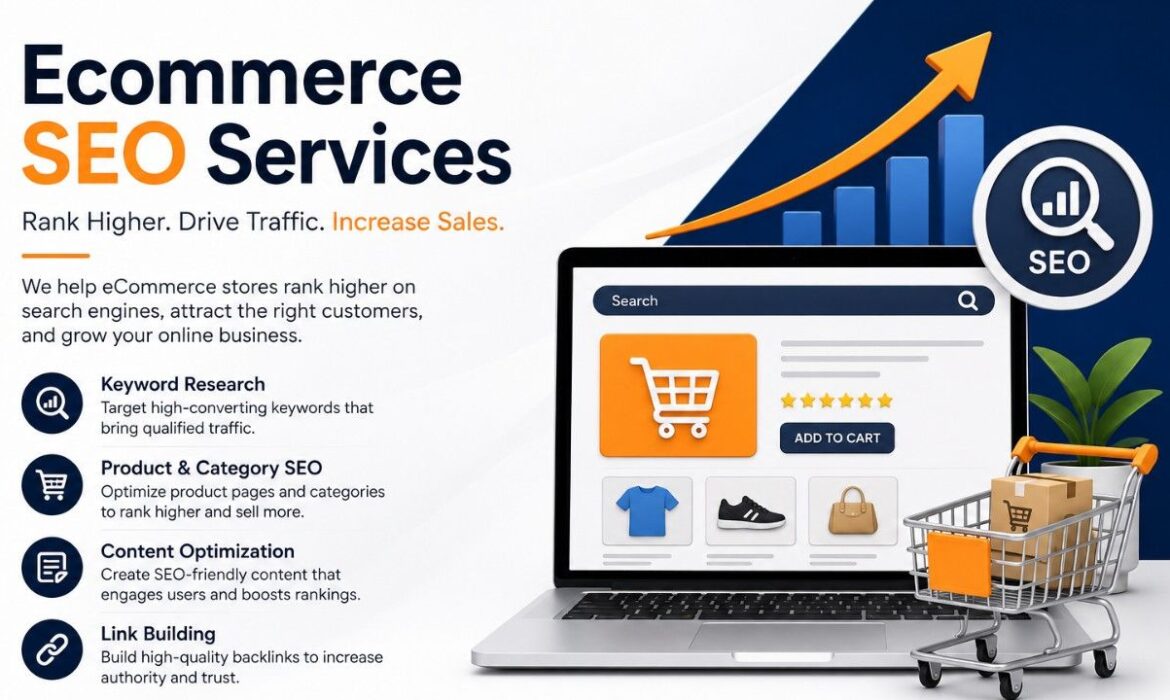
Ecommerce SEO Services in Dubai That Actually Drive Sales 2026
Ecommerce SEO Services in Dubai help your online store rank for the exact products people are ready to buy — and at Digital Oasis, that’s the whole point. Not traffic for the sake of traffic. Buyers. If you’re selling in the UAE, you already know the market is crowded. Everyone’s running ads. The brands that win long-term are the ones showing up in organic search when a shopper in Dubai Marina or Abu Dhabi types “buy [your product] online.” That’s where our ecommerce SEO services come in.
Here’s the thing most agencies won’t tell you. Ranking a 5-page website is easy. Ranking a store with 800 products, filters, colour variants, and category pages? That’s a completely different game. It needs a plan built for the way online stores are actually structured — and built for the way people in the Emirates actually shop.
Key Takeaways
- Ecommerce SEO targets buyer-intent keywords, so you attract shoppers ready to purchase — not just browsers.
- Most UAE stores see real ranking movement in 3–4 months; competitive niches take longer.
- Local factors matter: COD, Tabby/Tamara, Arabic content, and AI search all affect visibility in 2026.
- A proper audit comes first — you can’t fix what you haven’t measured.
What Are Ecommerce SEO Services?
Ecommerce SEO Services are the full set of work that gets an online store ranking higher in search so it sells more — not just gets seen. Regular SEO mostly gets a brand found. Ecommerce SEO gets products bought. The difference sits in the structure.
A blog ranks one page for one topic. An online store has to rank hundreds of product and category pages, each with its own keyword, while avoiding duplicate content from variants and filters. Miss that, and Google either ignores your pages or ranks the wrong ones. This is why a store needs SEO built specifically for ecommerce, not a generic plan copy-pasted from a service-business website. The whole job is making sure every product page, every category, and every filter sends the right signal to search engines — and to shoppers.

Why Ecommerce SEO Is Important for Dubai Stores
Because UAE shoppers research before they buy. A huge share check Google first, compare options, then purchase. If your store isn’t on page one for a product search, your competitor gets that sale — simple as that. Strong ecommerce SEO services put you in front of those buyers at the exact moment they’re deciding.
There’s also the cost angle. Paid ads stop the moment your budget runs out. SEO keeps working. We’ve seen stores that built solid organic rankings keep pulling in sales months later without spending another dirham on clicks. Pair both and you get the best of it — which is why many clients run our SEO work alongside Google Ads and PPC campaigns. One quick tip: don’t kill your ad spend the second SEO kicks in. Let them overlap. Ads give you fast data on which keywords actually convert, and that data sharpens your SEO targeting.
Think about how you shop yourself. You search, you skim the first few results, you rarely scroll to page two. Your customers do exactly the same. Every position you climb means more eyes, more clicks, and more sales — without paying for each one.
What’s Included in Ecommerce SEO Services
Good ecommerce SEO services have several moving parts working together. Here’s the breakdown of what should be on the table.
| Service area | What it covers | Why it matters |
| Keyword research | Buyer-intent product + category terms | Brings shoppers ready to purchase |
| On-page SEO | Titles, descriptions, product copy, internal links | Tells Google what each page sells |
| Technical SEO | Site speed, crawlability, indexing, canonicals | Lets search engines read your store |
| Content strategy | Buying guides, category content, blogs | Captures research-stage searches |
| Link building & CRO | Quality backlinks, checkout flow, layout | Builds trust and turns visits into sales |
If you’re on Shopify, the technical setup gets easier — our Shopify development services build stores SEO-ready from the ground up, so you’re not patching problems later. And if your store’s design itself is slowing things down, our website design and development team can rebuild it for speed and conversions.
Ecommerce SEO Services in the UAE vs Anywhere Else
This is where most generic agencies fall flat. Selling in the Emirates comes with its own rules, and the best ecommerce SEO services are built around them.
Cash on Delivery is still huge here — surface it clearly, or you’ll lose buyers at the last step. Buy-now-pay-later options like Tabby and Tamara build trust, so they belong right on your product pages. Bilingual content matters too; adding Arabic alongside English widens your reach to local shoppers who browse in Arabic. And if you sell across the Gulf, proper hreflang setup lets the same store rank separately in the UAE and Saudi markets without triggering duplicate-content penalties.
A real example: one common mistake we fix is stores running a single English page for the whole Gulf. Add proper hreflang and localised content, and suddenly that store ranks in two markets instead of one watered-down version. Same products, double the reach. These small, local details are what separate a store that quietly grows from one that stalls.
Ecommerce SEO Services for Amazon and Noon Sellers
Plenty of UAE brands sell on their own site and on Amazon.ae or Noon, and those marketplaces need different optimisation. Complete ecommerce SEO services account for both. Marketplace SEO is about your listings ranking inside Amazon’s search — not Google’s. Different keywords, different ranking signals, different games entirely.
If marketplaces are part of your revenue, our Amazon SEO services handle listing optimisation, while our Amazon PPC services cover the paid side. For sellers building their own brand from scratch, our Amazon FBA private label program ties it all together — product, listing, and ranking strategy in one place.
Ecommerce SEO for AI Search: ChatGPT, Gemini, and Perplexity
This is the 2026 shift nobody can ignore. People aren’t only Googling anymore. They ask ChatGPT, Gemini, and Perplexity for product recommendations, and those tools pull from well-structured, trustworthy content. Modern ecommerce SEO services are now built for this from day one.
So what gets you mentioned by AI? Clean schema markup, clear product information, genuine reviews, and content that answers real buyer questions. The same EEAT principles that help you on Google now help AI engines decide whether to recommend your brand. Stores that ignore this will quietly lose visibility over the next year, while the ones that prepare now get a head start. It’s the same reason early movers in any channel win — they’re there before everyone else catches on.
How Long Does Ecommerce SEO Take and What Does It Cost
Honest answer? It’s not instant. Anyone promising page-one rankings in two weeks is selling you something. Real ecommerce SEO services follow a steady build.
| Timeframe | What typically happens |
| Month 1 | Audit, technical fixes, keyword mapping |
| Months 2–3 | Content rollout, on-page optimisation, early movement |
| Months 3–4 | Measurable ranking gains, traffic climbing |
| Months 6+ | Compounding growth, steady organic sales |
Competitive categories like electronics, fashion, and beauty usually take longer to reach the top. But once you’re there, the position holds and keeps paying.
As for cost, there’s no flat sticker price for ecommerce SEO services. It depends on your store size, how competitive your niche is, your current SEO health, and whether you’re targeting the UAE only or the full GCC. A broken site costs more upfront because it needs fixing before it can grow. The smart move is a consultation first, so the quote matches your actual store instead of a random guess. Beyond search, channels like social media marketing can feed your store extra traffic and brand demand, which makes SEO work even harder. Want a clear picture of where you stand? Call us at +971 52 783 3003.
Ecommerce SEO Checklist for Product and Category Pages
- Unique product titles and descriptions instead of manufacturer copy.
- Category pages with helpful intro text targeting commercial keywords like “buy … online in Dubai”.
- Product schema with price, availability and reviews for rich results.
- Fast-loading, compressed images with descriptive alt text.
- Clean URLs, canonical tags for filters and variants, and no thin duplicate pages.
- Internal links from blog guides to relevant categories and products.
- Customer reviews and Q&A on product pages to add fresh, unique content.
People also ask
What are ecommerce SEO services?
Ecommerce SEO services are the full set of work that helps an online store rank higher in search and sell more — keyword research, product and category page optimisation, technical SEO, content, link building, and conversion improvements, all tailored to a store’s products and market.
What is SEO in e-commerce?
SEO in e-commerce means optimising an online store so search engines rank its product and category pages for buyer-intent searches. The goal isn’t just traffic — it’s getting ready-to-buy shoppers onto the right pages so they convert into sales.
How much does SEO cost in the UAE?
There’s no single fixed rate. Cost depends on your store size, niche competition, current SEO health, and whether you target the UAE only or the wider GCC.
How much does ecommerce SEO cost?
It varies by the number of products, how broken or healthy your current setup is, and how competitive your category is. Larger stores in tough niches need more work, so they cost more. The best move is a quick audit before any quote, so the price matches your actual store.
Will SEO help me sell on Amazon.ae?
Marketplace SEO is separate from Google SEO, but yes — listing optimization improves your visibility inside Amazon search. That’s covered under our Amazon SEO services.
Final Thoughts
Ecommerce SEO isn’t a quick trick — it’s the foundation that keeps your store selling long after the ad budget runs dry. The UAE market rewards brands that get the details right: local payment signals, bilingual content, clean technical setup, and now AI-search readiness for 2026. Your competitors are already working on this. Every month, you wait for organic revenue to go to someone else.
Google Ads for Interior Design Companies UAE | Digital oasis
Your phone is quiet. The project inquiries have slowed down. Social media posts gather likes but no real calls. Sound familiar?
It is a situation that many interior designers face, and it is frustrating. Here is the truth — clients who are ready to hire are not endlessly scrolling Instagram. They are on Google, typing phrases like “best interior designer near me” or “luxury home renovation company.” If your business is not appearing at the top of those results, a competitor is taking those clients right now.
At Digital Oasis, we have managed Google Ads campaigns for interior design companies across the UAE and beyond. The results are clear: when set up correctly, Google Ads for interior design companies is one of the fastest ways to fill your client pipeline. So, let us walk through exactly how it works in 2026, what it costs, and how to make every dirham or dollar count.
What Are Google Ads for Interior Designers?
Google Ads is Google’s paid advertising platform. It allows any business, including interior design companies, to pay for prominent placement at the very top of Google search results. When a potential client types a relevant search query, your ad appears before all organic results.
The model is simple — you pay only when someone clicks on your ad. It is called Pay-Per-Click (PPC) advertising, and it is powerful because every click comes from a person who is actively searching for what you offer.
There are approximately 100,000 Google searches every single second, and around 2 trillion searches happen annually. A meaningful share of those searches are from people looking for interior designers, home renovation experts, and design consultants in your city.
Why Google Ads Work Specifically for Interior Design Companies
Many industries benefit from Google Ads, but interior design has specific qualities that make it a perfect match for PPC advertising. Here is why.
Clients Search With Purchase Intent
A person who types “interior designer in Dubai” or “home renovation company near me” is not browsing casually. That search reveals a clear intent to hire. It makes Google Ads far more valuable than social media ads, where you interrupt people who may have no immediate need for your services.
High-Value Projects Justify the Ad Spend
Interior design projects often range from AED 50,000 to AED 500,000 and beyond. Even a single client conversion can generate returns that far exceed your advertising investment. According to Google’s own economic impact research, businesses earn an average of $2 for every $1 spent on Google Ads. For high-ticket services like interior design, that ratio can be significantly higher when campaigns are managed properly.
Local Targeting Is a Major Advantage
Google Ads lets you target specific cities, neighborhoods, or a radius around your studio. It means your ads appear exclusively to people in your service area. Local search ads are essential for interior designers in 2026 because most clients prefer designers who are geographically close and familiar with the local market.

The Best Google Ads Strategy for Interior Designers in 2026
A well-built Google Ads strategy is the difference between wasting money and generating a steady stream of qualified leads. Here is what it involves at Digital Oasis.
Keyword Research With the Right Intent
Avoid broad, expensive keywords that attract the wrong audience. Instead, focus on what your ideal clients actually type.
High-performing keywords for interior design companies:
- interior designer near me
- luxury home interior design
- residential interior design company
- office interior design services
- kitchen renovation designer
- affordable interior designer
It is equally important to add negative keywords. Words like “free,” “DIY,” “software,” and “career” should be excluded so your budget is not wasted on irrelevant clicks.
Build Tightly Themed Ad Groups
Group your keywords by service type or room type. For example, one ad group covers living room design, another covers commercial interior design, and another covers bathroom renovation. Each ad group should have its own specific ads and landing pages. It improves relevance, which in turn reduces your cost per click.
Write Ads That Speak to the Client’s Desire
A strong headline focuses on outcomes and emotional triggers. Interior design clients want a beautiful space and a stress-free process. Address both.
Example headline structure:
Award-Winning Interior Design in Dubai
Free Design Consultation — Book Today
Luxury Interiors | On-Time & On-Budget
Always include ad extensions — call extensions for direct phone calls, location extensions to show your address, and sitelink extensions to highlight your portfolio, testimonials, and services.
Create a High-Converting Landing Page
Sending ad clicks to your homepage is a common and costly mistake. Each ad group needs a dedicated landing page that matches the specific keyword and ad copy. The landing page must include a clear headline, a project portfolio image, client testimonials, and a prominent contact form or call-to-action button.
At Digital Oasis, we build conversion-optimized landing pages as part of our PPC packages so your ad spend translates directly into booked consultations.
Google Ads Cost for Interior Designers — What to Expect
Budget is the first question most interior design business owners ask. The honest answer is that cost varies, but it is manageable when approached strategically.
According to WordStream’s 2025 Google Ads Benchmarks, the average cost per lead in the home design category is around $121.51 per lead. It sounds high until you consider that a single interior design project is worth thousands. The math works strongly in your favor.
Most small interior design businesses start with a monthly budget between $1,000 and $3,000. It is enough to generate a consistent flow of inquiries in a mid-sized market. In competitive markets like Dubai or London, a budget of $3,000 to $7,000 per month delivers stronger results.
It is also worth knowing that Smart Bidding strategies powered by Google’s AI can reduce your cost per acquisition by up to 30%. At Digital Oasis, we configure automated bidding strategies after gathering enough conversion data, which typically takes 30 to 60 days of initial campaign running.
Interior Design Lead Generation: Google Ads vs. Social Media
A question many interior designers ask is whether to invest in Google Ads or social media marketing. Here is a direct comparison.
Google Ads targets people at the moment of active search. The intent is high, the competition is direct, and the leads are warmer. A person searching for an interior designer is already in decision mode.
Social media advertising on platforms like Instagram and Pinterest targets passive audiences based on demographics and interests. It builds brand awareness and is excellent for showcasing visual portfolio work. However, it rarely generates immediate high-intent leads the way Google Ads does.
The ideal approach for interior design companies in 2026 is to run both channels in a complementary way. Let Google Ads drive immediate leads. Let social media build brand equity and retarget website visitors. At Digital Oasis, we call it a full-funnel approach, and it consistently outperforms either channel alone.
Common Google Ads Mistakes Interior Design Companies Make
At Digital Oasis, we audit dozens of ad accounts each year. Here are the most damaging mistakes interior design companies make.
Using Broad Match Keywords Only — Broad match sounds efficient, but it burns budget fast. It triggers your ads for irrelevant searches like “interior design school” or “free interior design software.” Always mix broad match with phrase match and exact match keywords.
Skipping Conversion Tracking — It is impossible to know which keywords or ads generate real leads without conversion tracking. Set up Google Ads conversion tracking for form submissions and phone calls before spending a single dirham. No data means no optimization.
Sending Traffic to the Homepage — A homepage is not a landing page. It lacks a specific message and a clear call-to-action. Create dedicated service landing pages for each campaign. It is one of the highest-impact changes any interior design business can make.
Not Testing Ad Copy — Responsive Search Ads allow up to 15 headlines and 4 descriptions. Use all of them. Google’s algorithm tests different combinations and surfaces the best-performing ones automatically. Do not leave those slots empty.
Ignoring Negative Keywords — Review your Search Terms report weekly. Add irrelevant terms as negative keywords. It directly reduces wasted spend and improves your quality score, which lowers your average cost per click over time.
A Real Lesson From Our Google Ads Work With an Interior Design Client
One of our clients — a boutique interior design studio based in Dubai — came to Digital Oasis after spending AED 12,000 on Google Ads with almost zero results. The ad account had one campaign, three broad match keywords, and no conversion tracking. Every metric was invisible.
We rebuilt the account from scratch. Four tightly themed ad groups. Phrase and exact match keywords. Dedicated landing pages for residential, commercial, and kitchen projects. Conversion tracking is set up for calls and form fills.
In the first 60 days, the cost per lead dropped by 58%. In month three, the studio had its first fully booked quarter in two years. The ad budget did not change. Only the strategy did.
It is proof that Google Ads for interior design companies works — but the execution must be precise.
People Also Ask
Are Google Ads worth it for interior design companies?
Yes, Google Ads are highly effective for interior design companies when campaigns are properly structured. The key factors are relevant keywords, strong ad copy, dedicated landing pages, and conversion tracking. A well-managed campaign consistently generates high-intent leads from clients who are actively searching for design services.
How much do Google Ads cost for interior designers?
According to WordStream’s 2025 benchmarks, the average cost per lead in the home design sector is approximately $121. Monthly ad budgets typically range from $1,000 to $7,000+, depending on your market size and competition level. High-value projects make this spend highly profitable with proper management.
What keywords should interior designers target in Google Ads?
Focus on high-intent local keywords such as “interior designer near me,” “residential interior design,” “home renovation company,” and “luxury interior design services.” Pair these with negative keywords to eliminate irrelevant searches.
Should I manage Google Ads myself or hire an agency?
Managing Google Ads requires ongoing expertise in keyword strategy, bidding, ad copywriting, landing page optimization, and data analysis. Most interior design businesses see significantly better ROI by working with a specialist agency. An experienced PPC team like Digital Oasis removes the guesswork and continuously optimizes for lower cost per lead.
How long does it take to see results from Google Ads for interior designers?
Initial data and leads can appear within the first week of a campaign going live. However, meaningful optimization and consistent performance typically develop over 60 to 90 days as the algorithm gathers conversion data and the bidding strategy stabilizes.
Final Thoughts
Interior design is a visual, high-trust business. And in 2026, the clients you want are searching on Google before they ever open Instagram. It is important to know that Google Ads is not a magic switch — it rewards precision, testing, and ongoing management.
Start with a clear goal. Define your ideal client. Research the keywords they use. Build a campaign that speaks directly to them. Track every lead. Then optimize relentlessly.
That process is exactly what Digital Oasis does for interior design companies that are serious about growing. If you are ready to put your business at the top of Google search results and convert that visibility into real project inquiries, the next step is one click away.
15 Proven Digital Marketing Strategies for Small Businesses in 2026
Two years ago, a client of ours was running a small electronics repair shop in Sharjah. Foot traffic was decent. Word of mouth kept the lights on. But when a bigger chain opened nearby, customers started disappearing. He called us confused — his work was better, his prices were fair, and his customers loved him. So why was he losing?
We pulled up his Google Business Profile. It was incomplete. His website had not been updated since 2021. He had zero reviews online. The competitor had 340 reviews, daily posts, and a site that loaded in under two seconds.
It had nothing to do with quality. It was visibility.
That is exactly where most small businesses are sitting right now. And the gap between visible and invisible online is not as hard to close as it looks. At Digital Oasis, we have worked with dozens of small businesses across the UAE who started from scratch and built real digital presence — without giant budgets or large teams.
So here are the 15 digital marketing strategies for small businesses that we actually recommend, in the order that makes the most sense to act on them.
Why Digital Marketing Strategies for Small Businesses Need a Different Approach in 2026
Big brands can afford to be everywhere at once. A small business cannot — and should not try. Digital advertising now accounts for over 75% of total global media ad spend. US digital ad spend alone hit $317 billion in 2025. And 90% of consumers research a business online before reaching out.
So if your business is not showing up clearly and consistently online, someone else is getting your customers. But here is the thing — the digital marketing strategies for small businesses that actually work are not about spending more. They are about spending smarter.
Search behavior has changed. People now type full questions into Google, not single keywords. AI-generated content floods every corner of the internet, which means content that sounds genuinely human and specific now stands out more than ever. Privacy laws have tightened. First-party data — email addresses, purchase history, customer preferences that your audience gives you directly — has become your most valuable asset. And around 60% of all web searches happen on phones, so mobile experience is no longer optional.
Keep these shifts in mind as you go through each strategy below.
Set SMART Goals Before You Touch Any Channel
Most small businesses jump straight into posting on Instagram or running a Google Ad before they have any idea what they are trying to achieve. A month later, they have spent money and have no way to measure whether it worked.
Before picking any channel, decide what success actually looks like. A SMART goal is Specific, Measurable, Achievable, Relevant, and Time-bound. An example — “Get 25 new leads through our website in the next 45 days” — gives you a channel to focus on, a number to hit, and a deadline to evaluate against.
At Digital Oasis, we tell every client the same thing — pick one or two goals per quarter and build everything around hitting those. More goals do not mean more growth. They mean more distraction.
Know Who You Are Talking To
Every marketing decision gets easier once you know exactly who your customer is. Build a simple profile — age range, location, what problem they have, and where they spend time online. A Salesforce study found that 67% of SMB leaders say understanding their community has been critical to survival. Marketing works the same way. Know your audience before spending a dirham on reaching them.
Tools like SparkToro show you where your audience actually spends time online. Google Analytics shows how people find your site. Instagram Insights shows when your followers are most active. Use all three before deciding where to post.
Strategy 1 — SEO for Small Businesses
Search engine optimization is the longest-lasting investment in any list of digital marketing strategies for small businesses. It takes a few months to show results, but once a page ranks, it drives traffic every single day without paying for each click.
Organic search drives 53% of all website traffic globally. That means more than half the people landing on websites found them through Google — not ads, not social posts, just search.
For a small business, SEO starts with three things. First, write content that genuinely answers what your customers are searching for. Second, include your keyword in the page title, H1 heading, meta description, and naturally throughout the body. Third, get backlinks – links from other reputable sites to yours. Google sees backlinks as votes of confidence.
When Google evaluates content in 2026, it considers four signals: Experience, Expertise, Authoritativeness, and Trustworthiness. Content written from real experience, with real examples, by someone who actually knows the topic — that is what ranks now. Generic summaries of other articles do not.
Start with long-tail keywords — phrases of three or more words. “Digital marketing agency Dubai” has far less competition than just “digital marketing” and attracts people who are already close to making a decision. Tools like Google Keyword Planner, Semrush, and Ubersuggest help you find these phrases.
Local SEO for Small Business
If your business serves a specific city or neighbourhood, local SEO matters more than anything else on this list. When someone searches “marketing agency near me” or “electrician in Abu Dhabi,” Google shows a local pack — three businesses at the very top of the results page, above everything else.
Getting into that pack requires three things: a complete Google Business Profile, a consistent Name, Address, and Phone number across all directories, and a regular stream of genuine customer reviews. Businesses with complete profiles get 7x more clicks than businesses with incomplete ones. That gap is too large to ignore.
Strategy 2 — Content Marketing for Small Business
A single blog post that ranks on page one of Google keeps bringing in visitors for years. A YouTube video that answers a common question gets watched and shared long after you recorded it. Content marketing builds authority over time and costs far less than running ads month after month.
The trick is to stop guessing what to write about and start listening. What do your customers ask every time they call? What questions come up in every sales conversation? What do people search for before they find a business like yours? Each of those questions is a content topic with proven demand already attached to it.
Kate Tompsett, owner of Happy and Glorious Gift Shop, used AI to help plan her content calendar and posted consistently across Instagram and TikTok. In two months, her Instagram following grew by 1,300 people, engagement tripled, and one TikTok video hit 150,000 views. Nothing fancy — just consistent, genuine content aimed at the right people.
Strategy 3 — Social Media Marketing for Small Businesses
Social media for small businesses is not about being on every platform. It is about showing up properly on two or three. Pick the platforms where your actual customers spend time. A B2B consultancy belongs on LinkedIn. A food business belongs on Instagram. A brand targeting people under 30 needs TikTok.
Post consistently — three times a week is better than fifteen posts in one week, followed by three weeks of silence. Engage with every comment and message. Ask questions in your captions. Social media is not a broadcasting channel; it is a conversation.
On the paid side, Facebook and Instagram Ads give you access to targeting that most small businesses do not use properly. You can target by job title, interest, location, age, and behavior. A local gym can run ads exclusively to people within five kilometers who have shown interest in fitness. That kind of precision is powerful on a small budget.
Strategy 4 — Email Marketing for Small Businesses
Every $1 spent on email marketing returns between $36 and $40. No other channel comes close to that number. And unlike social media, where an algorithm decides who sees your posts, an email goes directly to your subscriber’s inbox.
Start building your list from day one. A sign-up form on your website, a lead magnet — a free guide, a discount code, a useful template — offered in exchange for an email address, and an opt-in at checkout if you sell products. An email list is an asset your business owns. Social media followers are rented from platforms that can change their rules at any time.
Segment your list once it grows. New subscribers need a welcome sequence that builds trust before asking them to buy anything. Loyal Customers Receive Early Access & Exclusive Deals. Cold subscribers need a re-engagement campaign, or they need to be removed.
Tools like Klaviyo work best for e-commerce. Mailchimp and MailerLite are solid for service businesses starting out.
Strategy 5 — Google Ads and Paid Advertising for Small Business
Google Ads puts your business in front of people who are already searching for exactly what you offer. That is a fundamentally different kind of advertising than social media — there, you are interrupting someone’s scroll. On Google, someone typed a question, and your ad is the answer.
A small budget works on Google Ads when it is tightly focused. Target long-tail keywords with clear buyer intent. Avoid broad, generic keywords that attract clicks from people who are just browsing. Set a daily cap, watch your data weekly, and cut any keyword that spends without converting.
Every Google Ad needs to lead to a specific landing page — not your homepage. Match the message in the ad to the message on the page. If the ad says “Free Website Audit,” the landing page should offer exactly that, with one clear action to take.
Strategy 6 — Google Business Profile Optimization
Google Business Profile is free. It takes about 30 minutes to set up properly. And for local businesses, it is probably the fastest way to start appearing in front of new customers.
Fill in every field — business name, category, address, phone number, website, hours, and a detailed description of what you do. Add real photos of your space, your team, and your work. Post updates at least once a week — Google rewards active profiles with better placement.
Reviews matter enormously here. A business with 50 genuine reviews outperforms a competitor with zero reviews almost every time. After each completed job or purchase, send your customer a direct link to leave a review. Make it one click. Respond to every review — including the negative ones. A professional response to a complaint shows potential customers that you take your work seriously.
Strategy 7 — Website Optimization for Small Business
Your website is open 24 hours a day, seven days a week. Every other marketing channel eventually sends people back to it. If it loads slowly, looks broken on mobile, or fails to explain clearly what you do, all the traffic in the world will not convert into customers.
Page speed comes first. Use Google PageSpeed Insights to check your score. Compress images, remove plugins you do not use, and look at your hosting. In 2026, 53% of mobile users abandon a page that takes more than three seconds to load. Three seconds. That is not much room for error.
Conversion Rate Optimization
Every page on your site needs one clear next step. Not five options — one. “Request a Free Quote.” “Book a Call.” “Download the Guide.” Pick the action that matters most and make it impossible to miss. Put it above the fold, repeat it mid-page, and add it again at the bottom.
Social proof works harder than almost any design improvement. Real customer reviews with names and photos, specific numbers from case studies, and recognizable logos from clients all build the trust that turns a curious visitor into a contact. Tools like Hotjar and Microsoft Clarity show you where people click and where they drop off — use that data before rewriting any copy.
Strategy 8 — Influencer Marketing for Small Business
Big influencers with millions of followers charge fees that most small businesses cannot justify. And frankly, their audiences are often too broad to convert into customers for a specific local or niche business.
Micro-influencers — people with between 1,000 and 100,000 engaged followers — deliver better results at a fraction of the cost. Their audiences follow them because they trust their opinions, not because they are famous. A beauty brand getting coverage from a local makeup artist with 8,000 loyal followers will often outperform a campaign with a celebrity who has 2 million passive ones.
Reach out with a simple offer. Free product or service in exchange for an honest review. No script. No mandatory posting schedule. Let them speak naturally. Authentic content outperforms branded advertising every time — audiences know the difference immediately.
Strategy 9 — Loyalty and Referral Programs
Keeping an existing customer costs five times less than finding a new one. A loyalty program gives people a reason to come back again and spend more each visit.
A points system works well — customers earn points with every purchase and redeem them for discounts or free products. It does not need to be complicated. A stamped card at a coffee shop is a loyalty program. A tiered discount for repeat orders is a loyalty program. The mechanics matter less than the fact that customers feel valued for coming back.
A referral program takes that same customer relationship and turns it into a lead-generation machine. Happy customers refer people they know personally — and referred customers close at a far higher rate than cold leads from ads. Give a referral incentive that is genuinely worth sharing. Make the process as simple as one link.
Strategy 10 — Online Reviews and Reputation Management
Most people read reviews before contacting any business for the first time. A strong review profile builds trust before a potential customer even reaches your website. A weak or empty one sends them straight to your competitor.
After every completed job or purchase, follow up with the customer and make leaving a review as easy as possible. A direct link to your Google Business Profile review page is all most people need. No long instructions, no complicated forms.
Respond to every review — positive and negative. A business that thanks happy customers and addresses unhappy ones professionally sends a clear signal that real, accountable people are running the operation. That signal matters to new customers who are deciding whether to trust you.
Strategy 11 — Video Marketing for Small Business
Video is the single highest-reach content format across every major platform right now. Instagram Reels, YouTube Shorts, and TikTok all push video to audiences far beyond your existing followers. No other format comes close to that kind of organic reach in 2026.
Pick your three most common customer questions. Film a short, clear answer to each one — under 60 seconds, on your phone, in good light. No studio. No script. Just speak naturally and answer the question directly.
One 90-second video becomes four pieces of content. The video itself goes on Instagram and TikTok. A transcript becomes a blog post. A key quote becomes a LinkedIn post. A 15-second cut becomes an Instagram Story. Record once, publish everywhere.
Strategy 12 — WhatsApp Business Marketing
In the UAE, WhatsApp is how people prefer to communicate with businesses. Customers will message on WhatsApp before they call, email, or fill out a contact form. If your business is not on WhatsApp Business, you are missing enquiries every single day.
WhatsApp Business gives you automated greeting messages for new contacts, quick reply templates for common questions, a product catalogue customers can browse, and broadcast lists for sending updates to opted-in customers.
Respond fast. Customers on messaging platforms expect a reply within minutes, not hours. A slow response on WhatsApp loses the lead to whoever responds first.
Strategy 13 — AI-Powered Marketing Tools
AI tools are genuinely useful for small businesses in 2026 — for planning, drafting, researching, and producing content faster than a small team could manage alone. ChatGPT and Claude are good for drafting blog posts, email sequences, and social captions. Canva’s AI tools spit out graphics in a flash. Semrush and Ahrefs now have AI features that speed up keyword research and competitor analysis.
The rule is simple, though — always rewrite what AI produces in your own voice. Add specific examples from your actual business. Reference real customers or real results. Generic AI content is everywhere now, and readers can feel when something has no human behind it. Your perspective and your experience are the things AI cannot replicate.
Strategy 14 — Competitor Analysis and Gap Marketing
Your competitors have already done years of trial and error, figuring out what works in your market. Tools like Semrush and Ahrefs let you see exactly which keywords they rank for, which pages get the most traffic, and where their content has gaps.
Find the topics they have not covered well. Create better, more detailed content around those gaps. Target the keywords they rank for on pages two and three — those are within reach with focused effort. If three competitors are all running YouTube ads, that tells you video advertising is working in your market.
Competitor analysis is not about copying. It is about understanding the battlefield before you invest your budget.
Strategy 15 — Data-Driven Decision Making
Every strategy in this guide produces numbers. Website visits, email open rates, ad conversion rates, social engagement, revenue per channel — all measurable. The real power of digital marketing strategies for small businesses comes from reading those numbers regularly and acting on what they tell you.
Google Analytics 4 lets you know who is visiting your site and what they do when they arrive. Google Search Console shows which searches bring people to your pages. Your email platform shows open rates and click rates. Your ad dashboard shows cost per lead and return on spend.
Check these numbers once a week. Not every day — that is too noisy. Not once a month — that is too slow to catch problems. Weekly review gives you enough data to spot real trends. When something is not working, cut it before it wastes more budget. When something is working, put more behind it. That habit, repeated consistently, is what separates businesses that grow from businesses that stay stuck.
Common Mistakes That Hurt Small Business Marketing
It is worth naming the traps before wrapping up. Trying to be active on every platform at once produces mediocre content everywhere — pick fewer channels and do them properly. Making decisions based on gut feeling rather than data wastes budget on what feels right instead of what actually works.
Chasing follower counts instead of revenue is another classic mistake. Ten thousand followers who never buy anything are worth less than one thousand who do. And running the same ad creative for months without testing alternatives leads to audience fatigue — performance drops, and most business owners do not realise why until it has already cost them.
Know what you are doing and why. Measure what matters. Adjust fast.
People Also Ask
What is the most effective digital marketing strategy for small businesses?
It depends on your goal and audience. SEO and content marketing have the best long-term ROI. Email marketing has the best short-term return. Local SEO is non-negotiable if your business serves a specific area. Most small businesses benefit from combining two or three of these proven digital marketing strategies for small businesses rather than betting everything on one channel.
How much should a small business spend on digital marketing?
A common starting benchmark is 7 to 10% of gross revenue. Start with free channels — Google Business Profile, organic social, blog content — before allocating budget to paid advertising. Prove what works first, then spend behind it.
Can a small business do digital marketing without an agency?
Many small businesses do their own SEO, content, social media, and email marketing successfully in the early days. As volume and complexity grow, it often becomes the more cost-effective choice to work with a specialist like Digital Oasis.
What is the difference between SEO and paid advertising?
SEO takes months to build organic visibility, and once you have that free traffic. Paid advertising gives you immediate traffic, but stops as soon as the budget is gone. The best answer is to use both, paid for quick results, and SEO as a long-term foundation underneath.
How long does it take for digital marketing to work?
Paid advertising can show results within days. SEO typically takes three to six months to gain real momentum. Email and social media build over weeks and months. The businesses that succeed treat digital marketing as a long-term system — not a campaign they run once and forget.
Final Thoughts
Small businesses rarely lose to larger competitors because of product quality. They lose because of visibility. The business that shows up first online, builds trust faster, and stays consistent longer wins the customer — regardless of who has the better service.
The digital marketing strategies for small businesses in this guide are not theoretical. Every one of them produces real results for businesses operating on real budgets. None of them requires a big team or an enterprise spend. They require a clear plan, honest measurement, and the discipline to keep going when results are slow to start.
At Digital Oasis, we help small businesses across the UAE build marketing systems that grow with them — not cookie-cutter plans, but strategies built around how each business actually operates.
Reach out to Digital Oasis today for a free digital marketing audit. We will determine your current position and tell you where to focus first.
Next-Gen Keyword Research Strategy for AI, GEO & SEO in 2026
Most websites sit in digital silence. It is a hard truth — but according to Ahrefs, 90.63% of pages on the internet get zero organic traffic from Google. The reason is not always poor writing or bad design. The root problem is almost always the same. It is the wrong keyword research strategy.
Have you ever published a well-written article only to watch it flatline in search rankings? It happens to experienced marketers, too. The content was good. The intent was right. But the keyword foundation was broken.
A solid keyword research strategy is the foundation of any successful SEO campaign. It tells you what real people are searching for, what problems they want to solve, and what language Google algorithm connects with intent. In 2026, the rules have changed again. Generative AI, Google Search Generative Experience (SGE), and Generative Engine Optimization (GEO) have changed the way content appears in search results.
At Digital Oasis, we work with brands in Dubai and across the UAE to build search strategies that perform in the current landscape. It is not about stuffing pages with terms anymore. It is about precision, intent, and structured entity optimization.
What Is a Keyword Research Strategy in 2026
A keyword research strategy is a systematic process. It pinpoints the specific search terms your target audience uses to find products, services, or solutions. In 2026, it’s more than just finding high-volume words. It now maps intent, entities, topical authority, and AI-answer eligibility.
Google’s Knowledge Graph has expanded to connect concepts, brands, people, and places as semantic entities. Your content needs to be aligned with these relationships. A keyword is no longer a phrase but a signal of context, intent, and topical relevance.
The 2026 EEAT+ framework adds Engagement as the 5th pillar of Experience, Expertise, Authoritativeness, and Trustworthiness. Google now cares about content with high engagement signals such as time on page, click-through rate, and scroll depth. Your keyword strategy has to work for the algorithm and the reader.
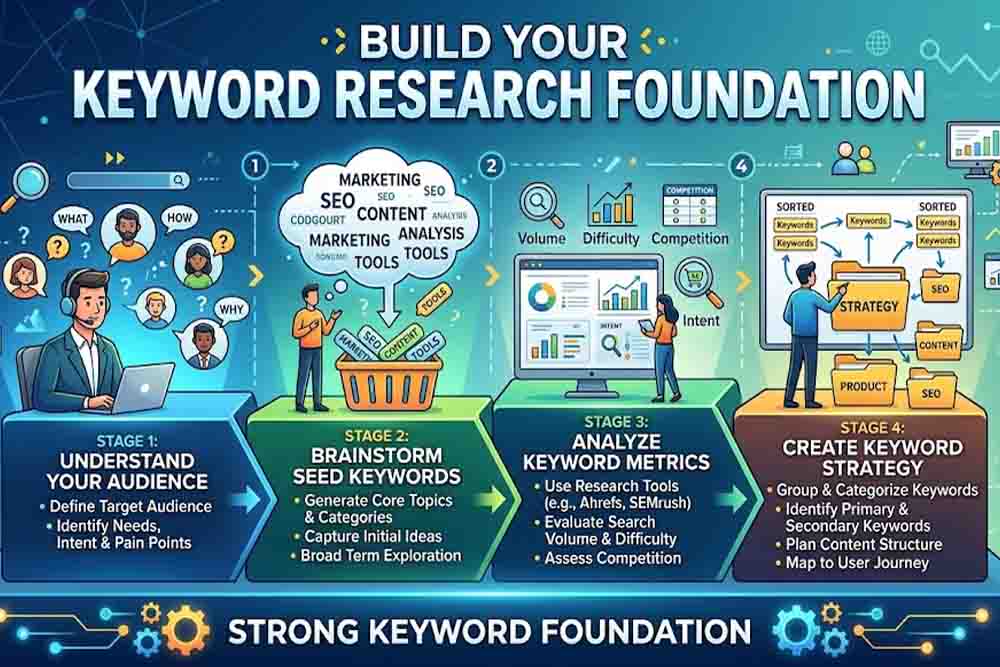
How to Build Your Keyword Research Foundation
Start with Seed Keywords and Topic Clusters
Seed Keywords are the building blocks of any good keyword strategy. They are straightforward, broad words related to your niche. If you own a digital marketing agency, your seed keywords could be SEO services or Google Ads management.
From the seed, you build topic clusters. A topic cluster groups related subtopics around one pillar page. It is how Google understands topical authority. If your website covers twenty related articles that link back to one central pillar, Google reads it as an expert source on that topic.
The key step here is to research your competitor’s keyword gaps. Tools like Ahrefs’ Keywords Explorer or SEMrush surface terms your competitors rank for — and terms they are missing. It is one of the smartest ways to find untapped opportunities.
Understand Search Intent Before Targeting Any Keyword
Search intent is the single most important factor in 2026 keyword targeting. It answers one question — what does the user actually want when they type a phrase into Google?
There are four intent types to understand:
Informational — the user wants to learn. Example: “What is keyword research?”
Navigational— user is searching for a specific website. Example: “Ahrefs login”
Commercial— user is evaluating options. Example: “best keyword research tools 2026”
Transactional— user is ready to make a purchase. Example: “hire SEO agency Dubai”
Your content must match the primary intent behind a keyword. If a keyword has commercial intent, then a blog targeting informational intent won’t rank well. Google’s algorithm is intelligent enough to recognize the mismatch.
The Role of AI and GEO in Modern Keyword Research Strategy
How AI Has Changed Search Behavior
Artificial intelligence has fundamentally changed how users search — and how Google responds. Google’s Search Generative Experience (SGE) now generates AI-powered summaries at the top of search results. It answers queries directly without requiring a click.
It sounds like bad news for organic traffic. It is actually an opportunity — if you understand how to position content for AI answers.
To appear in AI-generated summaries, your content must be structured clearly. Short, declarative sentences perform better. FAQ sections with direct answers get pulled into AI responses. Schema markup tells Google’s algorithm what type of content it is reading.
At Digital Oasis Seo service, we have seen firsthand how clients who structure content around question-based keywords earn AI snippet placements — and those placements drive qualified clicks even when organic positions slip.
GEO — Generative Engine Optimization Explained
GEO stands for Generative Engine Optimization. It is the practice of optimizing content so it appears in AI-generated answers across platforms — not just Google, but also ChatGPT, Perplexity, and Gemini.
The keyword research implications are significant. GEO-friendly keywords tend to be question-based, conversational, and long-tail. The user is having a conversation with an AI assistant, not typing a short search string.
According to research published by Mangools, long-tail keywords account for over 70% of all search queries. In AI-powered search environments, that number is climbing. It means your keyword strategy must prioritize specific, intent-rich phrases over broad, competitive head terms.
Keyword Research Tools That Dominate in 2026
The Essential Toolkit for Research
The right tools make keyword research faster and more accurate. Here are the platforms that serious SEO practitioners rely on in 2026:
Ahrefs Keywords Explorer — best for keyword difficulty scores, traffic potential, and competitor gap analysis. It shows you the keywords your rivals rank for that you do not.
Google Search Console — free and underutilized. It reveals the exact queries your existing pages already rank for. It is the first tool to check before building any new content plan.
Google’s People Also Ask — a direct window into user intent clusters. Every PAA question is a content opportunity.
Answer the Public / AlsoAsked — maps question-based keywords that align perfectly with GEO and AI search optimization.
Semrush Topic Research — builds content clusters around seed keywords and maps the full topical landscape.
It is worth noting that no single tool gives the full picture. A real keyword research strategy combines data from multiple sources and filters it through intent analysis.
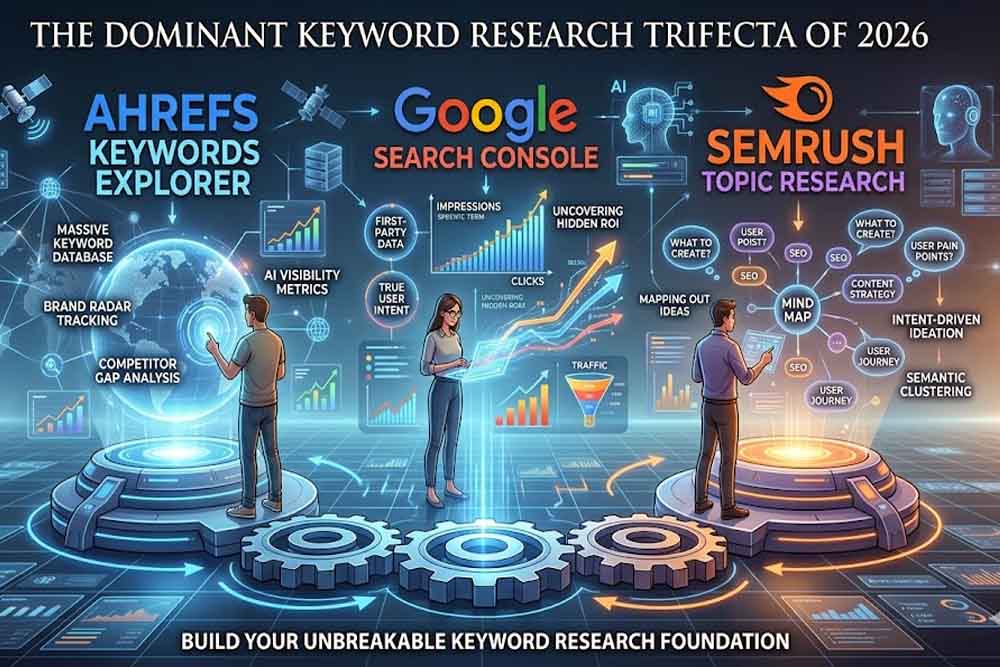
How to Evaluate a Keyword Before Targeting It
Not every keyword with high volume deserves your effort. There are five factors to evaluate before committing:
Search Volume — how many people search the term monthly. Higher is not always better for new sites.
Keyword Difficulty (KD) — how hard it is to rank on page one. New websites should target KD below 30.
Cost Per Click (CPC) — high CPC signals commercial intent and advertiser competition. It is a proxy for keyword value.
Traffic Potential — the total traffic a top-ranking page earns from all related keyword variations, not just the head term.
SERP Features — does the keyword trigger featured snippets, PAA boxes, or AI summaries? Target these for higher visibility without needing position one.
Advanced Keyword Research Strategy Tactics for 2026
Semantic Keyword Clustering for Topical Authority
Google no longer ranks individual pages in isolation. It ranks websites based on topical authority. A website that covers a subject comprehensively outranks one that covers it superficially — even with fewer backlinks.
Semantic clustering groups keywords by meaning, not just by phrasing. The goal is to build a content architecture where every page reinforces every other page on the same topic.
Here is a practical example. If your pillar page targets “keyword research strategy,” your supporting cluster might include:
- How to find long-tail keywords.
- keyword intent analysis guide
- best keyword research tools for small business
- How to use Google Search Console for keyword research.
Each supporting article links back to the pillar. Each internal link tells Google that your site is the authority on the full topic — not just one phrase.
Local Keyword Research for GEO-Targeted SEO
Local keyword research is a separate discipline — and an important one for businesses serving specific regions. It means finding keywords that combine commercial intent with geographic modifiers.
Examples include: “SEO agency Dubai,” keyword research consultant Abu Dhabi,” Social marketing services UAE.”
According to MSU’s SEO guidance, local keywords with strong intent conversion at significantly higher rates than generic informational terms. A user searching “digital marketing agency Dubai” is ready to make a decision. It makes the keyword exponentially more valuable than a high-volume generic term.
For local SEO success in the UAE market, you should layer location terms across title tags, H1 headings, meta descriptions, and naturally within content — without forcing them. Google’s local algorithm rewards relevance, not repetition.
People also ask
What is a keyword research strategy?
A keyword research strategy is a structured plan to identify, evaluate, and prioritize search terms your target audience uses. It guides content creation, on-page SEO, and paid advertising decisions.
How often should I update my keyword research?
It is best practice to review keyword performance every quarter. Search trends, algorithm updates, and competitor movements shift keyword opportunities regularly.
What is the difference between SEO keywords and GEO keywords?
SEO keywords target traditional search engines like Google. GEO keywords are optimized for AI-generated answers in tools like ChatGPT, Perplexity, and Google’s SGE. GEO keywords tend to be more conversational and question-based.
How many keywords should a single page target?
One primary keyword per page is the standard approach. You can support it with three to five secondary keywords and several LSI (Latent Semantic Indexing) terms. Keyword stuffing is a ranking risk — relevance matters more than frequency.
Can small businesses compete with keyword research against large brands?
Yes. The most effective approach is to target low-competition long-tail keywords with clear intent. Large brands often ignore these terms because the volume appears low, but the conversion rate and cost efficiency are far superior.
Final Thoughts
A strong keyword research strategy is not a one-time task. It is an ongoing process that adapts to algorithm updates, shifting user behavior, and emerging AI search technologies. In 2026, the gap between websites that invest in structured keyword research and those that guess is wider than ever.
The fundamentals remain constant. Understand your audience. Map their intent. Build topical authority. Structure content for both humans and AI systems. Measure, refine, and repeat.
At Digital Oasis, we help businesses in Dubai, the UAE, and across the GCC build search strategies that produce measurable results. It is not about ranking for the most keywords. It is about ranking for the right ones — the ones that bring buyers, not just browsers.
Want to know which keywords your competitors are winning right now? Request a free SEO audit from Digital Oasis today and get a clear roadmap to dominate your niche in 2026.
The Complete Guide to Responsive Search Ads: Best Practices, Examples & Proven Tips (2026)
If you have been running Google Ads for any stretch of time, you already know that things change fast. What worked two years ago may not cut it today. And if you are still thinking about how to squeeze better performance from your search campaigns, responsive search ads are where that conversation starts.
This guide covers everything — how RSAs actually work, what makes them perform, where most advertisers get it wrong, and the specific things you can do right now to get better results. No filler.
What Are Responsive Search Ads?
Responsive search ads, or RSAs, are the standard text ad format in Google Search campaigns. You write multiple headlines and descriptions, Google mixes them together, and over time, it figures out which combinations perform best for different users and search queries.
You can provide up to 15 headlines and up to 4 descriptions. From that, Google can generate over 35,000 possible ad combinations. The machine learning system tests these combinations and learns — which headlines work better on mobile, which descriptions drive more conversions, which pairings match which search intent.
Google made RSAs the default ad type in 2021. In June 2022, they completely removed the ability to create expanded text ads (ETAs). So if you are running Google Search campaigns now, RSAs are what you work with.
How Responsive Search Ads Actually Work
Here is the process in plain terms:
You give Google a pool of headlines and descriptions. When someone searches on Google, the system picks from your pool and builds an ad in real time. It factors in things like:
- What the person searched for
- What device are they on
- Their past browsing behavior
- Which combinations have performed well before
Early on, the ad is still learning. Performance might look uneven for the first two to three weeks. After that, once Google has gathered enough data, you start seeing the real results.
One thing people misunderstand: the headlines can show in any order. So every headline you write needs to make sense on its own, not just as part of a sequence.
RSA Specifications — Character Limits and What Gets Shown
Before writing anything, know the limits:
| Element | You Provide | Google Shows | Character Limit |
| Headlines | Up to 15 | Up to 3 | 30 characters each |
| Descriptions | Up to 4 | Up to 2 | 90 characters each |
| Display URL paths | Up to 2 | Up to 2 | 15 characters each |
A few things worth noting here. Headline 3 and Description 2 do not always show — Google skips them on smaller screens and certain placements. So never rely on those positions for something critical like a legal disclaimer or a key offer. Put your most important message in positions 1 and 2.
Also, do not chase the character limit on every single headline. If every headline is 30 characters, Google has less flexibility on mobile. Mix in shorter headlines — even 10 to 15 characters — so the ad can fit different screen sizes.
RSA vs Expanded Text Ads — What Actually Changed
People who have been advertising since before 2022 often ask whether RSAs are actually better or just different.
| Expanded Text Ads | Responsive Search Ads | |
| Headlines | Max 3 | Max 15 |
| Descriptions | Max 2 | Max 4 |
| Control | Full — you control every combination | Partial — Google decides what shows |
| Optimization | Manual A/B testing | Automated machine learning |
| Reach | Limited | Much wider — matches more search queries |
| Setup effort | More per variation | One setup covers many combinations |
The trade-off is control versus reach. ETAs gave you full control but limited how many searches your ad matched. RSAs match far more queries and let Google optimize automatically, but you give up some say over what the user actually sees.
For most advertisers, RSAs win on efficiency and volume. The key is writing enough variety that Google has something real to work with.
Writing RSA Headlines That Actually Work
This is where most campaigns fall apart. People write 15 headlines, but they all sound like variations of the same thing. Google then cannot find meaningful differences to test, and performance suffers.
Think of your 15 headlines as covering completely different angles. Here is a framework that works:
Keyword-based (2-3 headlines) Put your main keyword directly in the headline. This improves relevance scores and matches what the user typed. If your keyword is “Google ad agency for small business,” one headline should say exactly that or something very close.
Brand message (1-2 headlines): What does your company stand for? Something simple and memorable — “Trusted by 10,000 Businesses” or “14 Years in the Industry.”
Direct benefit (2-3 headlines): What does the customer get? “Save 3 Hours Every Week” beats “Efficient Software.” Specific is always better than vague.
Feature-based (2 headlines) Something concrete the product does. “Works on All Devices” or “Automatic Bank Sync.”
Social proof (1-2 headlines): “Rated 4.9 Stars by Verified Users” or “Over 500 Five-Star Reviews.”
Call to action (2-3 headlines): “Start Your Free Trial Today” or “Get a Quote in 60 Seconds” or “Book a Free Demo.”
Price or offer (1-2 headlines) “Plans Starting at $19/Month” or “No Setup Fees. Cancel Anytime.”
Write them all out, then read each one in isolation. Every single headline should make sense on its own. If one needs the context of another headline to make sense, rewrite it.
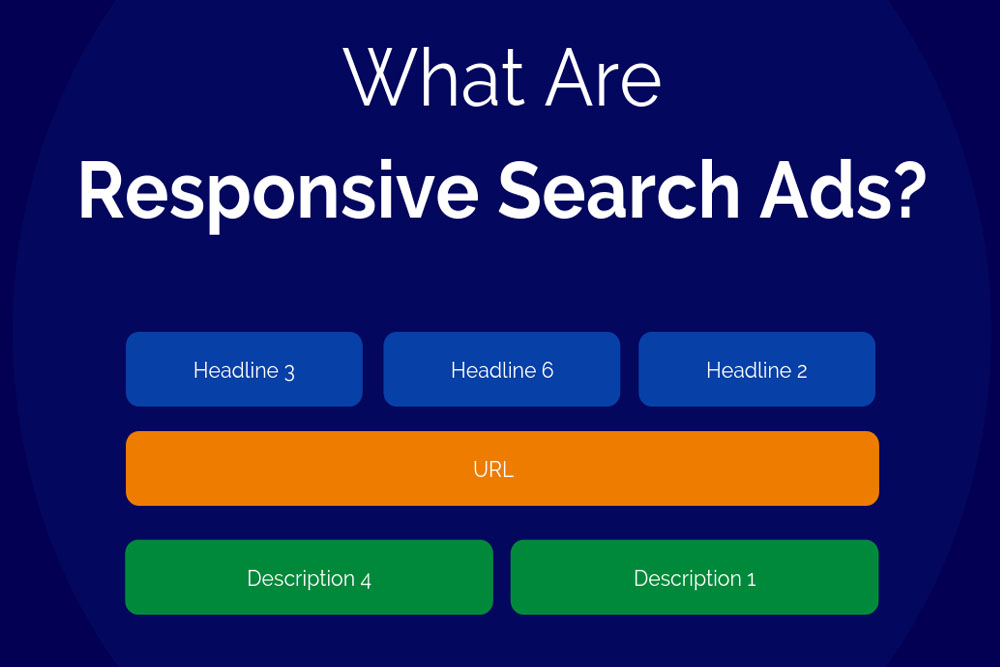
The Pinning Feature — Use It Carefully
Pinning lets you lock a specific headline or description to a specific position. If you have a brand name or a legal disclaimer that must always appear, you pin it.
But there is a real cost to pinning. The more you pin, the fewer combinations Google can test. Google itself lists excessive pinning as one of the main causes of weak ad performance.
If you must pin, a smarter approach is to pin multiple options to the same position. For example, pin two different headline variations to position 1. That way, something you chose always shows there, but Google still has a choice between two versions — so it can learn which performs better. You keep some control without killing the optimization.
Avoid pinning to position 3 or description position 2. Those do not always show, so your pinned message may never appear.
Ad Strength — What It Means and What It Does Not
Ad Strength is Google’s score for how well your Responsive Search Ads follows best practice guidelines. It goes from “Poor” to “Average” to “Good” to “Excellent.”
Here is what matters: Ad Strength is a best practice signal. It does not directly affect your ad rank or quality score. An ad with “Poor” strength is not penalized in the auction. What it does is tell you whether Google has enough variety in your headlines and descriptions to work with.
The things that typically push Ad Strength up:
- Having 8 to 15 unique headlines (not variations of each other)
- Including your top keyword in at least one or two headlines
- Descriptions that cover different selling points
- Avoiding repetitive phrases across different headlines
Improving from Poor to Good typically brings roughly a 9% increase in clicks and conversions, according to Google’s own data. So it is worth paying attention to — just do not treat it as the final measure of success. A campaign with “Good” strength and strong conversion data is far better than “Excellent” strength with weak results.
Smart Bidding + Broad Match + RSA: Why This Combination Works
Google has a specific recommendation: run RSAs with Smart Bidding and broad keyword match together. According to Google’s own data, advertisers using this combination see an average of 20% more conversions at a similar cost per conversion.
Here is why the combination works:
RSAs expand the number of ad combinations that can match different queries.
Broad match expands the range of search queries your keywords can match — including synonyms, related searches, and variations you might not have thought to target.
Smart Bidding uses real-time signals — device, location, time of day, past behavior — to set bids that maximize conversions or conversion value within your target.
Each one individually helps. Together, they feed each other. More queries matched means more data. More data means smarter bidding. Smarter bidding means better conversion rates. The system compounds over time.
One caution: if you are switching from manual bidding and exact match keywords, do not flip everything at once. Change one thing at a time so you can see what each change does to performance.
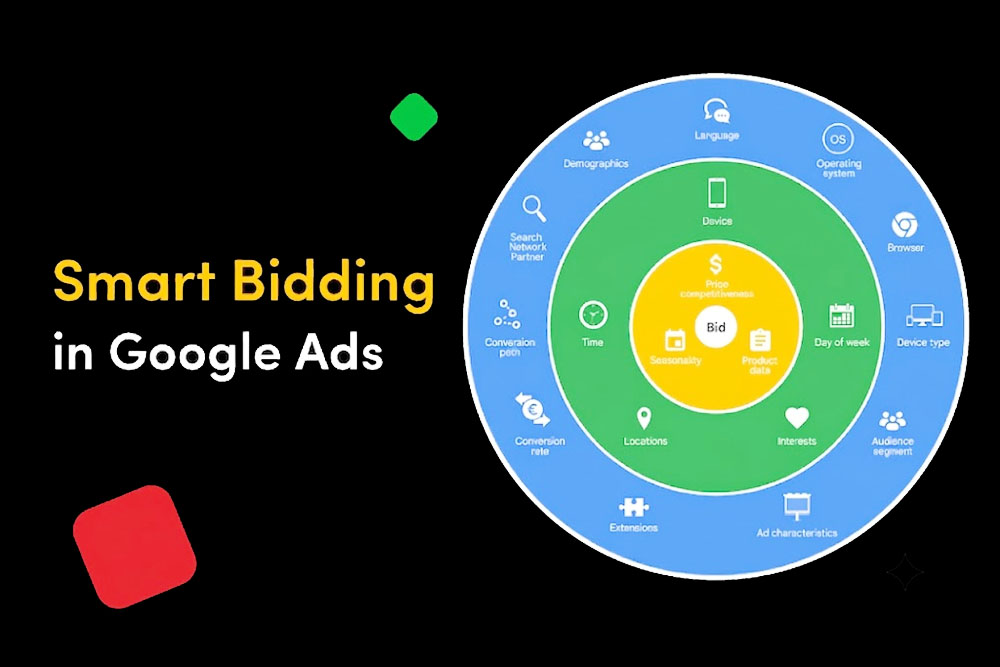
The Combinations Report — A Tool Most Advertisers Ignore
Inside Google Ads, there is a report called the Combinations Report. It shows you which combinations of your headlines and descriptions Google is actually serving, and how many impressions each combination is getting.
This report will not tell you which combinations convert best — that data is not broken out at the combination level. But it tells you something valuable: which combinations Google thinks are most relevant to your searchers.
If you see the same two or three headlines showing up across 80% of impressions, that tells you those headlines are resonating. It also shows you which headlines are almost never appearing — those are candidates for replacement.
Use the combinations report to inform what you rewrite, not to pin your best-performing combinations. Let Google keep testing. What you should do is remove underperforming assets and replace them with new variations to keep the learning process fresh.
RSA Case Study: What Happens When You Switch From ETA to RSA
One agency tracked what happened when they converted an existing ETA campaign to full Responsive Search Ads, keeping the budget identical and only changing the ad copy structure. After three months of data collection, these were the results:
- Impressions increased by 1.2% — modest, because the budget was the same
- Click-through rate increased by 8.05%
- Conversions increased by 25.93%
The key finding: the ads were not shown much more often, but when they were shown, they performed significantly better. More relevant combinations reaching more relevant users at the right moment.
This is the typical pattern when RSAs are set up correctly. The volume difference is often modest. The efficiency improvement is where the value shows up.
Common RSA Mistakes — And What to Do Instead
Writing similar headlines. If headline 4 says “Fast Accounting Software” and headline 7 says “Quick Accounting Tool,” those are not two different messages. Google cannot learn anything meaningful from testing them. Write headlines that cover genuinely different angles.
Pinning everything Some advertisers pin all 15 headlines to specific positions because they want full control. This effectively recreates an expanded text ad inside an Responsive Search Ads format. You lose all the optimization benefits. Pin sparingly — only what truly cannot vary.
Ignoring the landing page connection, if your headline says “30-Day Free Trial” but the landing page has no free trial offer on it, your Quality Score drops and your conversion rate tanks. Every headline-description combination that could show needs to be consistent with what the user finds after clicking.
Not checking asset performance labels After your Responsive Search Ads has been running for a few weeks, Google assigns performance labels to your individual headlines and descriptions: “Best,” “Good,” “Low,” or “Learning.” Headlines labeled “Low” are shown rarely. That is your signal to replace them. Check this every two to three weeks.
Stopping optimization after launch, RSAs are not a set-it-and-forget-it format. The campaigns that perform best are the ones where someone regularly reviews performance labels, replaces low-performing assets, and tests new angles. Monthly reviews at minimum.
People also ask
How many headlines should I use in a responsive search ad?
Use as many as you can write that are genuinely different. Google recommends at least 8 to 10. The maximum is 15. More variety means more combinations for Google to test, which leads to better optimization over time. Do not write 15 headlines that all say the same thing in slightly different words — that defeats the purpose.
Does ad strength directly affect whether my ad shows?
No. Ad Strength does not impact your ad rank or quality score. It is a guidance metric that tells you whether your ad has enough variety for Google’s system to work with. An ad with poor strength will still enter the auction — it just may not have enough variation for Google to optimize effectively.
Should I pin my headlines?
Only when you have a specific message that must always appear — like a legal disclaimer, a brand name, or a key offer that is non-negotiable. For most advertisers, pinning should be minimal. If you do pin, pin at least two options to the same position rather than one, so Google still has something to test.
How long does it take for RSAs to start performing well?
Typically two to four weeks. The first two weeks are a learning period where Google is gathering data. Do not make major changes during this period — let the system learn. After week three or four, you will have enough data to make informed decisions about which assets to keep or replace.
What is the difference between a responsive search ad and a dynamic search ad?
Responsive search ads use headlines and descriptions that you write. Dynamic search ads automatically generate headlines from your website content. RSAs give you more control over the message. Dynamic search ads are better for large sites with many products where manually writing ads for every page is not practical.
Can I run multiple RSAs in one ad group?
Yes, you can run up to three RSAs per ad group. Based on research across thousands of accounts, two RSAs per ad group tend to perform best — you get more impressions than a single RSA and a higher conversion rate than three. Each RSA should cover a distinct angle or offer, not just be a copy of the other.
Final Word
The advertisers who get the best results from responsive search ads are not the ones who set everything up perfectly on day one. They are the ones who treat the campaign as something to actively manage — writing fresh headlines, replacing what is not working, testing new angles, and paying attention to the data Google provides.
RSAs give Google a lot of power. Your job is to give Google good material to work with, monitor what it does with that material, and keep improving it. Do that consistently, and the results follow.
Why Bounce Rate Matters for SEO and How to Reduce It
Last year, I reviewed a website for a client who could not understand why their traffic was decent, but sales were nearly zero. Good rankings, reasonable visitors, terrible results. When we pulled up the analytics, the bounce rate was sitting at 78% on the product pages.
People were landing. People were leaving. Nobody was buying.
That single number told a bigger story than any ranking report could. And once we fixed the root causes, slow load speed, confusing layout, and no clear next step, things started moving in the right direction within weeks.
If your Bounce rate matters for SEO, is high, and you are not sure why, or if you are not even sure what bounce rate really means for your SEO, this guide covers everything you need to know.
What Is Bounce Rate?
Bounce rate is the percentage of visitors who land on a page and leave without taking any further action. No second page visit. No form fill. No click on a link. Just arrive and leave.
In older versions of Google Analytics, a bounce meant a single-page session regardless of time spent. In Google Analytics 4, which is now the industry standard in 2026, the definition is more nuanced. GA4 calculates bounce rate as the inverse of engagement rate.
A session counts as engaged if the visitor spends more than 10 seconds on the page, views at least two pages, or triggers a conversion event. Any session that does not meet any of these three conditions counts as a bounce.
So a visitor who reads your full 2,000-word article for 9 minutes and then closes the tab — that can still register as a bounce in certain setups. The metric has limitations, and understanding those limitations is important before reacting to any number.
How Is Bounce Rate Measured in GA4 in 2026?
The formula is simple. Take the number of unengaged sessions, divide by total sessions, and multiply by 100. That percentage is your bounce rate.
What changed in GA4 is that Google now cares more about whether the visit was meaningful, not just whether the visitor clicked to a second page. The shift toward engagement rate reflects a broader change in how search engines evaluate user experience, which brings us to why bounce rate matters for SEO.
What Is a Good Bounce Rate for Your Website?
The honest answer is — it depends. An Adilo study that analyzed 2,001 websites and over 16,000 data points found the average website bounce rate sits at 44.43%. But averages alone do not tell the full story.
Here is how bounce rates break down by website type:
Ecommerce product pages sit around 20 to 45%. B2B service websites land between 25 and 50%. Lead generation pages typically range from 30 to 55%. Blogs and publishers often show 60 to 80%, and that is completely normal. Paid campaign landing pages run 40 to 65%.
A 70% bounce rate on a blog post where someone found exactly what they searched for is a success. The same 70% on an ecommerce product page is a serious problem.
Is a Low Bounce Rate Always Good?
Not always. A 0% bounce rate almost certainly means your analytics tracking code is broken — possibly fired twice on the same page, or a plugin conflict preventing proper data from reaching Google Analytics. A healthy minimum, regardless of your website type, is around 20%.
It is also worth knowing that 100% bounce rate usually means either bot traffic or a single-page website where the URL never changes as visitors scroll. Neither is useful data.
Context matters more than the number itself.
Does Bounce Rate Affect SEO Rankings?
Here is where things get interesting — and where a lot of marketers get confused.
Google has never officially confirmed that raw bounce rate data from Google Analytics feeds directly into its ranking algorithm. In fact, research from Orbit Media showed that their top-ranking organic pages had an average bounce rate of 83%. If bounce rate were a direct ranking factor, those pages would not rank at all.
So, bounce rate in isolation is not a confirmed ranking signal. But bounce rate matters for SEO in a different and more important way.
Google tracks user behavior through its own browser, search results, and tools. When someone clicks a search result and comes back to the SERP seconds later to click a different result — what SEO professionals call pogo-sticking — that is a direct signal that the first page failed to satisfy the query. Too much of that behavior, and Google downgrades the page.
Dwell time — how long someone stays on your page after clicking from search — is the metric that carries real weight. A page with a high bounce rate but long dwell time can still rank well. A page with a low bounce rate but terrible content will not.
The bottom line is that bounce rate matters for SEO as an indirect signal. It reflects the quality of your user experience, the accuracy of your content, and whether your page satisfies what the visitor came looking for.
Bounce Rate vs Engagement Rate — What Google Actually Cares About
GA4’s shift from bounce rate to engagement rate mirrors how Google itself evaluates pages. The real question is not “did the visitor leave?” but “did the visit accomplish something for the user?”
Pages that answer a question clearly, load fast, and guide the visitor naturally to a logical next step — those pages perform well in search, regardless of what the bounce rate says.
Why Is Your Bounce Rate So High?
Before jumping to fixes, it helps to understand what is actually driving visitors away. Several common problems cause a high bounce rate, and most of them are fixable.
Slow page load speed is the biggest culprit. Research shows that each one-second delay in load time reduces customer satisfaction and triggers immediate exits. A page that loads in 5 seconds has a bounce rate more than four times higher than a page that loads in 2 seconds. In 2026, 53% of mobile users abandon a page that takes longer than 3 seconds.
Poor mobile experience is right behind it. Around 60% of all web searches now happen on phones. A site with tiny buttons, horizontal scrolling, or slow mobile rendering will push mobile visitors away instantly.
Search intent mismatch is the silent killer. When someone searches “how to reduce bounce rate” and lands on a page that only explains what bounce rate is without addressing the how, they leave. The content did not deliver what the search promised.
Confusing navigation compounds the problem. Research shows that 61% of users abandon websites with confusing menus. When visitors cannot find what they need within two clicks, they go back to Google.
Missing CTAs are another common oversight. If a visitor finishes reading your page and there is nothing telling them what to do next, they have no reason to stay. Adding a clear, specific call to action is one of the fastest bounce rate fixes available.
Intrusive pop-ups, broken links, 404 errors, low-quality content, and irrelevant backlinks sending mismatched traffic all contribute to the same problem — visitors arrive, feel friction, and leave.
How to Reduce Bounce Rate — 9 Proven Fixes
Now for the practical part. Each of the problems above has a clear solution.
Speed up your page load time first.
Compress images and switch to modern formats like AVIF. Enable browser caching. Use a content delivery network. Activate lazy loading for content below the fold. Pages that load under 3.4 seconds see 70% lower bounce rates than slower pages.
Match your content to search intent exactly.
Read the search query that brings visitors to your page. Answer the main question within the first two paragraphs. Deliver precisely what your headline promised. When visitors feel the page immediately addresses their need, they stay.
Make the content easier to read.
Break up long paragraphs into two to three sentences. Add clear subheadings every few hundred words. Use visual spacing. Relevant images throughout the page give the eye somewhere to rest and keep visitors scrolling.
Optimize for mobile properly.
Responsive design is the minimum. Go further — check button sizes, tap targets, font readability at small sizes, and mobile load speed separately from desktop. Use Google Search Console’s mobile usability report to find specific issues.
Fix your navigation.
Simplify your menus so key pages are reachable in one click. Add breadcrumbs so visitors know where they are on your site. Group related articles into topic clusters so there is always a logical next page to visit.
Add strong calls-to-action above the fold.
Do not wait until the bottom of the page to give visitors a next step. Place CTAs at the one-third and two-thirds marks of long pages. Use specific action-focused language — “See how we helped a similar business” or “Get a free SEO audit” — rather than generic phrases.
Remove aggressive pop-ups.
Replace immediate pop-ups with inline CTAs or exit-intent triggers. Google has penalized pages with intrusive interstitials since 2017, and the standard has only become stricter. Keep the layout visually stable — aim for a Cumulative Layout Shift score under 0.1.
Add visual content throughout.
Infographics, annotated screenshots, short videos, and charts give visitors something to engage with beyond text. Pages with relevant visuals at every scroll depth keep visitors on the page longer and naturally reduce bounce.
Build internal links strategically.
Every article should link to at least two or three related pages on your site. Add a “related reading” section partway through, not just at the bottom. Each internal link is another opportunity to extend the visitor’s journey and reduce the chance of a bounce.
Tools to Track and Monitor Your Bounce Rate
Google Analytics 4 is the starting point. Set up engagement rate tracking alongside bounce rate so you get the full picture of how visitors interact with your pages.
Google Search Console shows you which pages have crawl errors, broken links, and mobile usability issues — all of which affect bounce behavior.
Hotjar and Microsoft Clarity provide heatmaps and session recordings. Watching real visitors navigate your pages often reveals problems no metric can capture on its own. A session recording of someone clicking on an unlinked image five times because they expected it to go somewhere — that tells you more than any bounce rate report.
At Digital Oasis, we use all three together when auditing a client’s website. The combination gives a complete picture of where visitors are dropping off and exactly what needs to be fixed.
People Also Ask
Does bounce rate directly affect SEO rankings?
Bounce rate does not feed directly into Google’s ranking algorithm. However, related signals like dwell time and pogo-sticking do. A high bounce rate is a strong indicator that something on the page is not working, which indirectly harms rankings over time.
What is a good bounce rate for a website?
It depends on your website type. Ecommerce pages should aim for 20 to 45%. Blogs and informational pages can comfortably sit at 60 to 80% without any concern. The average across all website types is 44.43%.
What causes a high bounce rate?
The most common causes are slow page load speed, poor mobile experience, content that does not match search intent, confusing navigation, missing CTAs, intrusive pop-ups, and broken links.
How do I check my bounce rate in GA4?
Go to Reports, then Engagement, then Overview. GA4 shows engagement rate prominently. Bounce rate is the inverse — subtract engagement rate from 100 to get your bounce rate percentage.
What is the difference between bounce rate and engagement rate? Bounce rate counts sessions where no meaningful interaction occurred. Engagement rate counts sessions where the visitor stayed 10+ seconds, viewed multiple pages, or completed a conversion. GA4 treats engagement rate as the primary metric now.
Final Thoughts
Bounce rate matters for SEO — not as a direct ranking factor, but as a mirror that reflects the health of your website experience. When visitors leave fast, it tells you something is wrong. The content did not answer the question. The page was too slow. The next step was not clear.
Fix those things, and the bounce rate comes down on its own. More importantly, rankings improve, conversions increase, and the visitors who do land on your pages actually turn into customers.
At Digital Oasis, we audit websites exactly this way — not just checking a number, but finding the real reason behind it and fixing the root cause.
Reach out to Digital Oasis today for a full bounce rate and SEO audit. Let us find what is pushing your visitors away and build a plan to keep them.
